
Doc_Pit
Inspiring
September 23, 2020
Answered

Content aware fill problem
  • September 23, 2020
  • 5 replies
  • 2062 views

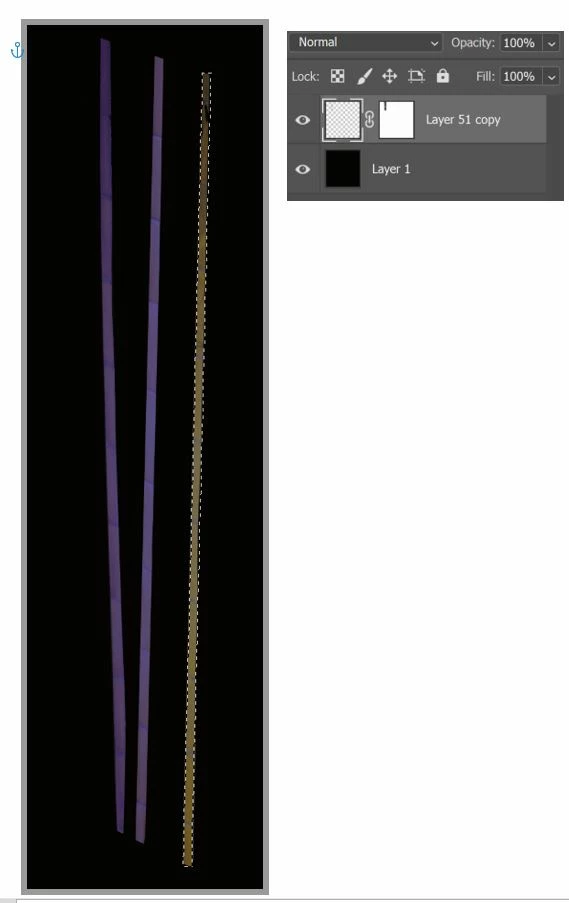
I've been using content aware fill for some time, so this is an embarrassing question.  See the image.  Three bamboo sticks.  One is selected.  Edit>Content Aware Fill prompts the message "Could not fill because there are not enough source pixels on the selected layer."  The program identified the two blue-shaded bamboo sticks on the left as the sampling area.  It seems to me that the program would use that sampling area to fill the selection.  Why "not enough source pixels"?
This topic has been closed for replies.
Correct answer JJMack

Try using the content aware fill workspace.

5 replies

Rick Adams
Inspiring
November 24, 2020

I am having this error using Content Aware Fill on a Mac Pro 10.15.7 and Ps 22.0.1. I have a flat layer and a selection prior to starting the command. I have used this command a lot and this is the first time I have received this error. I don't have a layer with transparent pixels. I just want to remove something from the grass.


JJMack
Community Expert
Community Expert
November 24, 2020

With you screen capture we ge no Idea of your documets layer structure so we do now know  what layer 1 content is which is involved with this content aware fill message.

JJMack
Rick Adams
Inspiring
November 24, 2020

When I next duplicate the concern, I'll get a more inclusive screenshot. Thank you for your reply! Have a great day, Rick.

JJMack
Community Expert
JJMackCommunity ExpertCorrect answer
Community Expert
September 23, 2020

Try using the content aware fill workspace.

JJMack
Doc_Pit
Doc_PitAuthor
Inspiring
September 25, 2020

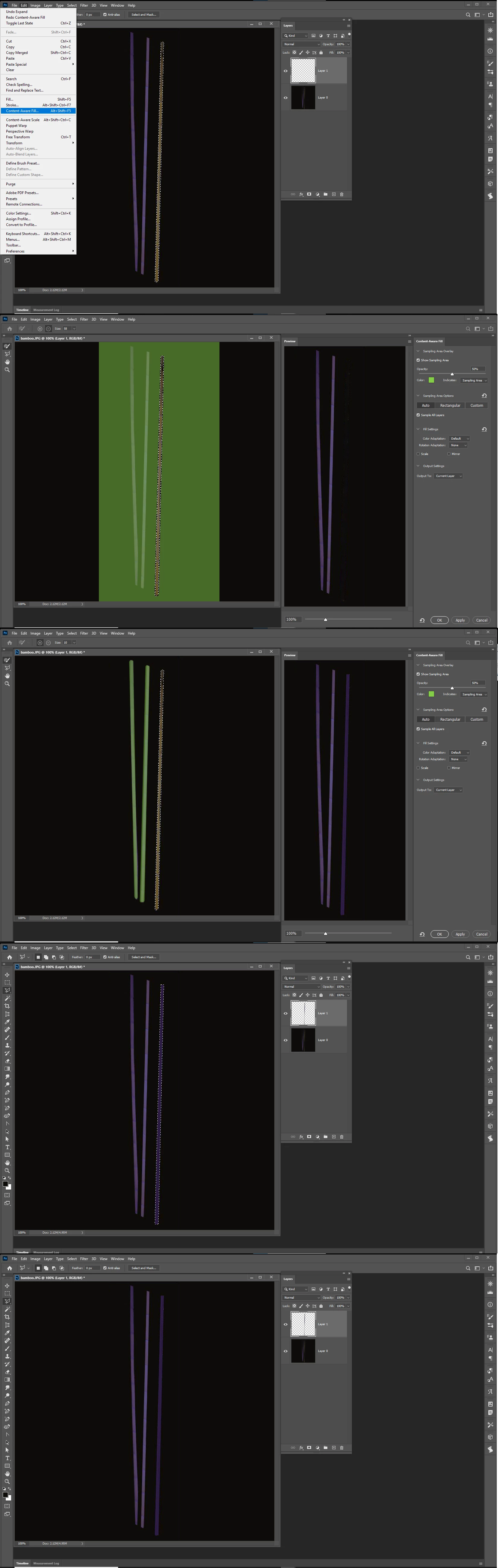
Thanks for the replies.  The original layer included 3 bamboo plants on a transparent background.  The plants are part of a much larger composition; so their layer is primarily transparent.  Only the plants represent opaque pixels.  I disabled the layer mask.  I had been using the content aware workspace so that I could select the two other bamboo plants to provide a sampling area for the third plant, which I wanted to fill.  That didn't work.  Then I placed a black layer beneath the transparent layer with the bamboo, and I merged the two layers.  Basically, I replaced the transparent pixels with black pixels.  At that point, I was able to complete the operation.  My initial premise was that the percentage of transparent pixels over the entire layer should not matter so long as there were opaque pixels that could be used as a sampling source (the pixels from the other two plants).  Apparently, if PS sees a prevalence of transparent pixels over the entire layer, it will reject the operation regardless that there might be some opaque pixels available.  Thanks, again, for the help.

PECourtejoie
Community Expert
Community Expert
September 23, 2020

Hello, what happens if you disable the layer mask? (shift+click)

LinSims
Community Expert
Community Expert
September 23, 2020

Moved to the Photoshop forum.


Please remember to post your questions in the appropriate forum, as you are more likely to get an answer to your question.

John T Smith
Community Expert
Community Expert
September 23, 2020

Please post the exact name of the Adobe program you use so a Moderator may move this message to that forum

Doc_Pit
Doc_PitAuthor
Inspiring
September 23, 2020

Most recent update of Photoshop (v. 21.2.3)