tgkteeder
Participant
December 3, 2019
Question

Content aware fill, "Could not fill because there are not enough source pixels on the selected layer

  • December 3, 2019
  • 2 replies
  • 16624 views

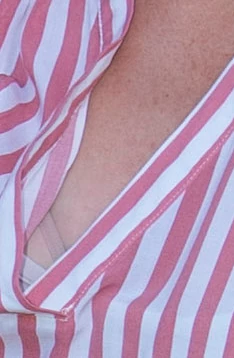
Novice Photoshop CC 19 user.  Total fail attempting to remove exposed bra from image below.  Not concerned with sliver of tank top at bottom of bra.  Content Aware Fill givers me this message:  "Could not fill because there are not enough source pixels on the selected layer"   I was using the lasso tool.  Feather is at 0.  Is there a solution for this?  Thanks. 


2 replies

Chuck Uebele
Community Expert
Community Expert
December 3, 2019

This is what I'm getting with PS 2020, which has a little better content aware fill than 2019. It still needs a little touch up.

tgkteeder
tgkteederAuthor
Participant
December 3, 2019

Thanks very much Chuck.  When I said novice, I ought to have said pre-novice.  I do have PS 20 and tried again with that.  Worked.  Big learning curve and I'm humbled by all the smart PS people like yourself.  

Inspiring
May 30, 2021

Might I also suggest that you make sure the image is "Flatten". I have found that if I try to use Content Aware Fill with the Rect. Marq. Tool and it is in a new layer..I get an error message that sez.."Not Enough Pixels Selected".

If I R.click on that layer and "Flatten"..works fine.

May not be your solution or problem but I thought I would mention just the same. I am new to CC also. CS6 is my "go to" Ps.


Sorry years in replying...Yest to"Flatten"

Thanks!

Chuck Uebele
Community Expert
Community Expert
December 3, 2019

can you show a screen shot with the selection you made and your layer panel? You did have the image layer selected and not a blank layer? Also, can you show the result that you got?