
d72QKp
Participant
February 10, 2018
Answered

content aware scale does the same as transform scale

  • February 10, 2018
  • 1 reply
  • 640 views

I have made 2 selections to protect details on a cactus flower photo, made an alpha channel,  and  selected it in Edit>content aware scale  exactly as directed by books and videos.

The selection rectangle looks and acts the same as it does in Transform>scale. It sits around only the 2 round selections, not around the picture borders like it should.

The 2 selections may be hard to see. They are circles in the upper right and lower left of the rectangle.
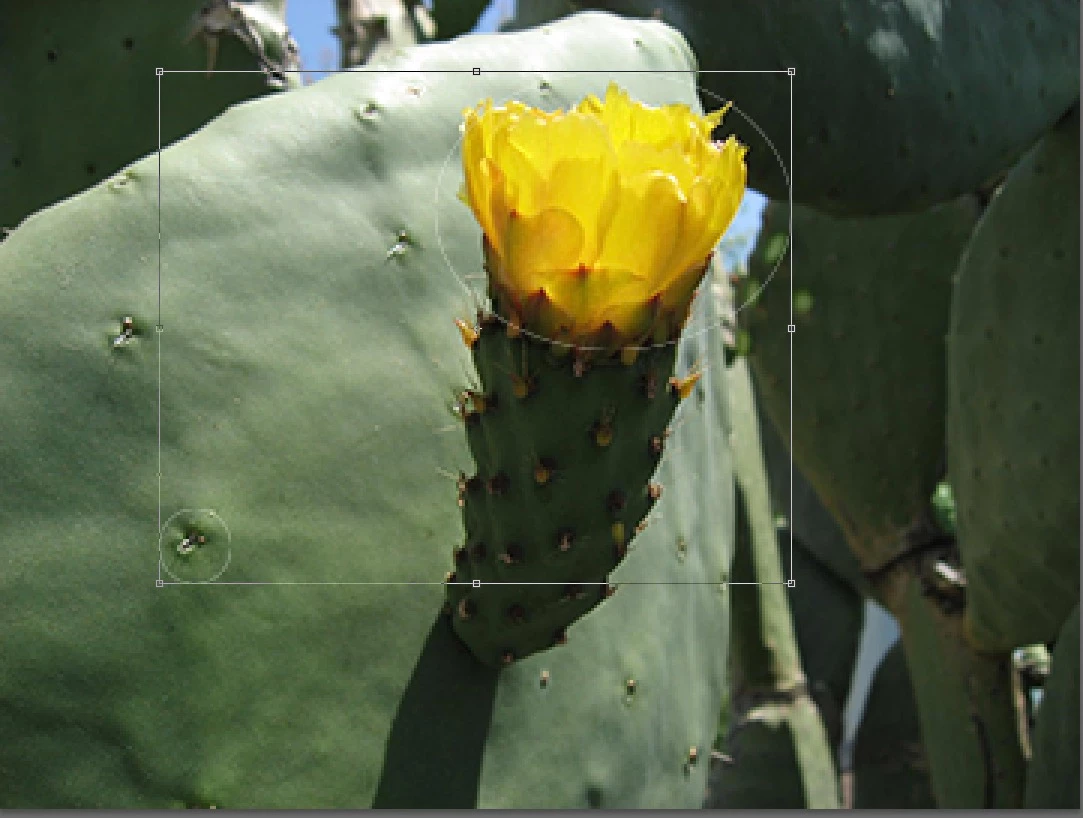
Dragging the handles moves the selections and leaves holes, just like in Transform>scale.
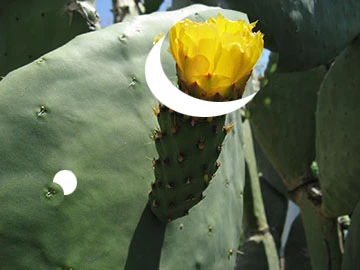
The picture is mostly solid content, with details in the selections. It should work fine.

Is this a defective CS6 on my iMac ? Or is there a fix?

Nick

This topic has been closed for replies.
Correct answer d72QKp

Hi

Those steps work here - but try this :

Make you alpha channel

Press Ctrl+D to deselect

Press Ctrl+A to Select All

Then run content aware scale, setting the Alpha channel in the protect box in the options bar

Dave


Yes! This works. Many thanks.

I don't know how I missed this in the many articles and books I studied.

Nick

1 reply

davescm
Community Expert
Community Expert
February 10, 2018

After creating your Alpha channel press Ctrl+D to deselect then use Content Aware scale, setting the Alpha channel in the protect box in the options bar

Dave

d72QKp
d72QKpAuthor
Participant
February 13, 2018

Thanks, but that doesn't work. (It's one of the first things I tried.)

Deselecting   grays out the Edit>content aware scale so that it can't be used   and stops further progress.

Any other ideas?

Nick

On Saturday, February 10, 2018, 1:34:01 PM PST, davescm <forums_noreply@adobe.com> wrote:

content aware scale does the same as transform scale

created by davescm in Photoshop - View the full discussion

After creating your Alpha channel press Ctrl+D to deselect then use Content Aware scale, setting the Alpha channel in the protect box in the options bar


Dave

If the reply above answers your question, please take a moment to mark this answer as correct by visiting: https://forums.adobe.com/message/10168583#10168583 and clicking ‘Correct’ below the answer

Replies to this message go to everyone subscribed to this thread, not directly to the person who posted the message. To post a reply, either reply to this email or visit the message page:

Please note that the Adobe Forums do not accept email attachments. If you want to embed an image in your message please visit the thread in the forum and click the camera icon: https://forums.adobe.com/message/10168583#10168583

To unsubscribe from this thread, please visit the message page at , click "Following" at the top right, & "Stop Following"

Start a new discussion in Photoshop by email or at Adobe Community

For more information about maintaining your forum email notifications please go to https://forums.adobe.com/thread/1516624.

This email was sent by Adobe Community because you are a registered user.

You may unsubscribe instantly from Adobe Community, or adjust email frequency in your email preferences

d72QKp
d72QKpAuthorCorrect answer
Participant
February 15, 2018

Hi

Those steps work here - but try this :

Make you alpha channel

Press Ctrl+D to deselect

Press Ctrl+A to Select All

Then run content aware scale, setting the Alpha channel in the protect box in the options bar

Dave


Yes! This works. Many thanks.

I don't know how I missed this in the many articles and books I studied.

Nick