Participant
February 3, 2020
Answered

Content-aware scale not working :( HELP!

  • February 3, 2020
  • 1 reply
  • 2426 views

Hi guys, I need to stretch out backround of portarait picture. I used this tutorial as my guidance: https://www.youtube.com/watch?v=jzVfQJMYJ_w&list=PLtsWnp92FZDA03tlHDBrD4nRRqyCVpBvt&index=19&t=115s but I can't figure out two things. 

1.) When I crop picure to size I need, backround appears as black (not transparent as in video). See screenshot: 
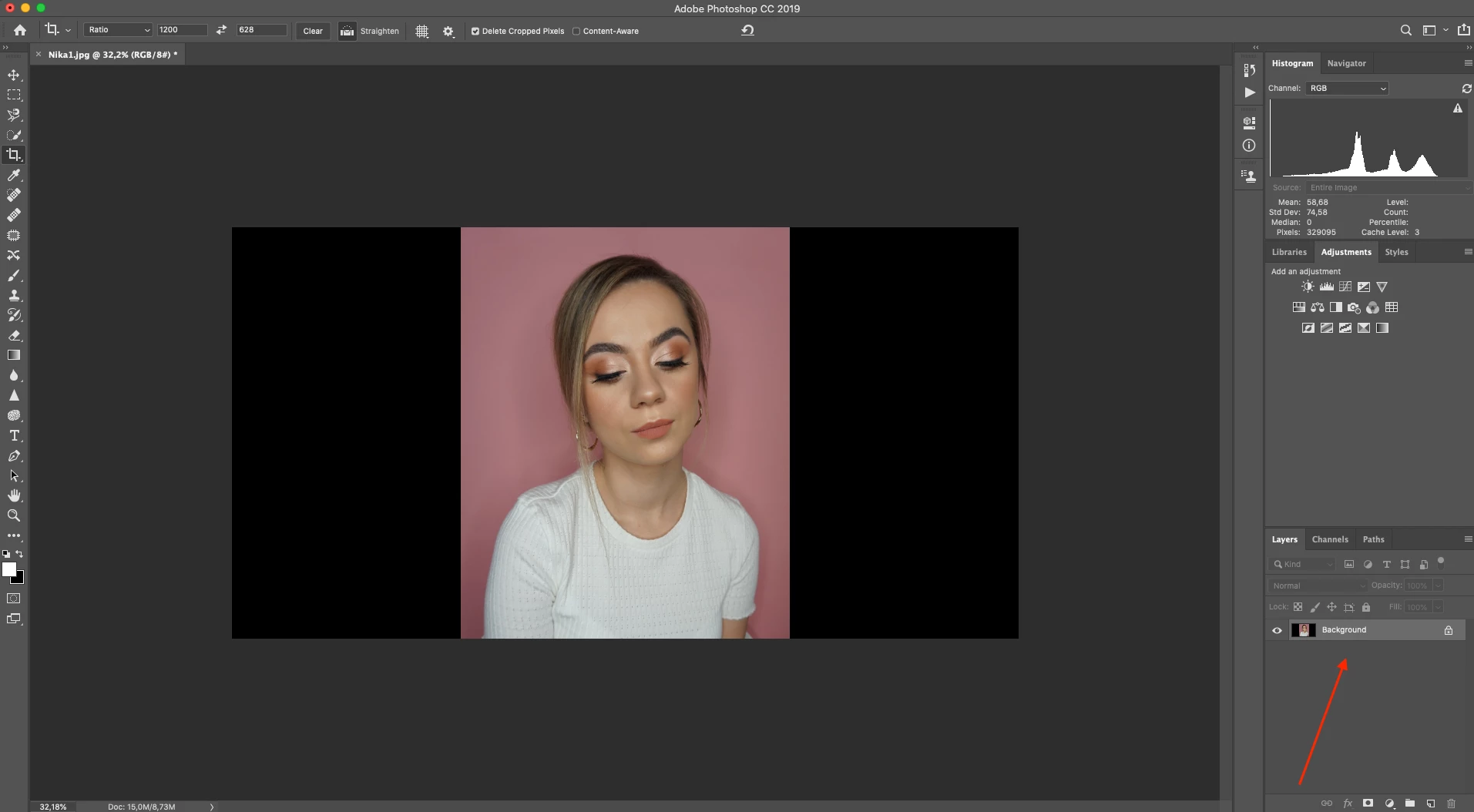
 

2.) Content-aware scale is grayed out so I CAN'T click on it. 

Can anybody help please? 

Thanks a lot 🙂

This topic has been closed for replies.
Correct answer PECourtejoie

  Hello, in the video, Unmesh is working on a layer, while you are working on the background.

Just double-click on the background thumbnail, to turn it into a layer, and you are good to go!

1 reply

PECourtejoie
Community Expert
PECourtejoieCommunity ExpertCorrect answer
Community Expert
February 3, 2020

  Hello, in the video, Unmesh is working on a layer, while you are working on the background.

Just double-click on the background thumbnail, to turn it into a layer, and you are good to go!

jurajkr1Author
Participant
February 3, 2020

Hey, thanks for help. 🙂

PECourtejoie
Community Expert
Community Expert
February 3, 2020

No problem, you are welcome, keep on Photoshopping! 

Usually, you should have an eye on the layers panel, and on the Option Bar, at the top...

And, increasingly, the Properties panel is very useful as well to check what's going on... and to set things up, like the others!