
Content Aware Selection Not Available
[Title edited for brevity by moderator. Was “2019 PHOTOSHOP CC CLASSROOM IN A BOOK CONTENT AWARE SELECTION NOT AVAILABLE AFTER USING FOREGROUND COLOR FILL MODE FOR MAKING A BORDER”]
In lesson 4, Layer Basics, I was trying to recreate the instructions for making a border listed on pages 100 – 101.
Specifically I selected to make the border
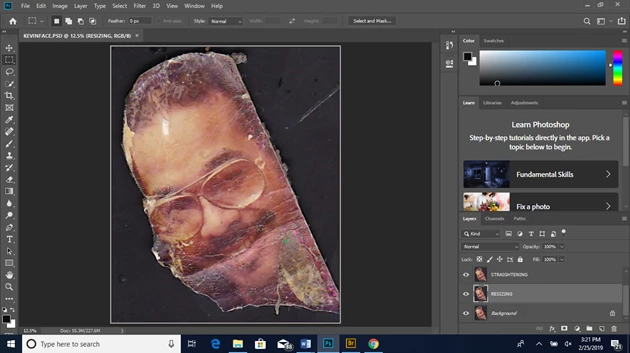
I chose Select > All
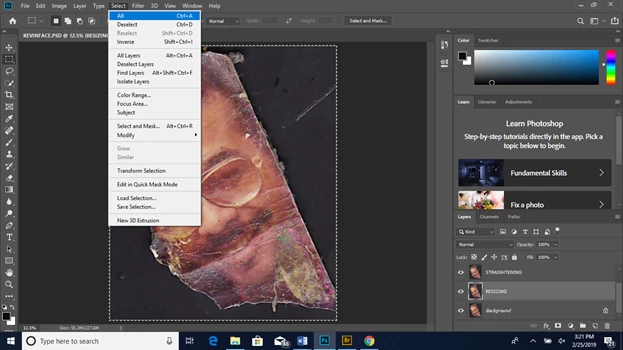
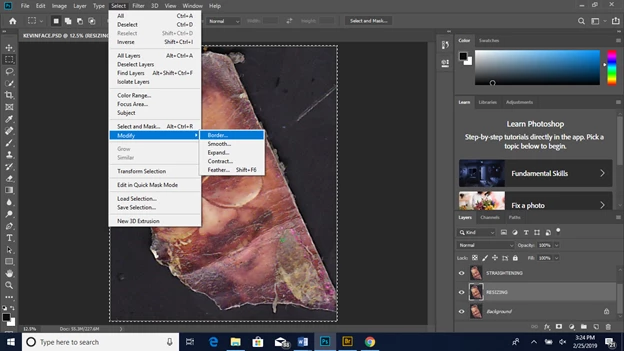
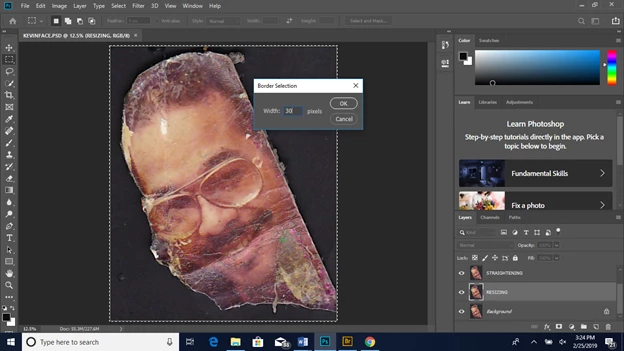
I chose SELECT > MODIFY > BORDER, and typed in 30 pixels for the width and clicked OK
I selected white for the foreground color
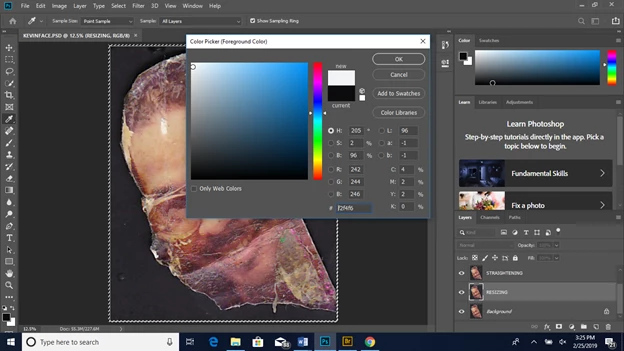
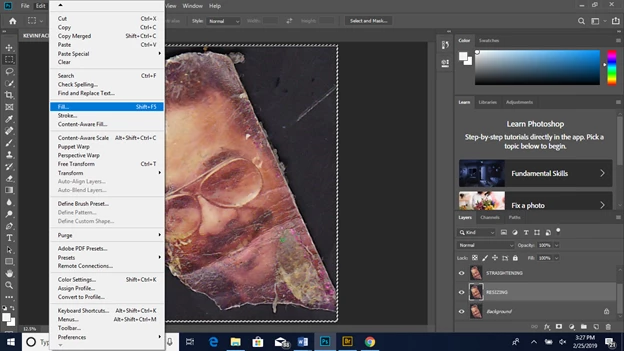
I then chose EDIT > FILL
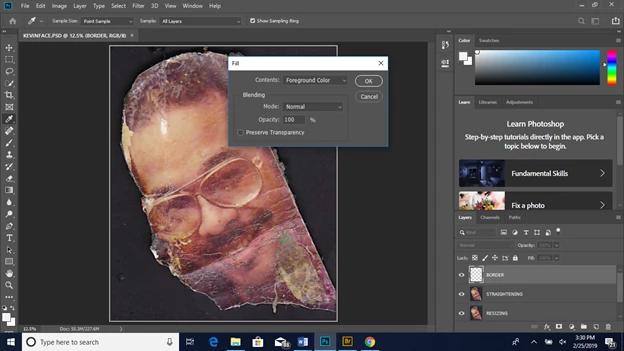
In the fill dialog box I chose foreground color from the contents menu, replacing the content aware with the term “foreground color” enter OK
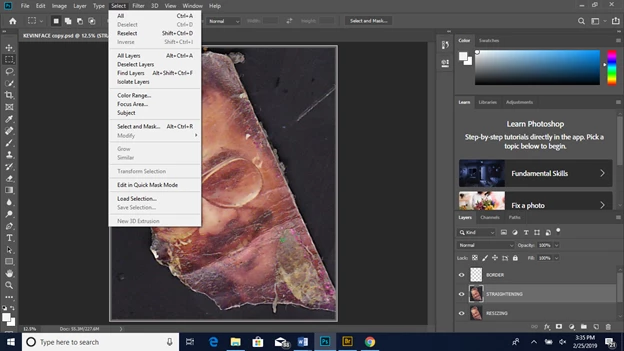
When I choose SELECT > DESELECT. I am not able to deselect, for "deselect" is grayed out
I then tried to go back into the EDIT > FILL to change it back to contents-aware
From foreground color. It wouldn’t allow me to, as the "contents-aware" was greyed out.
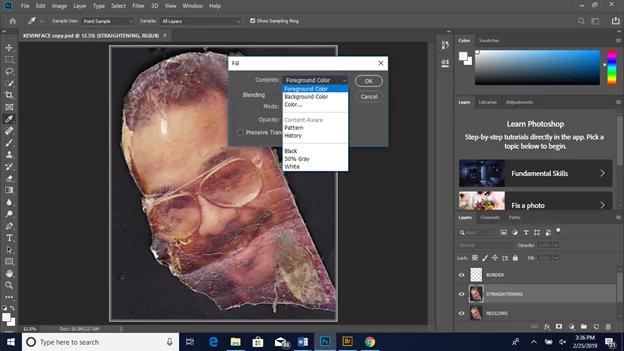
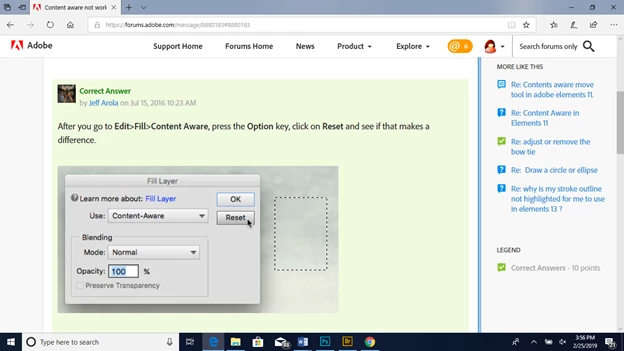
Again, these are instructions I am repeating from the classroom book 2019, lesson 4, pages 100 -101. What am I doing wrong? How do I allow content aware back into the fill program. I have saved the document and closed it. Turned off my computer and reloaded the photoshop 2019 program, and still I cannot change the fill from foreground color to content aware. I have viewed all the forum answers posted and tried to purge the edit stuff and was told this was not allowed. I tried performing the below task which was located on the forum, but cannot find this menu on my2019 Photoshop CC. I am using a PC, so I thing control button is used where the options key is recommended for mac users, right? Either way, I cannot locate this reset feature.
Thank you in advance for your assistance.
Kevin
 AdChoices