
Question
Continously creating mockups
Hello friends, i need help. I Have Man.psd with this layout ;
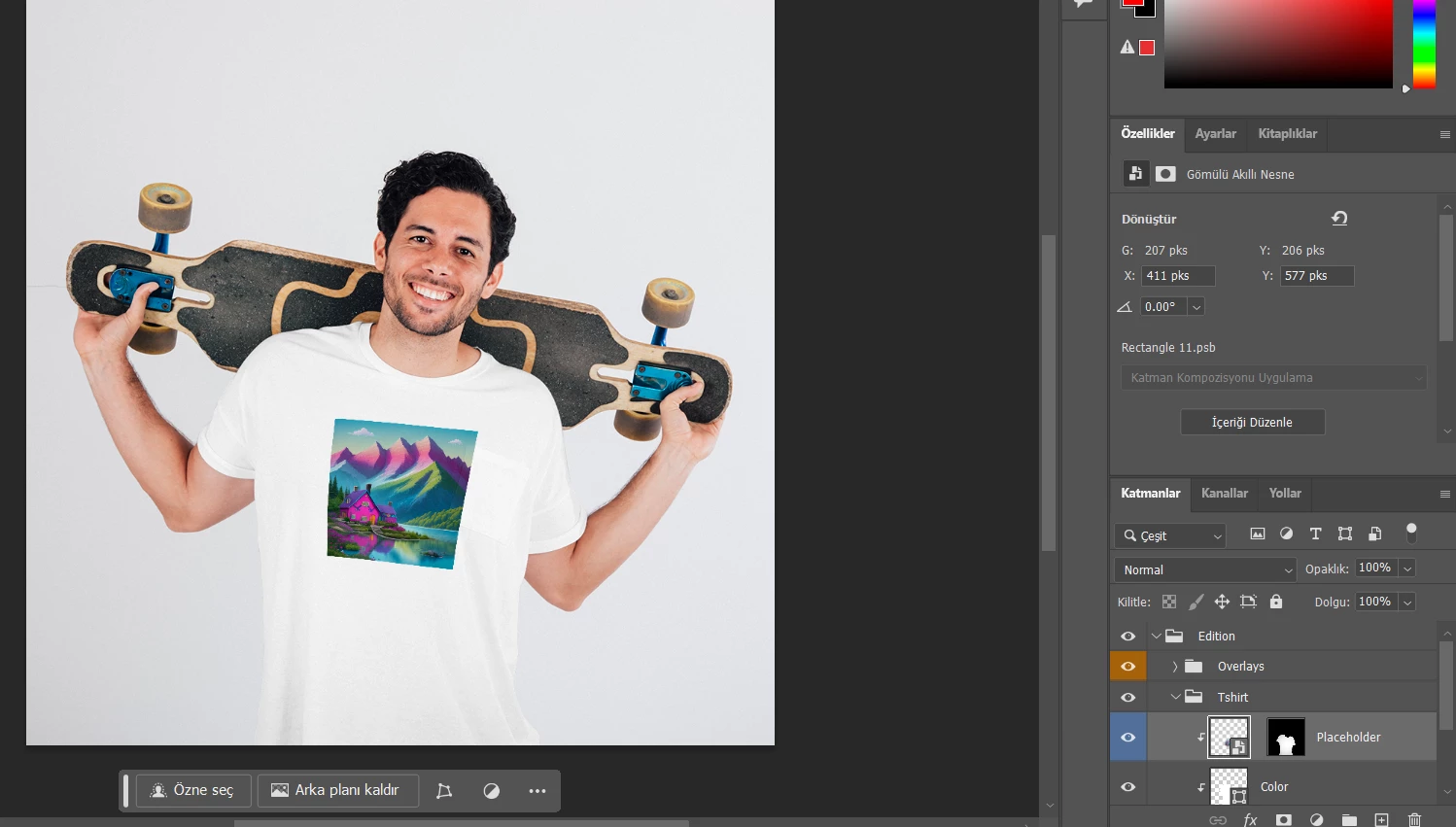
And inside smart object i have this
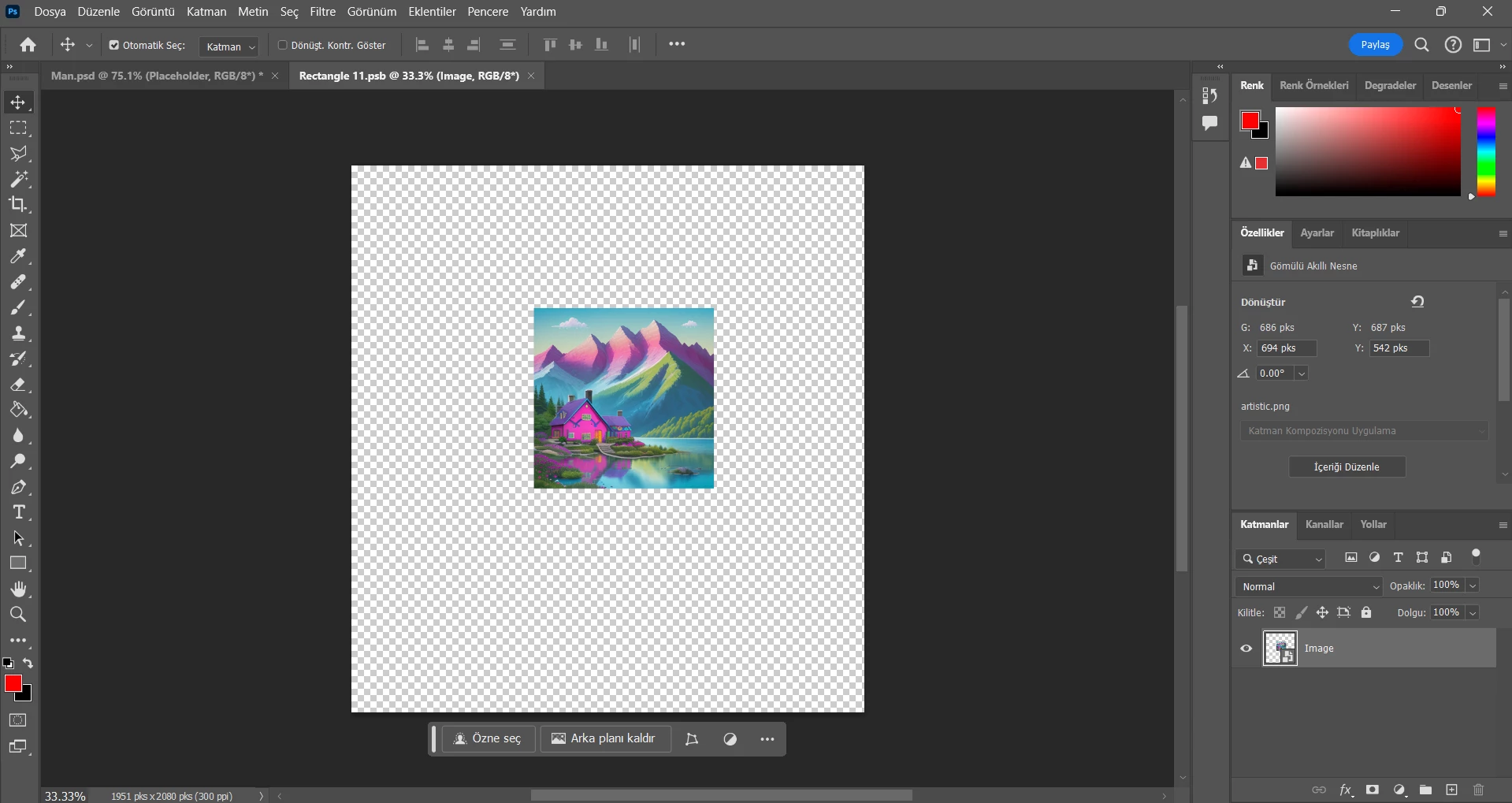
I need to write script to continously search C:\Mockups\NotGenerated, if any image is on there i want to create new mockup with this PSD file and save png to ; _output folder and remove old file at C:\Mockups\NotGenerated
i tried but cant make it work.
// 2024, use it at your own risk;
if (app.documents.length > 0) { main(); }

function main() {
    try {
        var basePath = "C:/Mockups/NotGenerated";
        var outputPath = basePath + "/_output";
        var psdFile = new File("C:/Mockups/Man.psd");

        if (!psdFile.exists) {
            alert("PSD file not found.");
            return;
        }

        var theFiles = getAllPngFiles(basePath);
        var theLayers = collectLayersByName("Placeholder", psdFile);

        if (theLayers.length === 0) {
            alert("No layer named 'Placeholder' found.");
            return;
        }

        var theSO = openSmartObject(psdFile);

        if (theSO) {
            for (var m = 0; m < theFiles.length; m++) {
                var thisOne = theFiles[m];
                replaceContents(thisOne, theSO.activeLayer);
                theSO.save();
                activeDocument = psdFile;
                savePng(outputPath, new File(thisOne).name.match(/(.*)\.[^\.]+$/)[1]);
                activeDocument = theSO;
            }
            theSO.close();
        } else {
            alert("Failed to open Smart Object.");
        }

        deleteOldFiles(basePath, theFiles);
    }
    catch (e) {
        alert("Something is wrong: " + e.message);
    }
}

// Open smart object from PSD file
function openSmartObject(psdFile) {
    app.open(psdFile);
    var idplacedLayerEditContents = stringIDToTypeID("placedLayerEditContents");
    var desc2 = new ActionDescriptor();
    executeAction(idplacedLayerEditContents, desc2, DialogModes.NO);
    return app.activeDocument;
}

// Replace contents of the smart object
function replaceContents(newFile, theSO) {
    app.activeDocument.activeLayer = theSO;
    var idplacedLayerReplaceContents = stringIDToTypeID("placedLayerReplaceContents");
    var desc3 = new ActionDescriptor();
    var idnull = charIDToTypeID("null");
    desc3.putPath(idnull, new File(newFile));
    var idPgNm = charIDToTypeID("PgNm");
    desc3.putInteger(idPgNm, 1);
    executeAction(idplacedLayerReplaceContents, desc3, DialogModes.NO);
}

// Get all PNG files from the base directory
function getAllPngFiles(basePath) {
    var folder = new Folder(basePath);
    var files = folder.getFiles("*.png");
    return files;
}

// Save as PNG
function savePng(outputPath, theNewName) {
    var pngOptions = new PNGSaveOptions();
    pngOptions.compression = 9;
    pngOptions.interlaced = false;
    activeDocument.saveAs(new File(outputPath + "/" + theNewName + ".png"), pngOptions, true);
}

// Collect layers by name from a specific PSD file
function collectLayersByName(aName, psdFile) {
    app.open(psdFile);
    var myDocument = app.activeDocument;
    var ref = new ActionReference();
    ref.putProperty(stringIDToTypeID('property'), stringIDToTypeID('numberOfLayers'));
    ref.putEnumerated(charIDToTypeID("Dcmn"), charIDToTypeID("Ordn"), charIDToTypeID("Trgt"));
    var applicationDesc = executeActionGet(ref);
    var theNumber = applicationDesc.getInteger(stringIDToTypeID("numberOfLayers"));
    var theLayers = [];

    for (var m = 0; m < theNumber; m++) {
        try {
            var ref = new ActionReference();
            ref.putIndex(charIDToTypeID("Lyr "), m);
            var layerDesc = executeActionGet(ref);
            var layerSet = typeIDToStringID(layerDesc.getEnumerationValue(stringIDToTypeID("layerSection")));
            var isBackground = layerDesc.getBoolean(stringIDToTypeID("background"));
            if (layerSet != "layerSectionEnd" && !isBackground) {
                var theName = layerDesc.getString(stringIDToTypeID('name'));
                var theID = layerDesc.getInteger(stringIDToTypeID('layerID'));
                var theIndex = layerDesc.getInteger(stringIDToTypeID('itemIndex'));
                if (theName == aName) {
                    theLayers.push([theName, theIndex, theID]);
                }
            }
        } catch (e) {}
    }
    return theLayers;
}

// Delete old files
function deleteOldFiles(basePath, files) {
    for (var i = 0; i < files.length; i++) {
        var file = new File(files[i].toString());
        if (file.exists) {
            file.remove();
        }
    }
}

// Select layer by ID
function selectLayerByID(id, add) {
    add = (add === undefined) ? false : add;
    var ref = new ActionReference();
    ref.putIdentifier(charIDToTypeID("Lyr "), id);
    var desc = new ActionDescriptor();
    desc.putReference(charIDToTypeID("null"), ref);
    if (add) {
        desc.putEnumerated(stringIDToTypeID("selectionModifier"), stringIDToTypeID("selectionModifierType"), stringIDToTypeID("addToSelection"));
    }
    desc.putBoolean(charIDToTypeID("MkVs"), false);
    try {
        executeAction(charIDToTypeID("slct"), desc, DialogModes.NO);
    } catch (e) {
        alert(e.message);
    }
}
 AdChoices