
Inspiring
January 17, 2020
Answered

Convert image to Gustave Dore style?

  • January 17, 2020
  • 2 replies
  • 2963 views

Hi. Is it possible to convert an image into the style of Gustave Dore? Like only use 2 colors to represent an image, but use patterns of various density to indicate different shades of gray? Like the one below.
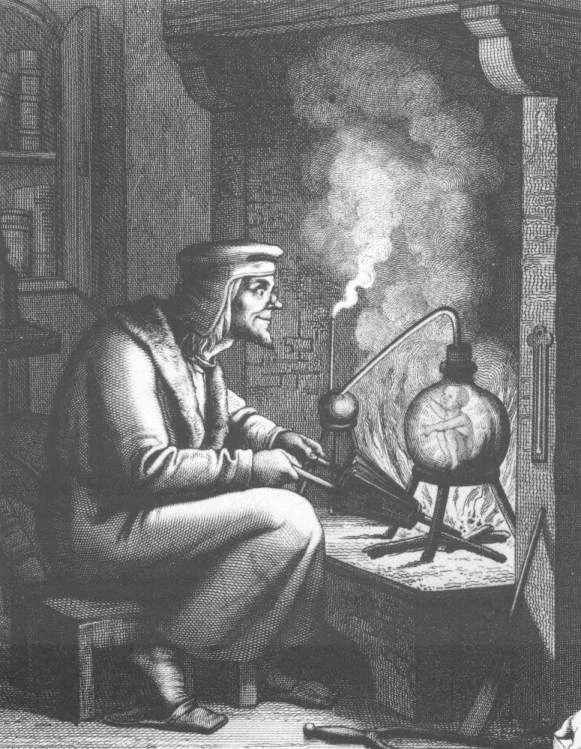
I really like this kind of style. Thanks!

This topic has been closed for replies.
Correct answer Leslie Moak Murray

I will mostly convert photos but yeah like engraving


Here is a tutorial to do just that:

https://we.graphics/blog/turn-a-photo-into-an-engraved-illustration-using-photoshop/ 


And here is an action for it:

https://blog.spoongraphics.co.uk/freebies/free-engraved-illustration-effect-action-for-photoshop 


And here is a filter:

https://www.behance.net/gallery/16968201/Engrave-Photoshop-Filter-Freebie 

2 replies

Leslie Moak Murray
Community Expert
Community Expert
January 17, 2020

Are you talking about art or photos? He was an artist.

Inspiring
January 17, 2020

Art. I attached an example


Inspiring
January 17, 2020

So then do you mean you drew something and you want it to look like an engraving?


I will mostly convert photos but yeah like engraving

Chuck Uebele
Community Expert
Community Expert
January 17, 2020

Can you post an example or a link?

Inspiring
January 17, 2020

My bad. Example provided