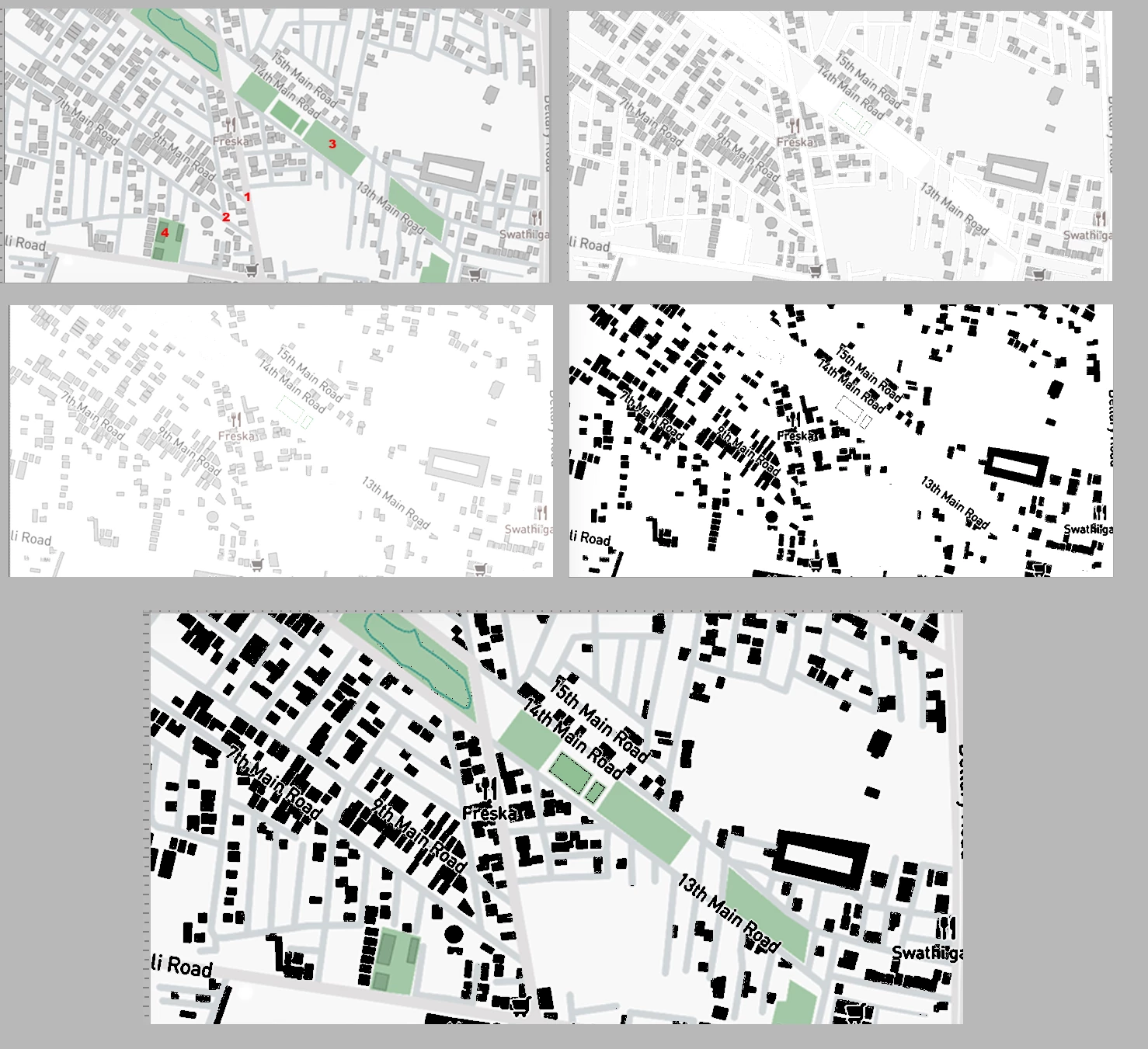
There are four tone levels in the plan other than the buildings. I have numbered them.
Duplicate the Background layer
Use the Magic Wand set to not Contiguous in the Optios bar and adjust the Tolerance so that only one of the tone levels is selected. Fill it with white. Repeat for each of the other three tone levels (NOT the buildings.) Fig 2.
Note that the white area is not equally white. Increase the highlight contrast with Curves or Levels Fig 3.
Select the Buildings and fill them with Black. Fig 4
In the Layers panel change the Blending Mode to Multiply. Fig 5
 AdChoices