
Participant
May 3, 2020
Answered

Copy and Paste is turning the image white

  • May 3, 2020
  • 5 replies
  • 17980 views

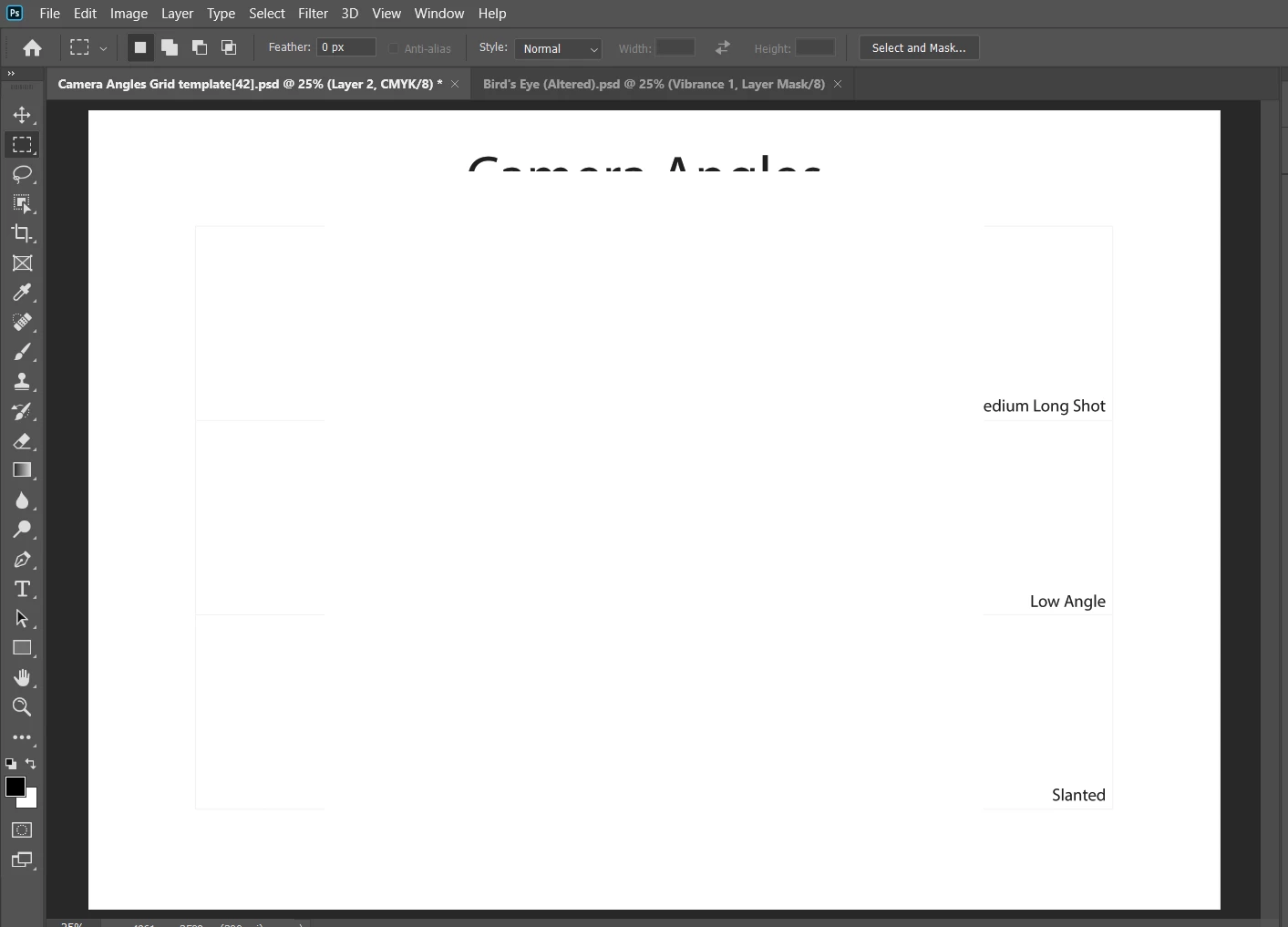
Hello. I am having an issue with Photoshop on Windows. When I copy an image and then paste it onto another layer, that copied image turns completely white as soon as it's pasted. What can I do to fix this? This is quite urgent as I am working on a project that needs to be submitted this week.


Attached to this post is a screenshot of the problem. As you can see, some of the text is cut off and that's where the image supposedly is.


Any help would be much appreciated.

Notes:

- I am using the April 2020 (21.1.2) version of Photoshop

- I have made sure that everything is on RGB and not Greyscale.


This topic has been closed for replies.
Correct answer Michael Bullo

Within the Performance tab of the Photoshop Preferences is an option called Legacy Compositing. Does changing this help?


5 replies

Participant
November 10, 2023

I had the same problem. Is your layer label colored red, like this?

My problem was when I wanted to draw a circle I supposed I accidentally clicked on the Quick Mask Mode button (green) instead of the Ellipse Tool (blue):


(either that or I accidentally hit the Q shortcut key)

Just disable Quick Mask Mode and you'll be back to normal, if that was the problem.

Participant
August 8, 2022

Hello everyone,

I have the same problem: I clipped an image and pasting it on another one it turned white. I've tried to mark the "deactivate native canvas" but it doesn't work. Please help me :,( Thank you in advance

Michael Bullo
Community Expert
Michael BulloCommunity ExpertCorrect answer
Community Expert
August 3, 2020

Within the Performance tab of the Photoshop Preferences is an option called Legacy Compositing. Does changing this help?


Participating Frequently
August 3, 2020

It did! Thank you so much.

Michael Bullo
Community Expert
Community Expert
August 3, 2020

Excellent. Happy to help.

Participating Frequently
August 3, 2020

Hi. I'm having the same problem but I don't understand this answer at all. Can anybody weigh in a little more clearly? Thanks.

lambiloon
Community Expert
Community Expert
May 3, 2020

Hi you are doing masking for that layer which you have masked confirm mask first for it then drag the picture using move tool copy paste not work this way....regards

Ali Sajjad / Graphic Design Trainer / Freelancer / Adobe Certified Professional