Inspiring
September 18, 2019
Question

copy/paste greyed out when select all used to make selection PS CS6

  • September 18, 2019
  • 3 replies
  • 2721 views

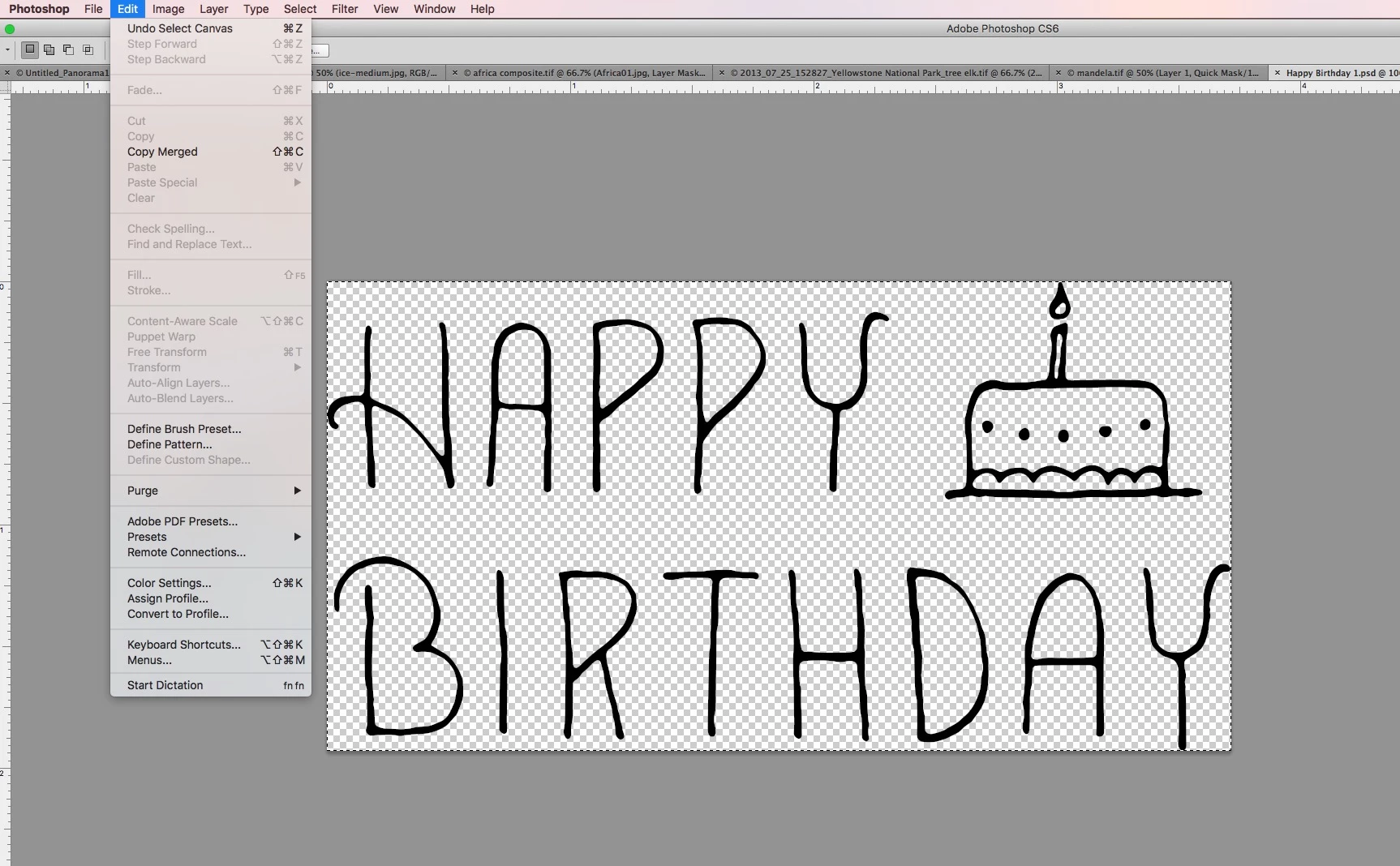
I'm following along with online education.  i can't duplicate this action that the teacher is doing.  i googled and apparently i should be able to select all, then copy, then paste.  any idea why they are greyed out?  thanks.


    This topic has been closed for replies.

    3 replies

    September 18, 2019

    It's a Solid Fill adjustment layer and the mask is there so you can mask out the color fill

    From here

    rojas66Author
    Inspiring
    September 18, 2019

    it's not on the instructor's page. it's attached to the graphic in what was included in the course, but the instructor doesn't seem to have it, which makes it confusing when one is trying to learn. thanks so much for your help Ged.

    September 18, 2019
    No problem, we're here to help 🙂 feel free to post any further questions you may have
    September 18, 2019

    Click on the Color Fill mask highlighted in green

    rojas66Author
    Inspiring
    September 18, 2019
    yes, thank you. what is that box next to it? i don't recognize that.
    September 18, 2019

    Hi

    It would help if you could post a screenshot

    rojas66Author
    Inspiring
    September 18, 2019
    thanks. edited my post to include a screenshot.
    September 18, 2019

    How many layers do you have, is the happy birthday on it's own layer, can you post a screenshot with the layers panel opened