
Answered
copy/paste Smart Object to new document
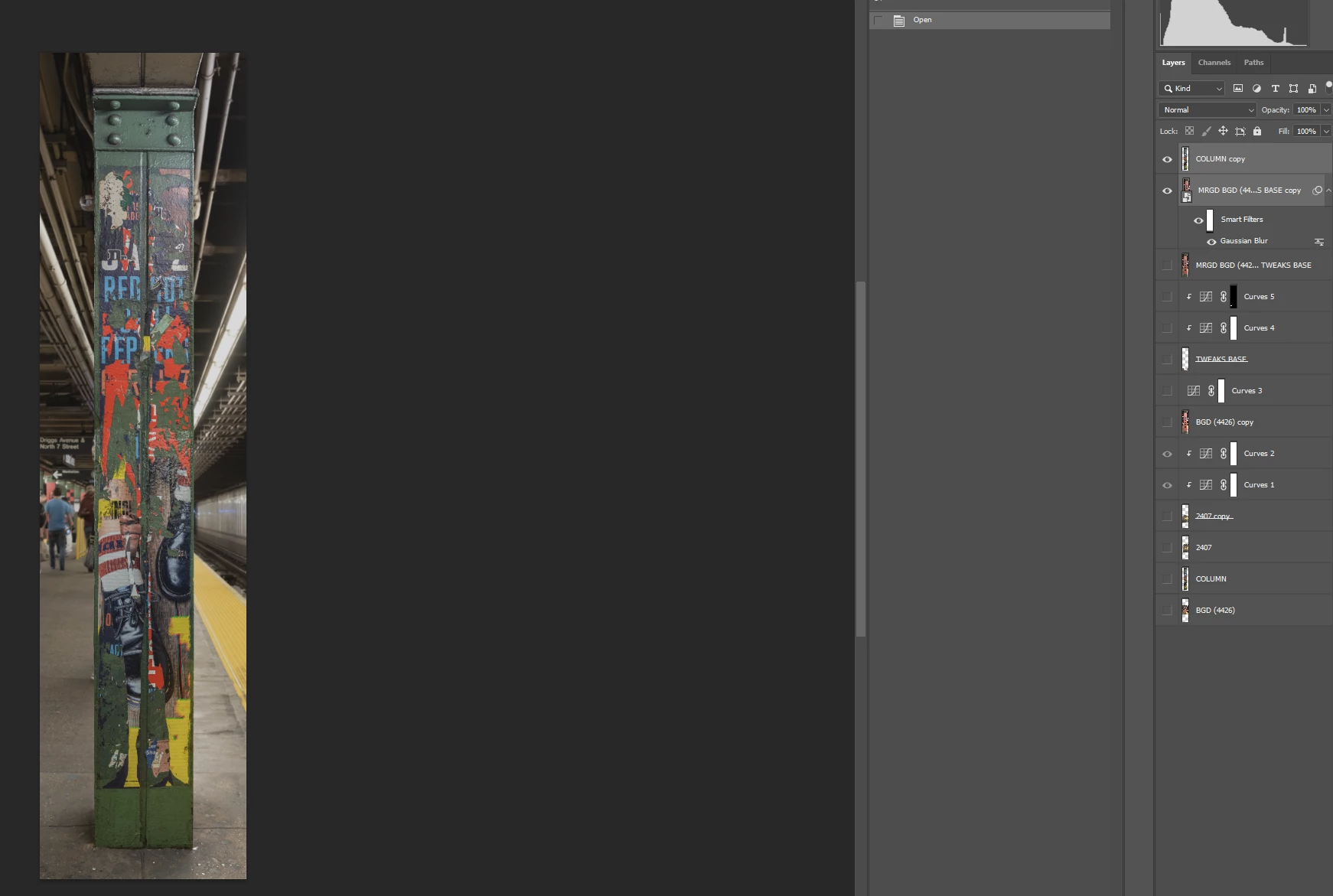
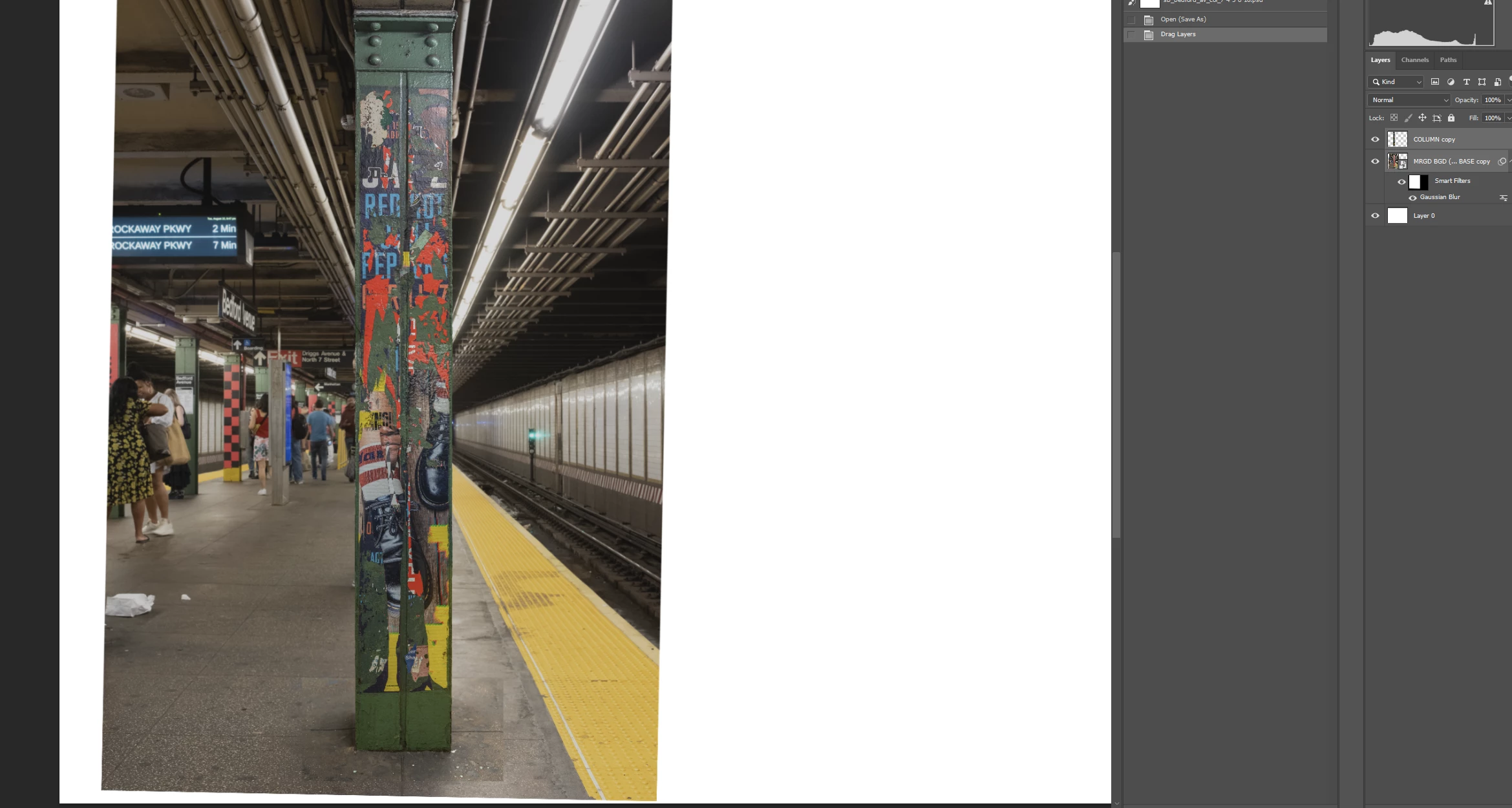
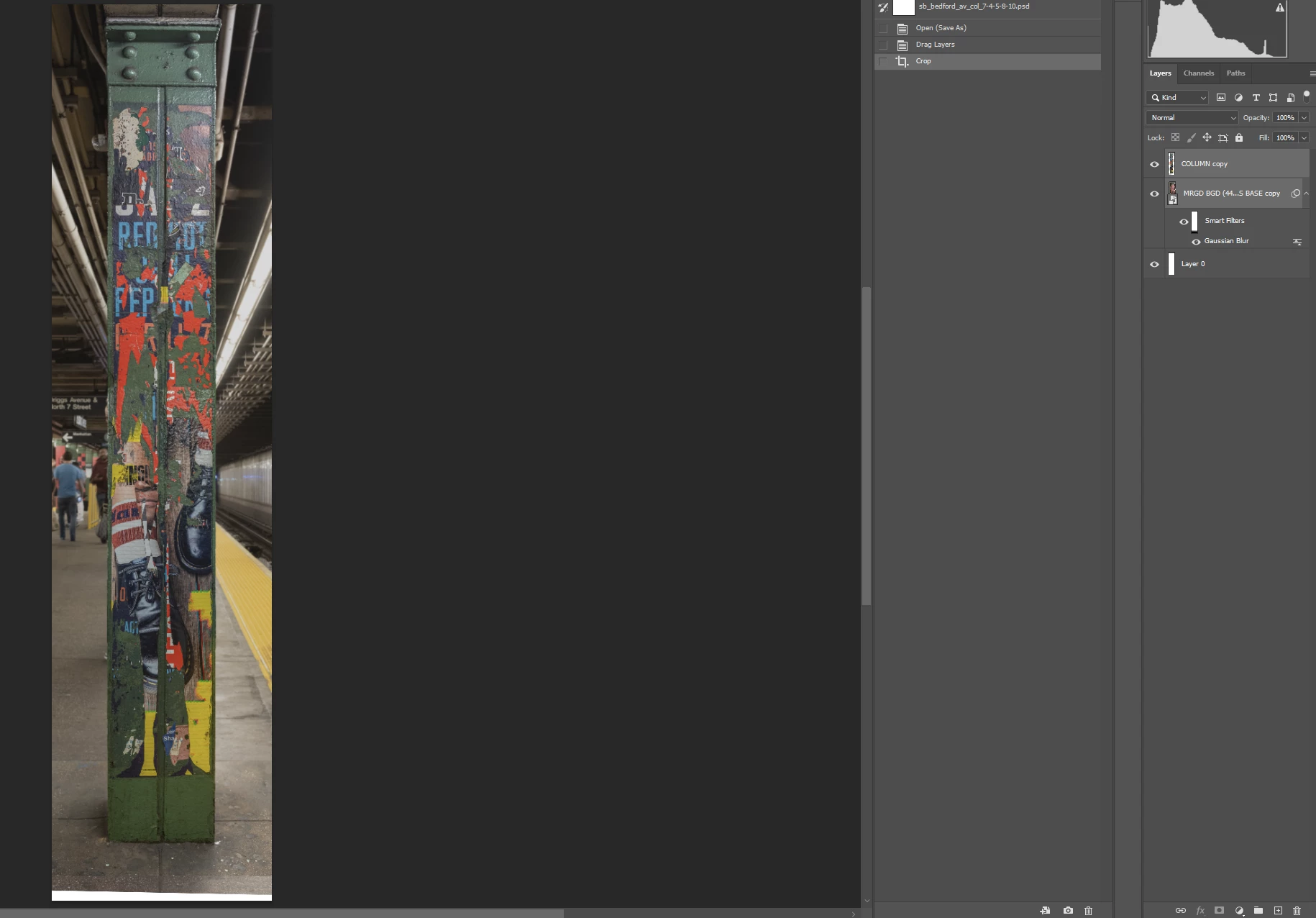
I want to copy 2 layers - foregound and background - to a new document of a different size. Screen shot 1 shows the source document. The 2d screen shot shows the destination document with the 2 layers pasted. More of the source document has been copied than I want. If I crop the source document to its image area as displayed in the source document (screen shot 3), the crop affects the entire destination document. How can I crop the source document to display as shown in the source document without flattening the 2 layers and also retain the wider 28200 px width of the destination document? Thanks.
 AdChoices