
Participant
January 31, 2018
Question

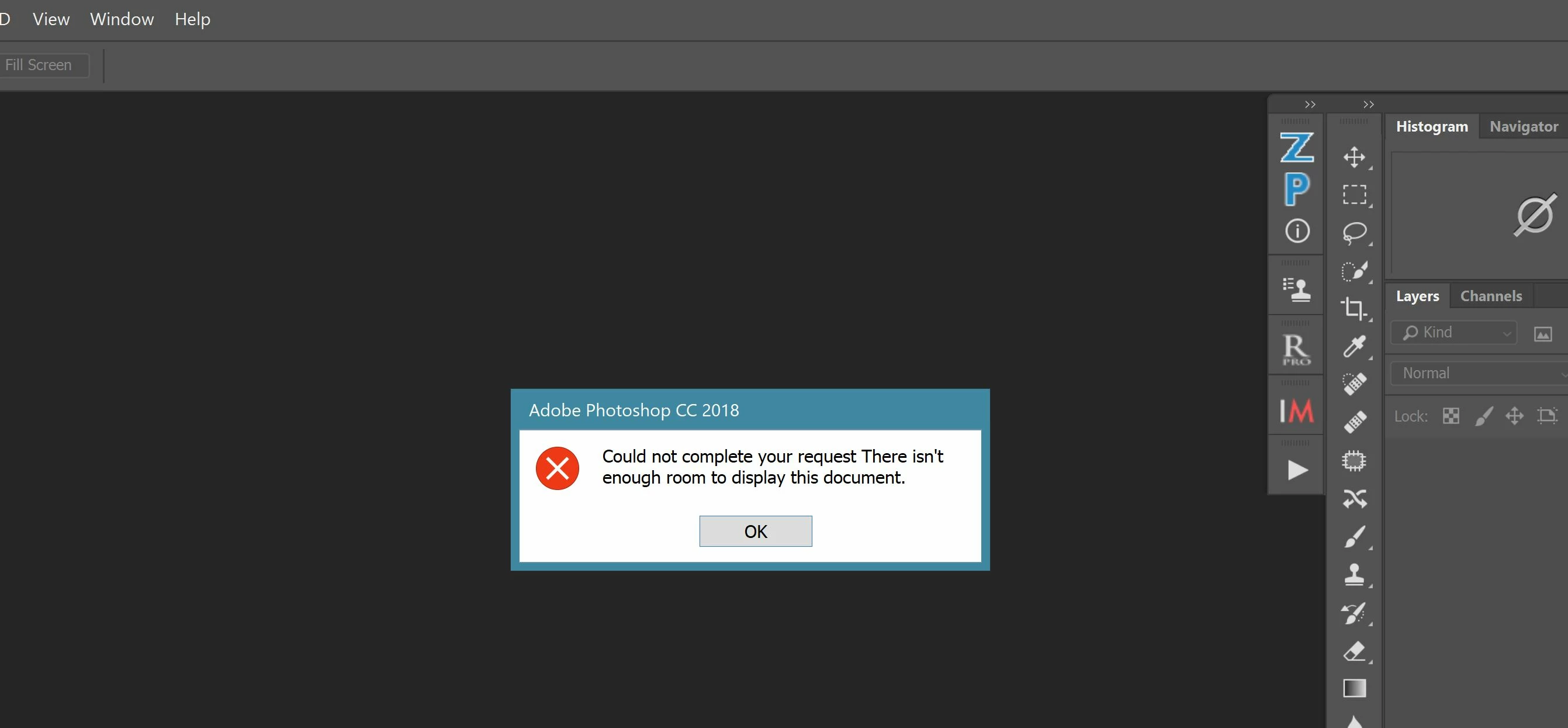
Could not complete your request.

  • January 31, 2018
  • 3 replies
  • 1261 views

Hi everyone;

My first post.  Since installing the latest update to Photoshop 2018 a few days ago, I have been able to open one photo and since then I have the message below.

Would anyone have a possible solution?

Cheers!

-Al
This topic has been closed for replies.

3 replies

Kukurykus
Legend
February 28, 2018

For anyone who wants to get to know why it happens check: There isn't enough room to display this document => bug !

Blackcollar
Participant
March 1, 2018

I found the solution to my problem though it may not be applicable to all.  I moved the tools bar from the right back to the left as per the original layout.  Every time I move the toolbar to the right, the same problem occurs.

Hope it helps others

Al

Kukurykus
Legend
March 1, 2018

That's not everything what happens. When you choose 'View / Fit to Screen' a window is going to be moved to the bottom!

pixxxelschubser
Community Expert
Community Expert
February 1, 2018

Hi alaind6361345​,

your problem could be similar to this thread: https://forums.adobe.com/thread/2443449

(mostly written in german language)

There is a checklist you can go through step by step (and the solution in the other thread was: to change the workspace eg to Essentials)

When the window is big enough and if you already work in this workspace try to reset this one (menu: Window --> Workspace -> Reset "your workspace") or change to another workspace.

By the way:

Do you use palettes which are not out of box was installed?

Blackcollar
Participant
February 1, 2018

Thank you very much for your looking into this.  Indeed, changing the work space to "essentials" has solved the problem.  I was using "photography".  This never happened before and I hope a fix will come shortly.

Thanks again!

Al

pixxxelschubser
Community Expert
Community Expert
February 1, 2018

You're welcome.

Blackcollar  schrieb

… and I hope a fix will come shortly …

I never heard, that the problem comes again. That's why …

Mylenium
Legend
February 1, 2018

Without system information nobody can tell you much. Start by checking the usual suspects - graphics driver, screen configuration, related PS preference settings.

Mylenium