

LuminousSky
Inspiring
December 25, 2021
Question

couldn't find an object to select (Object Selection Tool not working anymore)

  • December 25, 2021
  • 6 replies
  • 5458 views

Hello,


It's the second time today (different photo) that the Object Selection Tool (ObSeTo) stopped functioning.

I am getting the error message: "Couldn't find an object to select. There might not been enough edge contrast, or the object might be too small."


In general ObSsTo has still many issues. I am selecting something and it deselects the area that I had just selected! Even though it has a different color, which makes me to go back and re-select that area, again.
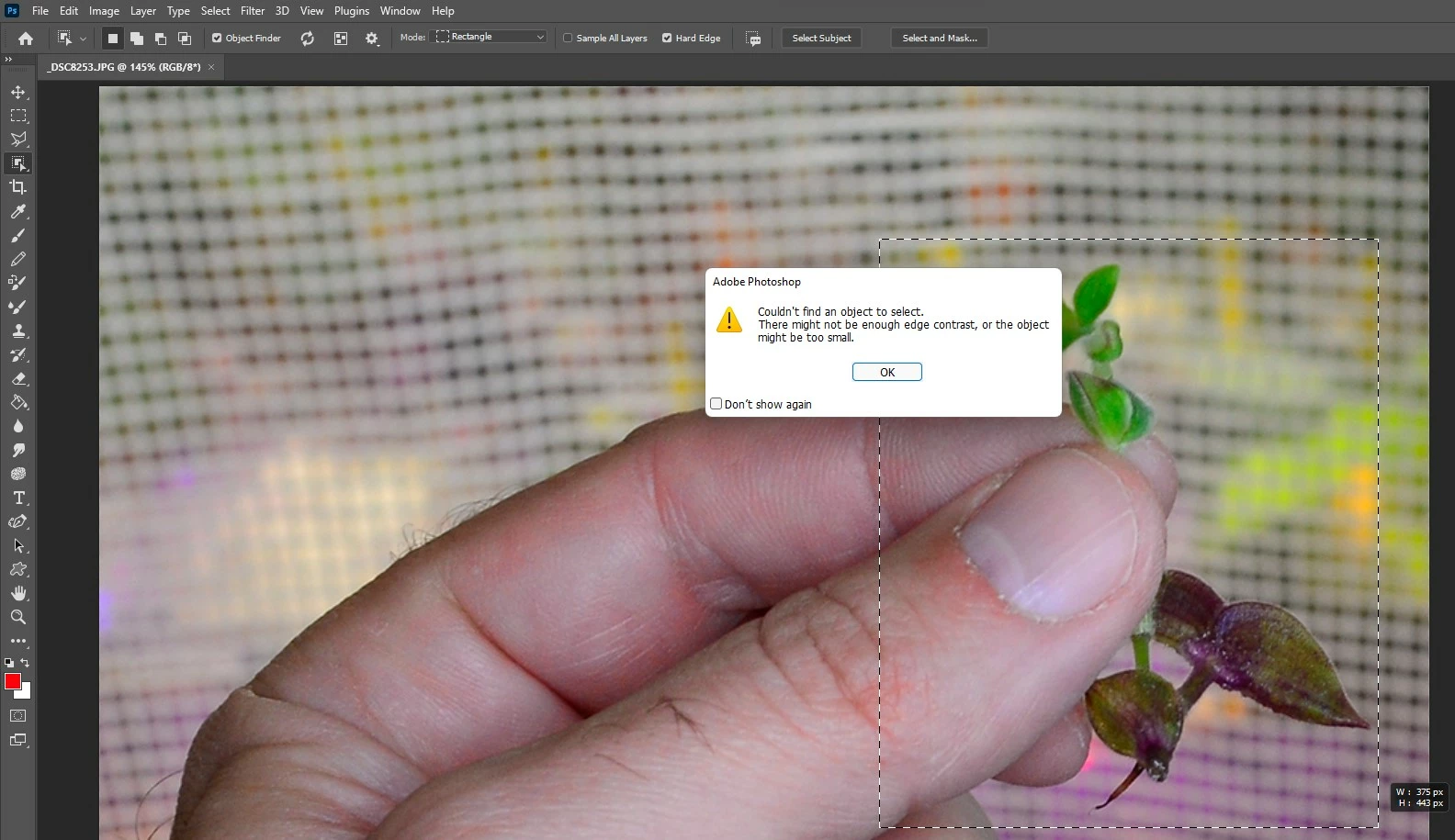
6 replies

Participant
December 31, 2022

didnt you find a solution for that ?
its making me crazy

Inspiring
April 25, 2025

Came here looking for something else based on the latest PS update, but as long as I'm here, make sure you're on the right layer. 

jane-e
Community Expert
Community Expert
December 26, 2021


@LuminousSky said:

There's no option for polygonal. Only 'Rectangle' and 'Lasso'.


My apologies, I meant "Lasso". I was on my iPad this morning. Sometimes this works when the Rectangle does not. Here I "lassoed one section of the leaf, then released and used the Shift key to add to the selection and lasso other section.


Jane


LuminousSky
Inspiring
December 26, 2021

@jane-e 

There's no option for polygonal. Only 'Rectangle' and 'Lasso'. Is that option to be found somewhere else?

LuminousSky
Inspiring
December 26, 2021

Not at all. I use the ObSeTo the past two years for all of my photos such as this one, and it works fine (even though the fan starts going crazy whenever I start cropping).

I guess that is either a bug from Photoshop, or I have accidentally changed something.

jane-e
Community Expert
Community Expert
December 26, 2021

@LuminousSky 


What happens if you change the Mode from "Rectangle" to Polygonal" in the options bar and draw a loose selection around the leaf?


Jane

JohanElzenga
Community Expert
Community Expert
December 26, 2021

Seems logical to me that this happens. First of all, the Object Selection Tool is a tool that is based on artificial intelligence. That means that it is trained with a number of objects to make it learn to recognise such objects. A small twig is probably not one of the objects the tool is trained with. Secondly, you are partly selecting a much bigger (and possibly known object): a hand. That will confuse the tool even further. And thirdly the object is split into two objects by the thumb. Maybe it does work if you select  the parts separately.


-- Johan W. Elzenga