Participating Frequently
February 21, 2017
Question

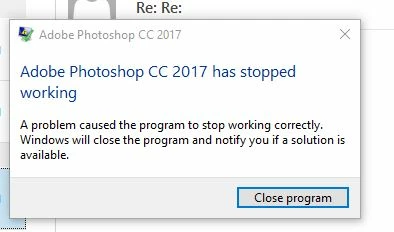
Crash when using Photoshop CC 2017, AMD GPU, Windows 10

  • February 21, 2017
  • 2 replies
  • 5099 views

    This topic has been closed for replies.

    2 replies

    c.pfaffenbichler
    Community Expert
    Community Expert
    February 21, 2017

    Otherwise what have you done for general trouble-shooting so far?

    https://helpx.adobe.com/photoshop/kb/basic-trouble-shooting-steps.html

    davescm
    Community Expert
    Community Expert
    February 21, 2017

    Hi

    Go to the Windows reliability monitor (type reliability into the windows search box)

    Click on the Red circle with white cross at the time of the issue.

    In the list of critical events look for Photoshop.

    Double click on Photoshop, in the list, and you will get a report about the crash

    Paste it here so we can take a look and try and advise you.

    Note : If the report mentions Lavasoft - uninstall Web-Companion / Adaware and you should be OK.

    Dave

    Participating Frequently
    February 21, 2017

    davescm
    Community Expert
    Community Expert
    February 21, 2017

    atio6axx.dll is part of the AMD graphics driver package. Have you tried updating your graphics driver from the AMD website.

    Support & Drivers

    Dave