Answered
Create Guide using script
Hi everyone, I have a question...
Is there a way to draw a guide across a file (specifically top and bottom) using script?
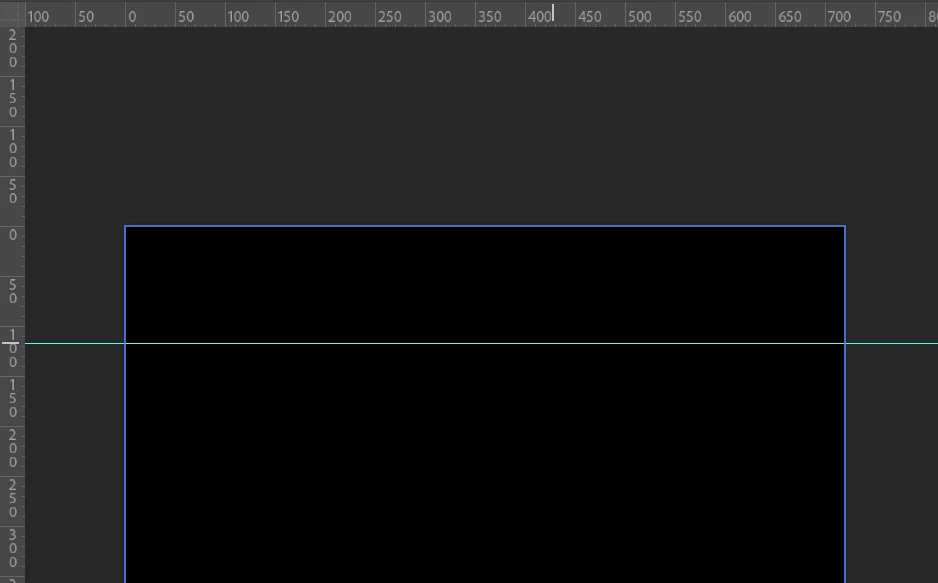

Hi everyone, I have a question...
Is there a way to draw a guide across a file (specifically top and bottom) using script?
You can record this into an action for simple automation, using a Guide Layout:
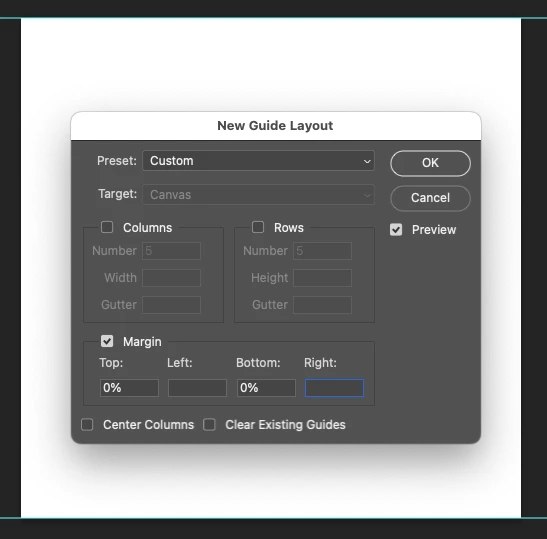
However, if you really need this in code, here is the legacy ExtendScript AM code recording of the Guide Layout (save as a plain text file and change the extension from .txt to .jsx):
// Photoshop version check
var versionNumber = app.version.split(".");
var versionCheck = parseInt(versionNumber[0]);
if (versionCheck < 15) { // Photoshop 2014 is version 15
    alert("You must use Photoshop CC 2014 or later to run this script!");
    exit();
}

var idnewGuideLayout = stringIDToTypeID( "newGuideLayout" );
    var desc7 = new ActionDescriptor();
    var idpresetKind = stringIDToTypeID( "presetKind" );
    var idpresetKindType = stringIDToTypeID( "presetKindType" );
    var idpresetKindCustom = stringIDToTypeID( "presetKindCustom" );
    desc7.putEnumerated( idpresetKind, idpresetKindType, idpresetKindCustom );
    var idguideLayout = stringIDToTypeID( "guideLayout" );
        var desc8 = new ActionDescriptor();
        var idmarginTop = stringIDToTypeID( "marginTop" );
        var idpercentUnit = stringIDToTypeID( "percentUnit" );
        desc8.putUnitDouble( idmarginTop, idpercentUnit, 0.000000 );
        var idmarginBottom = stringIDToTypeID( "marginBottom" );
        var idpercentUnit = stringIDToTypeID( "percentUnit" );
        desc8.putUnitDouble( idmarginBottom, idpercentUnit, 0.000000 );
    var idguideLayout = stringIDToTypeID( "guideLayout" );
    desc7.putObject( idguideLayout, idguideLayout, desc8 );
    var idguideTarget = stringIDToTypeID( "guideTarget" );
    var idguideTarget = stringIDToTypeID( "guideTarget" );
    var idguideTargetCanvas = stringIDToTypeID( "guideTargetCanvas" );
    desc7.putEnumerated( idguideTarget, idguideTarget, idguideTargetCanvas );
executeAction( idnewGuideLayout, desc7, DialogModes.NO );
The more common way to script this would be via legacy ExtendScript DOM code, something like this (save as a plain text file and change the extension from .txt to .jsx):
#target photoshop

if (app.documents.length > 0) {

    var doc = app.activeDocument;
    var originalRulerUnits = app.preferences.rulerUnits;

    app.preferences.rulerUnits = Units.PIXELS;

    // Top edge
    doc.guides.add(Direction.HORIZONTAL, 0);

    // Bottom edge
    var height = doc.height.value;
    doc.guides.add(Direction.HORIZONTAL, height);

    app.preferences.rulerUnits = originalRulerUnits;

} else {
    alert("A document must be open to use this script!");
}
And for giggles and the sake of completeness, here it is as "BatchPlay" code in the latest UXP JS (save as a plain text file and change the extension from .txt to .psjs and run with a CC 2024 or 2025 version):
async function addGuides() {
   let commands = [
      // Make New: guide
      {
         "_obj": "make",
         "_target": [
            {
               "_ref": "good"
            }
         ],
         "guideTarget": {
            "_enum": "guideTarget",
            "_value": "guideTargetCanvas"
         },
         "new": {
            "$GdCA": 0,
            "$GdCB": 255,
            "$GdCG": 255,
            "$GdCR": 74,
            "_obj": "good",
            "_target": [
               {
                  "_id": 59,
                  "_ref": "document"
               },
               {
                  "_index": 1,
                  "_ref": "good"
               }
            ],
            "kind": {
               "_enum": "kind",
               "_value": "document"
            },
            "orientation": {
               "_enum": "orientation",
               "_value": "horizontal"
            },
            "position": {
               "_unit": "percentUnit",
               "_value": 0.0
            }
         }
      },
      // Make New: guide
      {
         "_obj": "make",
         "_target": [
            {
               "_ref": "good"
            }
         ],
         "guideTarget": {
            "_enum": "guideTarget",
            "_value": "guideTargetCanvas"
         },
         "new": {
            "$GdCA": 0,
            "$GdCB": 255,
            "$GdCG": 255,
            "$GdCR": 74,
            "_obj": "good",
            "_target": [
               {
                  "_id": 59,
                  "_ref": "document"
               },
               {
                  "_index": 2,
                  "_ref": "good"
               }
            ],
            "kind": {
               "_enum": "kind",
               "_value": "document"
            },
            "orientation": {
               "_enum": "orientation",
               "_value": "horizontal"
            },
            "position": {
               "_unit": "percentUnit",
               "_value": 100.0
            }
         }
      }
   ];
   return await require("photoshop").action.batchPlay(commands,
   {});
}

console.log(
   await require("photoshop").core.executeAsModal(addGuides,
{
   "commandName": "Action Commands"
})
);
P.S. If somebody can post an example of UXP DOM code, that would be great!
Already have an account? Login
Enter your E-mail address. We'll send you an e-mail with instructions to reset your password.
 AdChoices