
Inspiring
May 11, 2018
Question

Create Kaleidoscope effect

  • May 11, 2018
  • 3 replies
  • 6665 views

Hi all! I'm using an iPhone app to generate Kaleidoscope effect like the following:
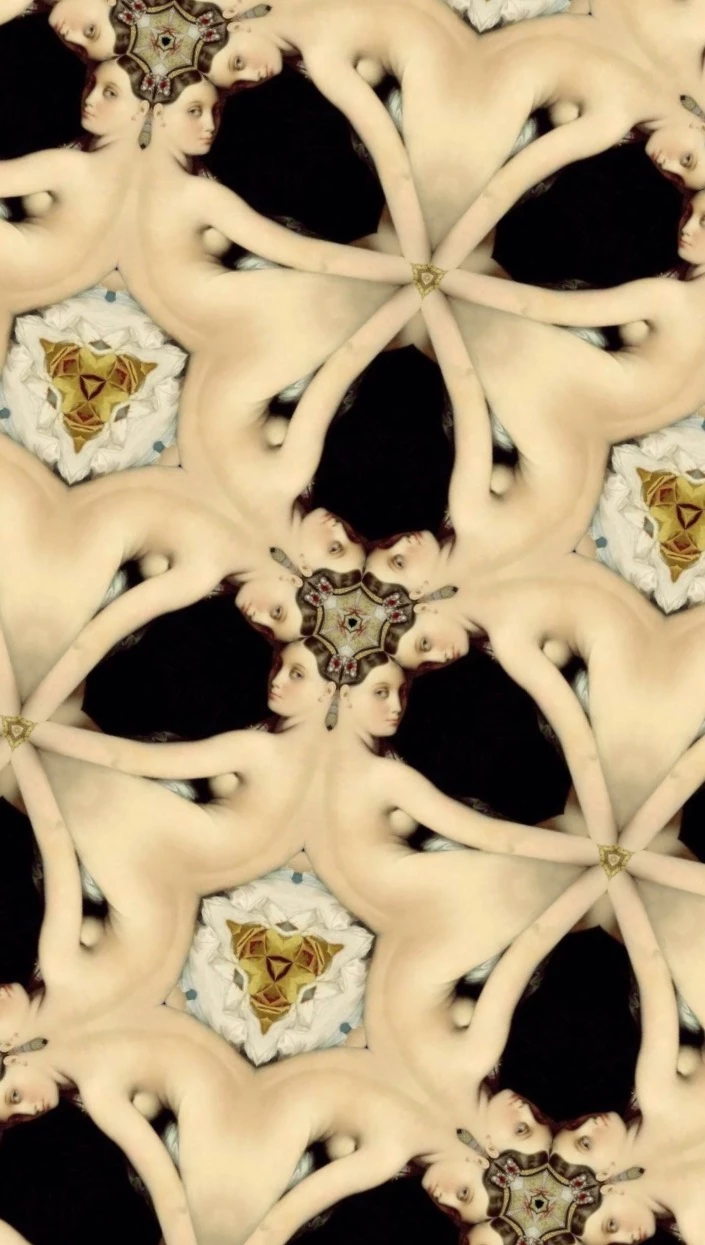
From Grande Odalisque

Can PS autogenerate this effe as well? If so, how? If not, is there any other software can do this? Thank you very much~

    3 replies

    Trevor.Dennis
    Community Expert
    Community Expert
    October 18, 2023

    I was thinking how easy this would be to do with an action. 

    I started with a 1000 x 1000 pixel canvas and placed some guide in the center, then dragged the grid 0,0 point to the guide intersection.

    I used the Triangle shape tool because it is the easiest way to create a triangle with 60° sides, and dragged it's top point to the guide intersection.  It should snap into place.

    Rasterize the triangle, lock its transparency in the Layers panel, and make it a Smart Object.


    The Action is super easy.

    1.  Select the triangle layer and copy it (Ctrl J)
    2.  Start Free Transform, Alt click near the top of the triangle and place the Reference Point on the zero , zero point.  You can use the X: and Y: values in the Options bar to get this perfect.  Give it an angle of 60° and OK it.
    3.  Now use Step & Repeat four time to finish (Shift Ctrl Alt T)
    4.  End the action.


    To use it double click the Smart Object to open in a new window to edit it.  Remember its transparency is locked so you can't put anything outside its boundary.  Add gradients, clip new layers, use Symmetry, blend modes custom shapes etc.


    Ctrl S to save the edited Smart Object and run the action.


    You might like to save the starter file as a template.  To do that save it as a .psd, and add a 't' to the file extension.  The next time you use it, Photoshop will force a different file name if you try to save it.

    If anyone feels like trying this, I'd appreciate feedback on if it works for you, in case I missed something out etc.


    PECourtejoie
    Community Expert
    Community Expert
    October 15, 2020

    Hi! there is a new way using the very hidden Capture module: go to the bottom of the libraries panel (windows>libraries), click on the + sign, and select create from image. you will have different settings in the patterns to play with...

    Enjoy! 


    https://jkost.com/blog/2020/03/3-2-1-photoshop-how-to-capture-patterns-shapes-colors-and-gradients-from-images-in-photoshop.html

    Participant
    December 18, 2020

    You are currently my favorite person in the whole world !!!!!    Ive been working with an ios app nceptions - easy use but can't use it on my pc.   spent 2 hours attempting to find an emulator that would transfer ios to windows... nothing.   this is as close as I can get and for now THIS is Fantastic - thank you 

    PECourtejoie
    Community Expert
    Community Expert
    December 20, 2020

    Hi, Glad that it is helpful for you. Do not hesitate to share your creations, here, or on Behance...

    Semaphoric
    Community Expert
    Community Expert
    May 11, 2018

    Human Software has a plugin that will do this. You can find it on the Adobe Exchange,  for Mac and for Windows​, and from Human Software's website.

    Inspiring
    March 23, 2019

    Do you know any free substitution for that?

    Norman Sanders
    Legend
    March 23, 2019

    If  you will settle for creating designs rather than using photographic images, check out this site:

    How to use Paint Symmetry in Photoshop CC 2019