Known Participant
October 20, 2021
Answered

Create New Gradient

  • October 20, 2021
  • 3 replies
  • 2441 views

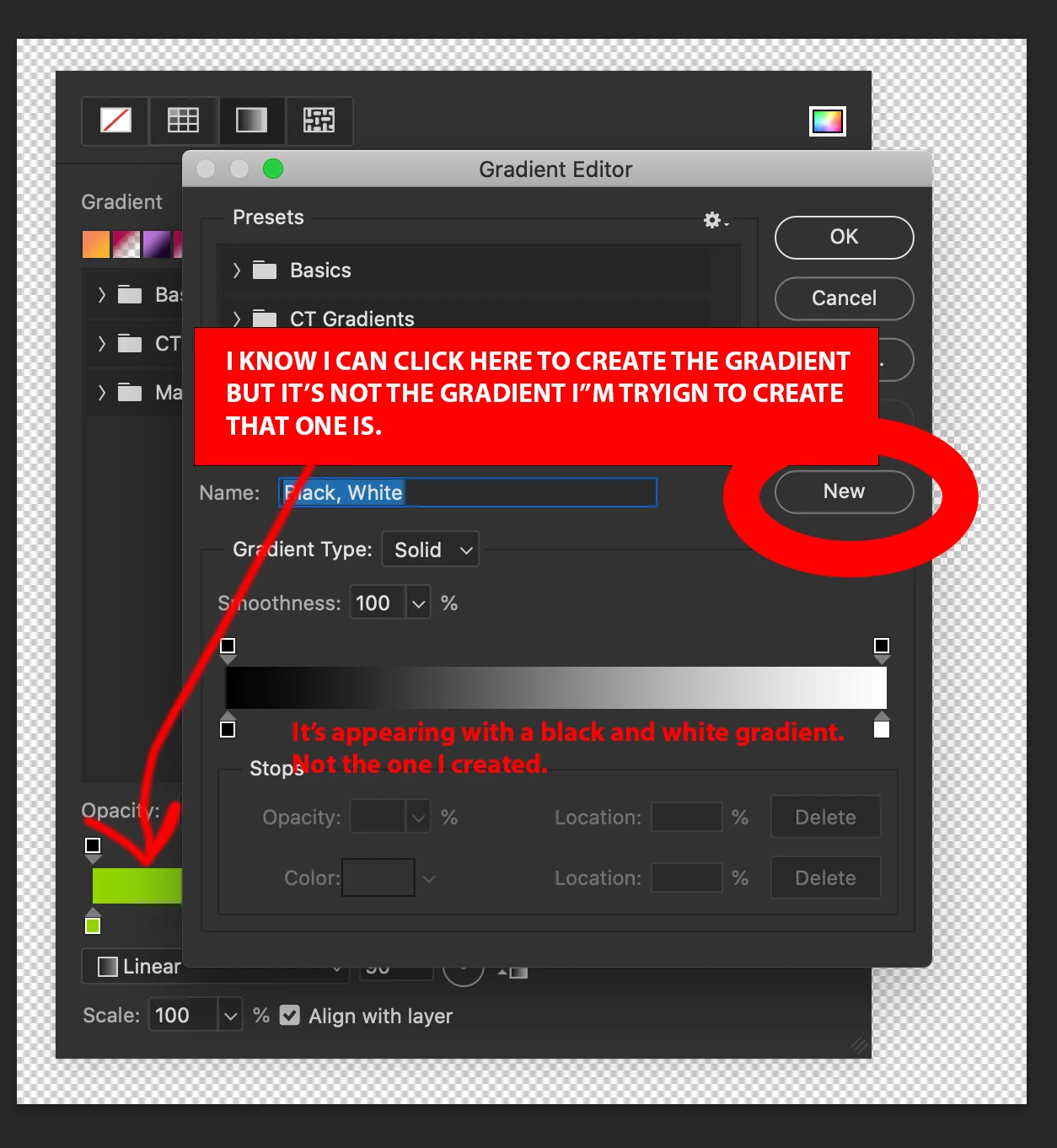
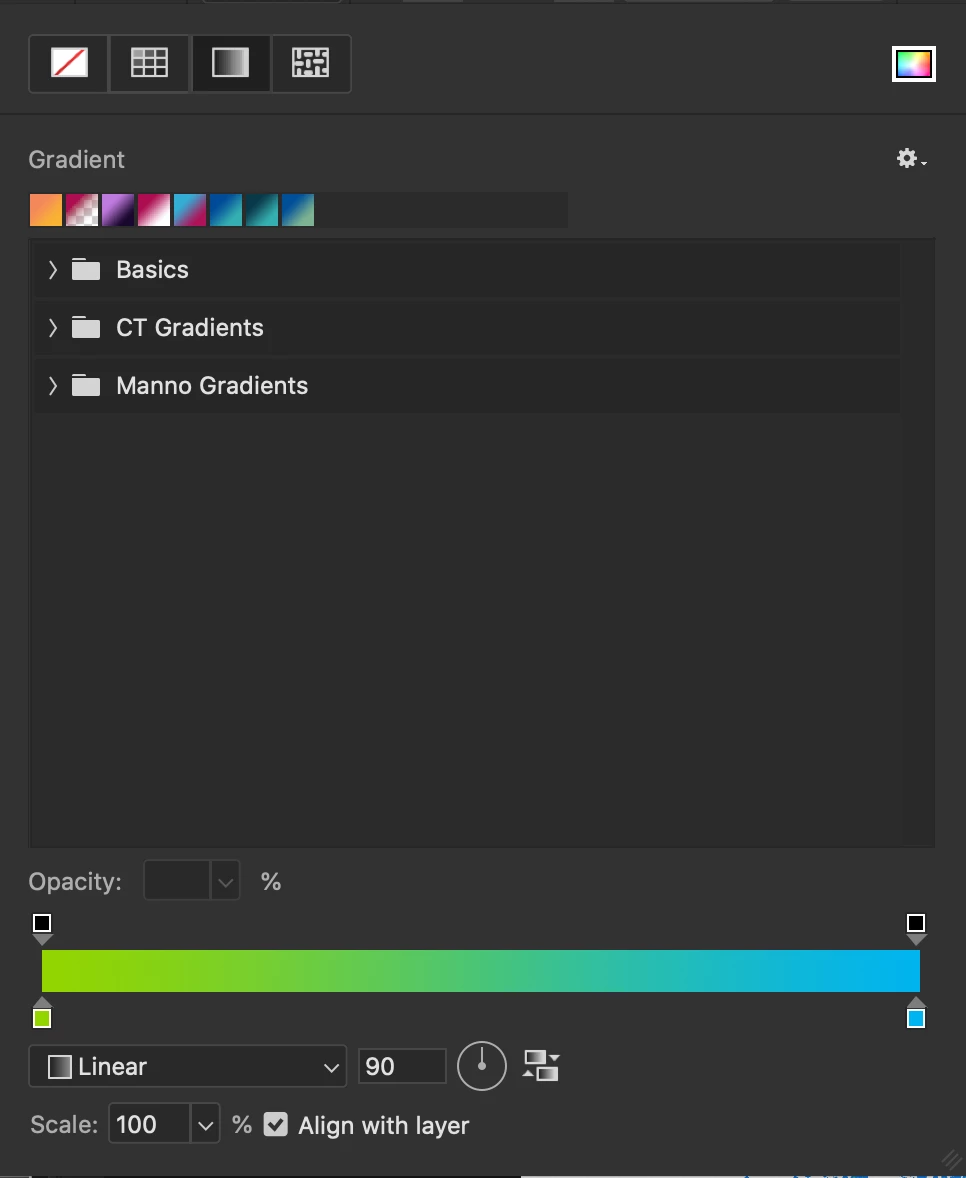
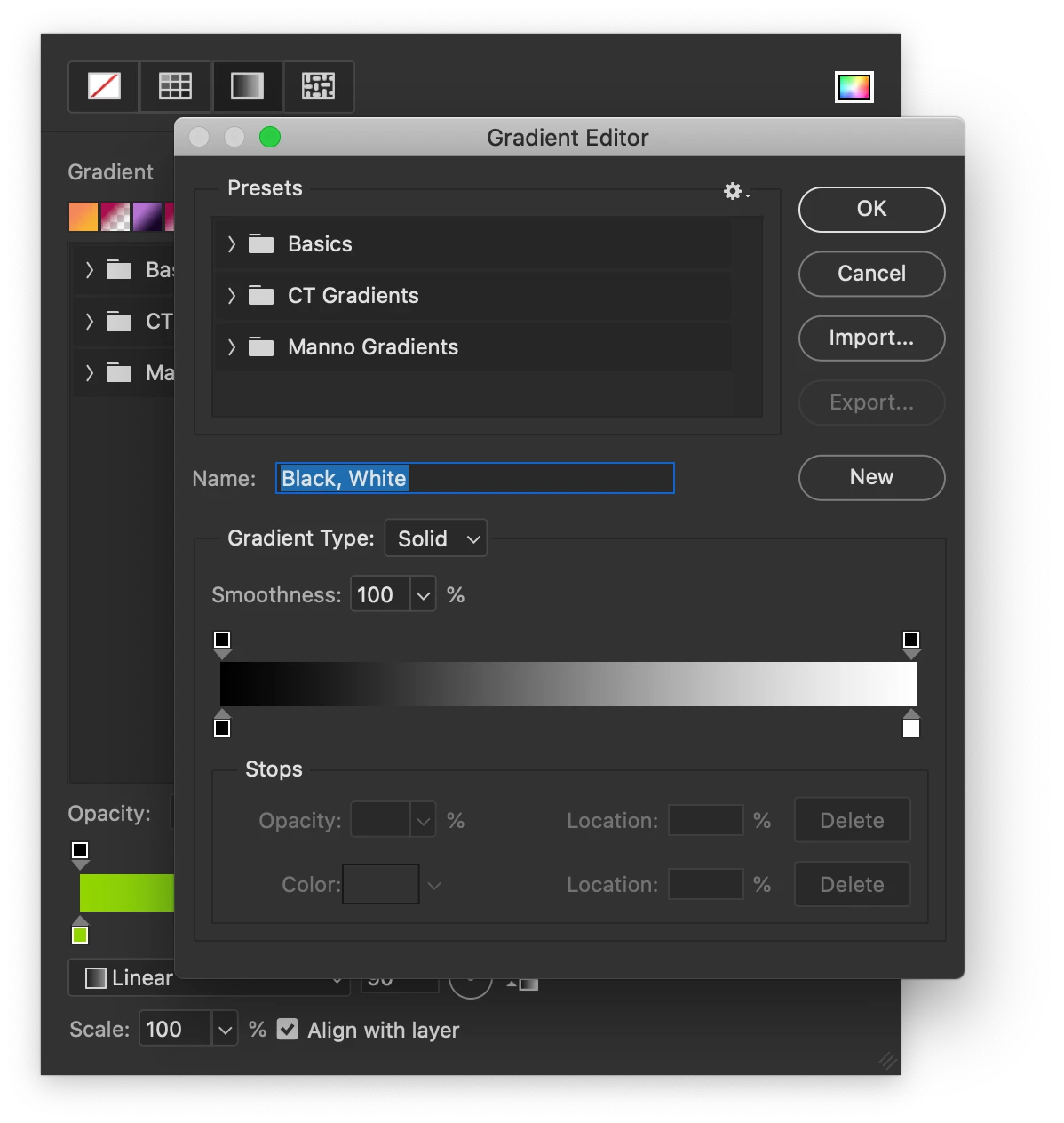
Why when I click New Gradient Preset does Photoshop not create a new gradient using the gradient I've already made?  It always starts with Black & White.  Please fix this. It should absolutley create a new preset using the gradient I'm currently working with.  Not force me to start all over again.
This topic has been closed for replies.
Correct answer c.pfaffenbichler


3 replies

davescm
Community Expert
Community Expert
October 20, 2021

I don't see that here with Windows 10 and Photoshop 25.2.1


Opening the gradient editor gives me the current selected gradient and clicking the New button saves it with whatever name I type.


Try resetting the gradient tool and if that does not resolve it, try resetting preferences


Dave

M. HaamAuthor
Known Participant
October 20, 2021

Thaks for the suggerstion, but resetting tool and app preferences did not help.

M. HaamAuthor
Known Participant
October 20, 2021

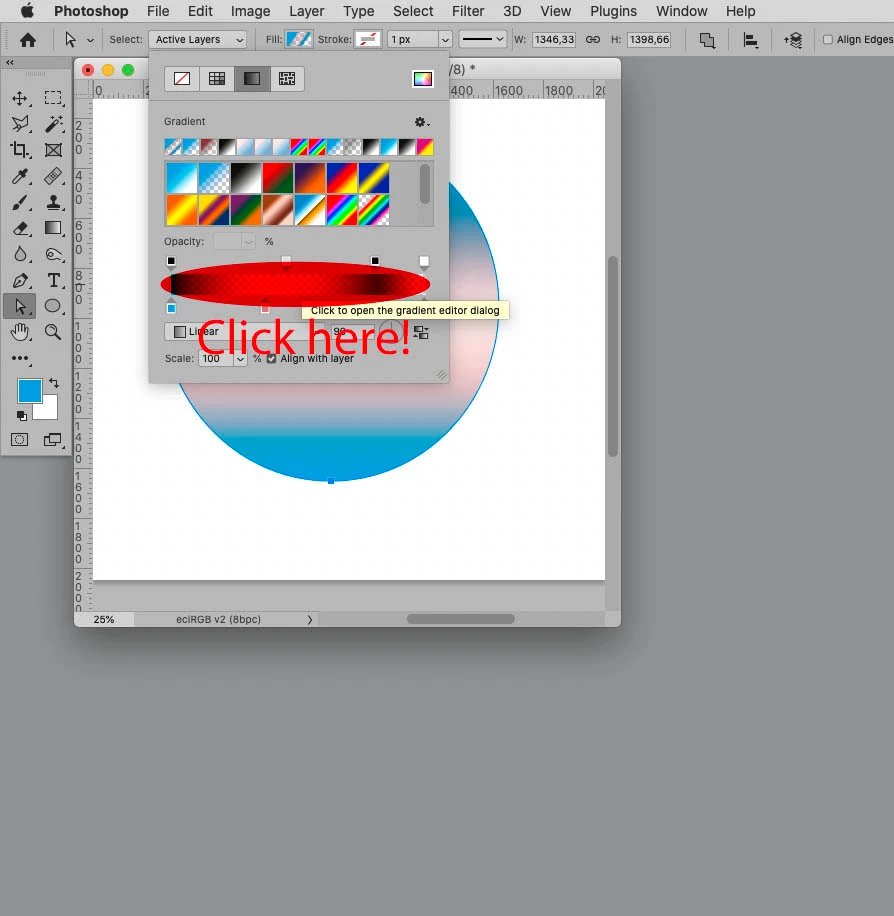
Have you tried clicking the ramp to raise the Gradient Editor instead of selecting »New …« from the dropdown menu? 


Video should be available now.


I won't be coming back to reply though because this is a huge waste of time and I'm sick of being treated like an idiot who doesn't know what he's talking about.


Thanks for the warm community welcome.

c.pfaffenbichler
Community Expert
Community Expert
October 20, 2021

Have you tried this button? 

M. HaamAuthor
Known Participant
October 20, 2021

Yes.  Would you please chill out and read a little?


I know how to create a new gradient.  That's NOT what I'm asking.  I'm saying when you CLICK the New Gradient Preset button it doesn't create the new gradient preset using the colors I already have - in the example I posted, it's a GREEN to BLUE gradient.  However, when I click New Gradient Preset, it starts out with a BLACK to WHITE gradient and I have to set the gradient up all over again.  If I'm working in real time, creating colors and gradients on the fly - why shouldn't I just be able to select a gradient, click New Gradient Preset and just create preset of the existing gradient?  Instead of creating it all over again?

c.pfaffenbichler
Community Expert
Community Expert
October 20, 2021

»However, when I click New Gradient Preset, it starts out with a BLACK to WHITE gradient and I have to set the gradient up all over again. «

So open the Gradient Editor and hit the »New«-button (marked with a red ellipse in my screenshot).  

c.pfaffenbichler
Community Expert
Community Expert
October 20, 2021

Who do you think you are talking to? 


Please post meaningful screenshots that include the pertinent Panels (Toolbar, Layers, Options, Gradients, Properties, …). 

M. HaamAuthor
Known Participant
October 20, 2021

I think I'm talking to the Photoshop community and I did post relavent screenshots of pertinent Panels.

c.pfaffenbichler
Community Expert
Community Expert
October 20, 2021

It seemed to me like you might be thinking you were talking to member of the Photoshop product team, what with »Please fix this.«

This Forum is being monitored but that primarily concerns the Bug Reports and Feature Requests, general discussions are largely contributed to by fellow Photoshop users. 


I think your screenshots were not useful and I asked you to post new ones. 

If you think that is too much to ask that’s your decision. 


Anyway, have you seen the screenshot I had posted in the meanwhile.