Known Participant
June 18, 2021
Answered

Create Shape in Marquee Tool

  • June 18, 2021
  • 6 replies
  • 9267 views

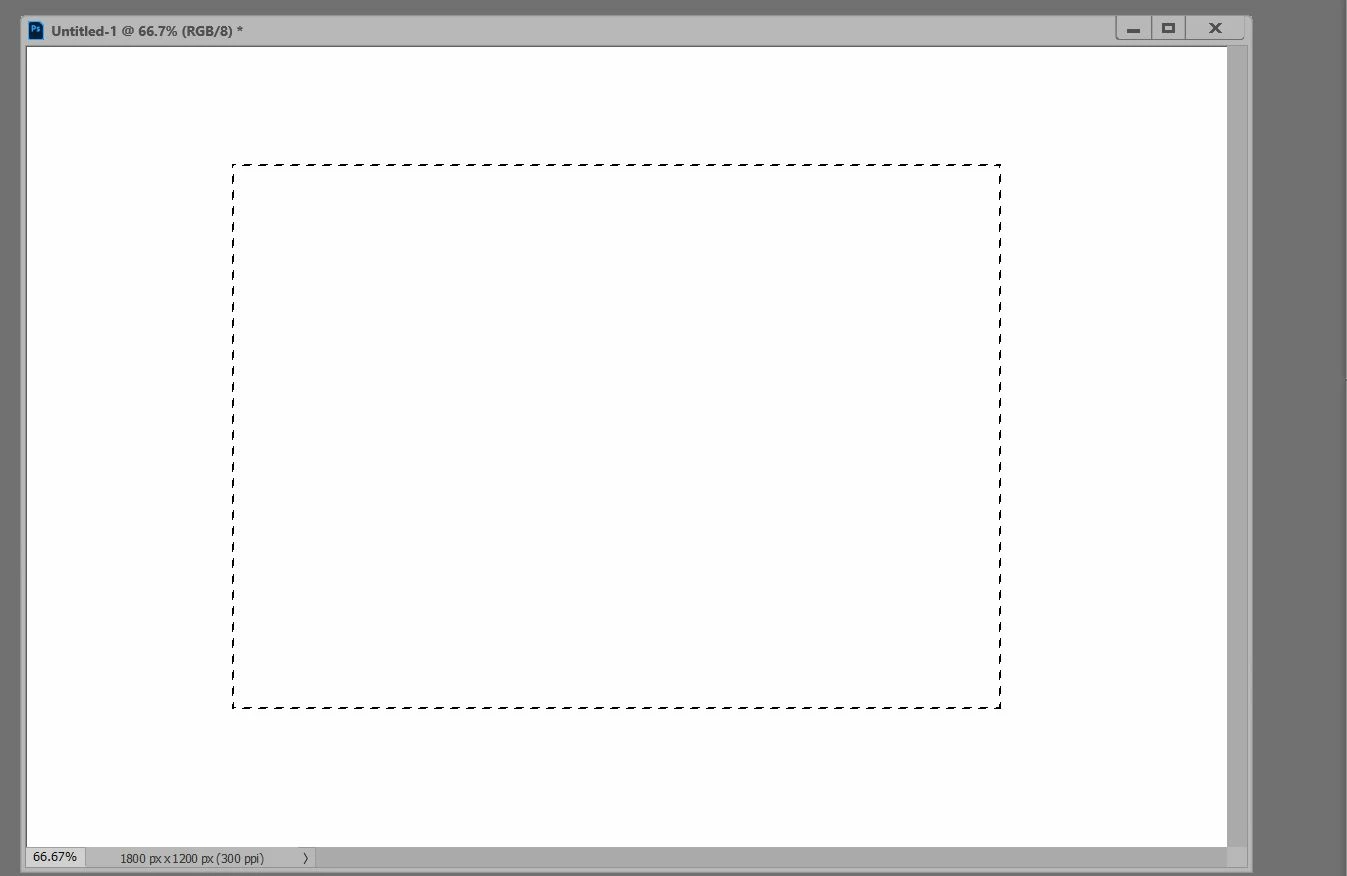
Is that possible to create Shape in Marquee Tool ?


Step 1:- Select Marquee Tool

Step 2:- Automatic Create Shape in scripts How much want this shape


It's automatic making shape through Marquee tool... Thanks in Advance


This topic has been closed for replies.
Correct answer Shulipa Bernad

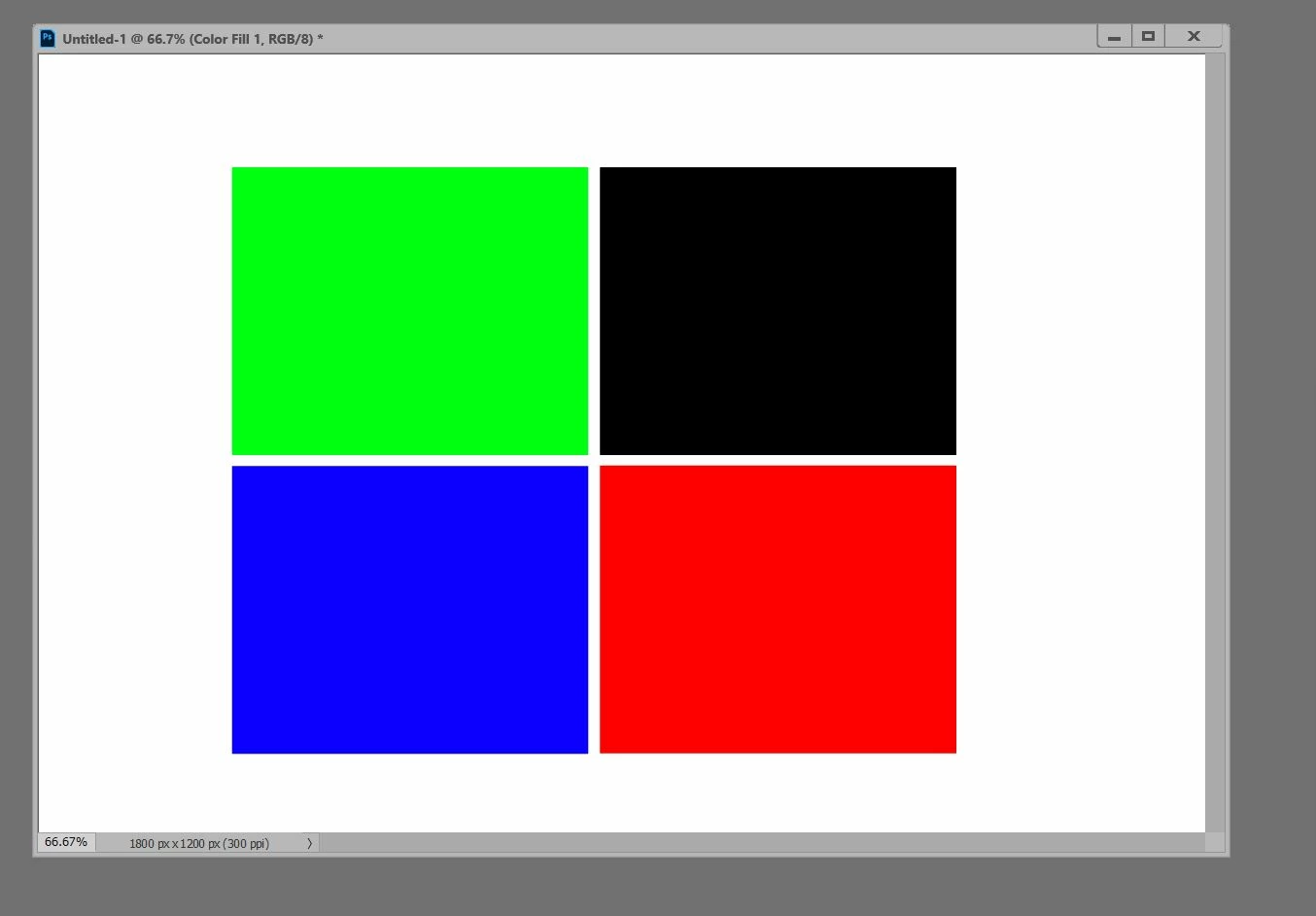
Reviewing the print;

Maybe he tries to add four shapes within the selection divided by two columns and two rows. If it's green, I have an adaptation of a @Chuck Uebele  script here...


#target photoshop; 
app.bringToFront();
 main()
function main(){
app.bringToFront();  

var row = 2;
var column = 2;
var ldivision =10;  
var corner = 5;
    
app.preferences.rulerUnits = Units.PIXELS; //new  
    
if(app.documents.length>0){    
    var doc = activeDocument;    
    try{       
        var doc = activeDocument;    
        var sBounds = doc.selection.bounds;    
        var lineAdjW = ldivision/row  
        var lineAdjH = ldivision/column  
            
        var sWidth = (parseFloat(sBounds[2]) -parseFloat(sBounds[0]))/column - ldivision + ldivision/(row );  //modified  
        var sHeight = (parseFloat(sBounds[3]) -parseFloat(sBounds[1]))/row - ldivision + ldivision/(column ) ;  //modified  
          
        var leftSide = parseFloat (sBounds[0]);    
        var topSide = parseFloat (sBounds[1]);    
         
        for(var i=0;i<row;i++){    
            leftSide = parseFloat (sBounds[0]);    
            for(var j=0;j<column;j++){    
                Create_Rectangle (topSide, leftSide, topSide + sHeight, leftSide + sWidth, corner)  //old code  
                    leftSide += sWidth + ldivision  
                }    
                    topSide += sHeight  +ldivision  
               } 
        }
    catch(e){}  
    }  
    else {alert("There is no open document!")}  
  
    function Create_Rectangle(t,l,b,r, corner) {    
        cTID = function(s) { return app.charIDToTypeID(s); };
        sTID = function(s) { return app.stringIDToTypeID(s); };
        var desc1 = new ActionDescriptor();
        var ref1 = new ActionReference();
        ref1.putClass(sTID("contentLayer"));
        desc1.putReference(cTID("null"), ref1);
        var desc2 = new ActionDescriptor();
        var desc3 = new ActionDescriptor();
        var desc4 = new ActionDescriptor();
        desc4.putDouble(cTID("Rd  "), 0);
        desc4.putDouble(cTID("Grn "), 0);
        desc4.putDouble(cTID("Bl  "), 0);
        desc3.putObject(cTID("Clr "), sTID("RGBColor"), desc4);
        desc2.putObject(cTID("Type"), sTID("solidColorLayer"), desc3);
        var desc5 = new ActionDescriptor();
        desc5.putInteger(sTID("unitValueQuadVersion"), 1);
        desc5.putUnitDouble(cTID("Top "), cTID("#Pxl"), t );
        desc5.putUnitDouble(cTID("Left"), cTID("#Pxl"), l );
        desc5.putUnitDouble(cTID("Btom"), cTID("#Pxl"), b );
        desc5.putUnitDouble(cTID("Rght"), cTID("#Pxl"), r );
        desc5.putUnitDouble(sTID("topRight"), cTID("#Pxl"), corner);
        desc5.putUnitDouble(sTID("topLeft"), cTID("#Pxl"), corner);
        desc5.putUnitDouble(sTID("bottomLeft"), cTID("#Pxl"), corner);
        desc5.putUnitDouble(sTID("bottomRight"), cTID("#Pxl"), corner);
        desc2.putObject(cTID("Shp "), cTID("Rctn"), desc5);
        desc1.putObject(cTID("Usng"), sTID("contentLayer"), desc2);
        executeAction(cTID("Mk  "), desc1, DialogModes.NO);
    }
}

 

6 replies

Shulipa Bernad
Shulipa BernadCorrect answer
Inspiring
June 19, 2021

Reviewing the print;

Maybe he tries to add four shapes within the selection divided by two columns and two rows. If it's green, I have an adaptation of a @Chuck Uebele  script here...


#target photoshop; 
app.bringToFront();
 main()
function main(){
app.bringToFront();  

var row = 2;
var column = 2;
var ldivision =10;  
var corner = 5;
    
app.preferences.rulerUnits = Units.PIXELS; //new  
    
if(app.documents.length>0){    
    var doc = activeDocument;    
    try{       
        var doc = activeDocument;    
        var sBounds = doc.selection.bounds;    
        var lineAdjW = ldivision/row  
        var lineAdjH = ldivision/column  
            
        var sWidth = (parseFloat(sBounds[2]) -parseFloat(sBounds[0]))/column - ldivision + ldivision/(row );  //modified  
        var sHeight = (parseFloat(sBounds[3]) -parseFloat(sBounds[1]))/row - ldivision + ldivision/(column ) ;  //modified  
          
        var leftSide = parseFloat (sBounds[0]);    
        var topSide = parseFloat (sBounds[1]);    
         
        for(var i=0;i<row;i++){    
            leftSide = parseFloat (sBounds[0]);    
            for(var j=0;j<column;j++){    
                Create_Rectangle (topSide, leftSide, topSide + sHeight, leftSide + sWidth, corner)  //old code  
                    leftSide += sWidth + ldivision  
                }    
                    topSide += sHeight  +ldivision  
               } 
        }
    catch(e){}  
    }  
    else {alert("There is no open document!")}  
  
    function Create_Rectangle(t,l,b,r, corner) {    
        cTID = function(s) { return app.charIDToTypeID(s); };
        sTID = function(s) { return app.stringIDToTypeID(s); };
        var desc1 = new ActionDescriptor();
        var ref1 = new ActionReference();
        ref1.putClass(sTID("contentLayer"));
        desc1.putReference(cTID("null"), ref1);
        var desc2 = new ActionDescriptor();
        var desc3 = new ActionDescriptor();
        var desc4 = new ActionDescriptor();
        desc4.putDouble(cTID("Rd  "), 0);
        desc4.putDouble(cTID("Grn "), 0);
        desc4.putDouble(cTID("Bl  "), 0);
        desc3.putObject(cTID("Clr "), sTID("RGBColor"), desc4);
        desc2.putObject(cTID("Type"), sTID("solidColorLayer"), desc3);
        var desc5 = new ActionDescriptor();
        desc5.putInteger(sTID("unitValueQuadVersion"), 1);
        desc5.putUnitDouble(cTID("Top "), cTID("#Pxl"), t );
        desc5.putUnitDouble(cTID("Left"), cTID("#Pxl"), l );
        desc5.putUnitDouble(cTID("Btom"), cTID("#Pxl"), b );
        desc5.putUnitDouble(cTID("Rght"), cTID("#Pxl"), r );
        desc5.putUnitDouble(sTID("topRight"), cTID("#Pxl"), corner);
        desc5.putUnitDouble(sTID("topLeft"), cTID("#Pxl"), corner);
        desc5.putUnitDouble(sTID("bottomLeft"), cTID("#Pxl"), corner);
        desc5.putUnitDouble(sTID("bottomRight"), cTID("#Pxl"), corner);
        desc2.putObject(cTID("Shp "), cTID("Rctn"), desc5);
        desc1.putObject(cTID("Usng"), sTID("contentLayer"), desc2);
        executeAction(cTID("Mk  "), desc1, DialogModes.NO);
    }
}
 

MXKSAuthor
Known Participant
June 19, 2021

Thanks @Shulipa Bernad  ,It's Worked

MXKSAuthor
Known Participant
June 19, 2021

Can I Change Different color in each shape

Legend
June 19, 2021

I don't know why you need it, but here's:


#target photoshop

var s2t = stringIDToTypeID,
    t2s = typeIDToStringID;

try { var target = t2s(arguments[1]) } catch (e) { }

try {
    if (target) {
        (r = new ActionReference()).putProperty(s2t('property'), p = s2t('tool'));
        r.putEnumerated(s2t('application'), s2t('ordinal'), s2t('targetEnum'));
        var tool = t2s(executeActionGet(r).getEnumerationType(s2t('tool')));
        if (tool == 'marqueeRectTool') {
            (r = new ActionReference()).putClass(s2t('path'));
            (d = new ActionDescriptor()).putReference(s2t('null'), r);
            (r1 = new ActionReference()).putProperty(s2t('selectionClass'), s2t('selection'));
            d.putReference(s2t('from'), r1);
            executeAction(s2t('make'), d, DialogModes.NO);

            (r = new ActionReference()).putClass(s2t('contentLayer'));
            (d = new ActionDescriptor()).putReference(s2t('null'), r);
            (d1 = new ActionDescriptor()).putObject(s2t('color'), s2t('RGBColor'), new ActionDescriptor());
            (d2 = new ActionDescriptor()).putObject(s2t('type'), s2t('solidColorLayer'), d1);
            d.putObject(s2t('using'), s2t('contentLayer'), d2);
            executeAction(s2t('make'), d, DialogModes.NO);

            (r = new ActionReference()).putProperty(s2t('channel'), s2t('selection'));
            (d = new ActionDescriptor()).putReference(s2t('null'), r);
            d.putEnumerated(s2t('to'), s2t('ordinal'), s2t('none'));
            executeAction(s2t('set'), d, DialogModes.NO);
        }
    } else {
        app.notifiersEnabled = true
        var f = File($.fileName)
        app.notifiers.add('setd', f, 'Chnl')
    }
} catch (e) { alert(e) }


* save the script to disk and run. On first launch, it will create an event listener and then track the creation of the selection with the marqueeRectTool.

** you can manually remove the event listener menu: file -> scripts -> script event manager


MXKSAuthor
Known Participant
June 19, 2021

It's not working , I want select Marquee tool and create shape if i have enterd row and column 

Legend
June 19, 2021

OK. I misunderstood you.

jane-e
Community Expert
Community Expert
June 19, 2021
quote

Is that possible to create Shape in Marquee Tool ?

By @MXKS


  • I am not a scripter, but to do it without scripts, draw your rectangle marquee selection(s)
  • In the Paths panel, convert to a path


  • With the path selected, go to Edit > Define Custome Shape and give it a name.


~ Jane


Legend
June 18, 2021

It is possible through the Script Event Manager.

But this is not convenient and difficult. In addition, you will lose the main functionality of the tool.

And in general, why is this necessary?


Easier to call a script or action

MXKSAuthor
Known Participant
June 19, 2021

Please Modify the script ,


1:- Marquee tool Select Area

2:- Create Shape in if i have enter row and column 


unSaved();

function unSaved() {
try {
activeDocument.path;
/* Finish Unsaved Document Error Check - Part A: Try */

/* Main Code Start */

if (app.documents.length > 0) {
var originalUnits = app.preferences.rulerUnits;
app.preferences.rulerUnits = Units.PIXELS;
// document;
var myDocument = app.activeDocument;
var theName = myDocument.name.match(/(.*)\.[^\.]+$/)[1];
var thePath = myDocument.path;
var theCopy = myDocument.duplicate("copy", false);
// Original X input
var theXinput = prompt("Enter the number of columns across:", 2);
// Remove anything that is not a digit or full point
var theXinputCleaner = theXinput.replace(/[^\d\.]/, '');
// Convert to integer
var theXtoInteger = parseInt(theXinputCleaner, 10);
// Final result
var theX = theXtoInteger;
// Original Y input
var theYinput = prompt("Enter the number of rows down:", 2);
// Remove anything that is not a digit or full point
var theYinputCleaner = theYinput.replace(/[^\d\.]/, '');
// Convert to integer
var theYtoInteger = parseInt(theYinputCleaner, 10);
// Final result
var theY = theYtoInteger;
// Canvas Division
var xFrac = myDocument.width / theX;
var yFrac = myDocument.height / theY;
// psd options;
psdOpts = new PhotoshopSaveOptions();
psdOpts.embedColorProfile = true;
psdOpts.alphaChannels = true;
psdOpts.layers = true;
psdOpts.spotColors = true;
// create folder;
var folderName = thePath + "/" + theName + "_" + theX + "x" + theY;
if (Folder(folderName).exists == false) {
Folder(folderName).create()
};
//save jpgs;
for (var n = 1; n <= theY; n++) {
for (var m = 1; m <= theX; m++) {
cropTo((m - 1) * xFrac, (n - 1) * yFrac, m * xFrac, n * yFrac);
var theNewName = theName + "_" + bufferNumberWithZeros(m, 3) + "_" + bufferNumberWithZeros(n, 3);
theCopy.saveAs((new File(folderName + "/" + "_" + theNewName + ".psd")), psdOpts, true);
theCopy.activeHistoryState = theCopy.historyStates[0];
}
};
theCopy.close(SaveOptions.DONOTSAVECHANGES);
// reset;
app.preferences.rulerUnits = originalUnits;
};
////// buffer number with zeros //////
function bufferNumberWithZeros(number, places) {
var theNumberString = String(number);
for (var o = 0; o < (places - String(number).length); o++) {
theNumberString = String("0" + theNumberString)
};
return theNumberString
};
////// crop //////
function cropTo(x1, y1, x2, y2) {
// =======================================================
var desc7 = new ActionDescriptor();
var desc8 = new ActionDescriptor();
var idPxl = charIDToTypeID("#Pxl");
desc8.putUnitDouble(charIDToTypeID("Top "), idPxl, y1);
desc8.putUnitDouble(charIDToTypeID("Left"), idPxl, x1);
desc8.putUnitDouble(charIDToTypeID("Btom"), idPxl, y2);
desc8.putUnitDouble(charIDToTypeID("Rght"), idPxl, x2);
var idRctn = charIDToTypeID("Rctn");
desc7.putObject(charIDToTypeID("T "), idRctn, desc8);
desc7.putUnitDouble(charIDToTypeID("Angl"), charIDToTypeID("#Ang"), 0.000000);
desc7.putBoolean(charIDToTypeID("Dlt "), false);
desc7.putEnumerated(stringIDToTypeID("cropAspectRatioModeKey"), stringIDToTypeID("cropAspectRatioModeClass"), stringIDToTypeID("pureAspectRatio"));
desc7.putBoolean(charIDToTypeID("CnsP"), false);
executeAction(charIDToTypeID("Crop"), desc7, DialogModes.NO);
};
alert('PSD Files saved to: ' + folderName);

/* Main Code Finish */

/* Start Unsaved Document Error Check - Part B: Catch */
} catch (err) {
alert('An image must be both open and saved before running this script!')
}
}
/* Finish Unsaved Document Error Check - Part B : Catch */

Sahil.Chawla
Adobe Employee
Adobe Employee
June 18, 2021

Hi there,

You may raise a feature request for it here: Adobe Photoshop Family. This forum is directly monitored by our product team and they might look into it. Thanks!


Regards,
Sahil

Nancy OShea
Community Expert
Community Expert
June 18, 2021

The marquee tool does NOT create shapes.  It is a selection tool only. 


Instead use one of the Shape tools.  See screenshot.


Nancy O'Shea— Product User & Community Expert
MXKSAuthor
Known Participant
June 18, 2021

I Know But , I want Selection the Area By Marquee tool and create shape Automatic, 


Is that possible to divided pixel of Marquee tool ?

Nancy OShea
Community Expert
Community Expert
June 18, 2021

Your question makes no sense. 

To create shapes, you must use one of the Shape Tools  -- rectangle, elipse, polygon, line or custom...

Marquee is NOT a shape tool.  It's a SELECTION tool.

Use the right tools for the job.


Nancy O'Shea— Product User & Community Expert