Inspiring
February 17, 2024
Question

Creating a seamless pattern
  • February 17, 2024
  • 2 replies
  • 2165 views

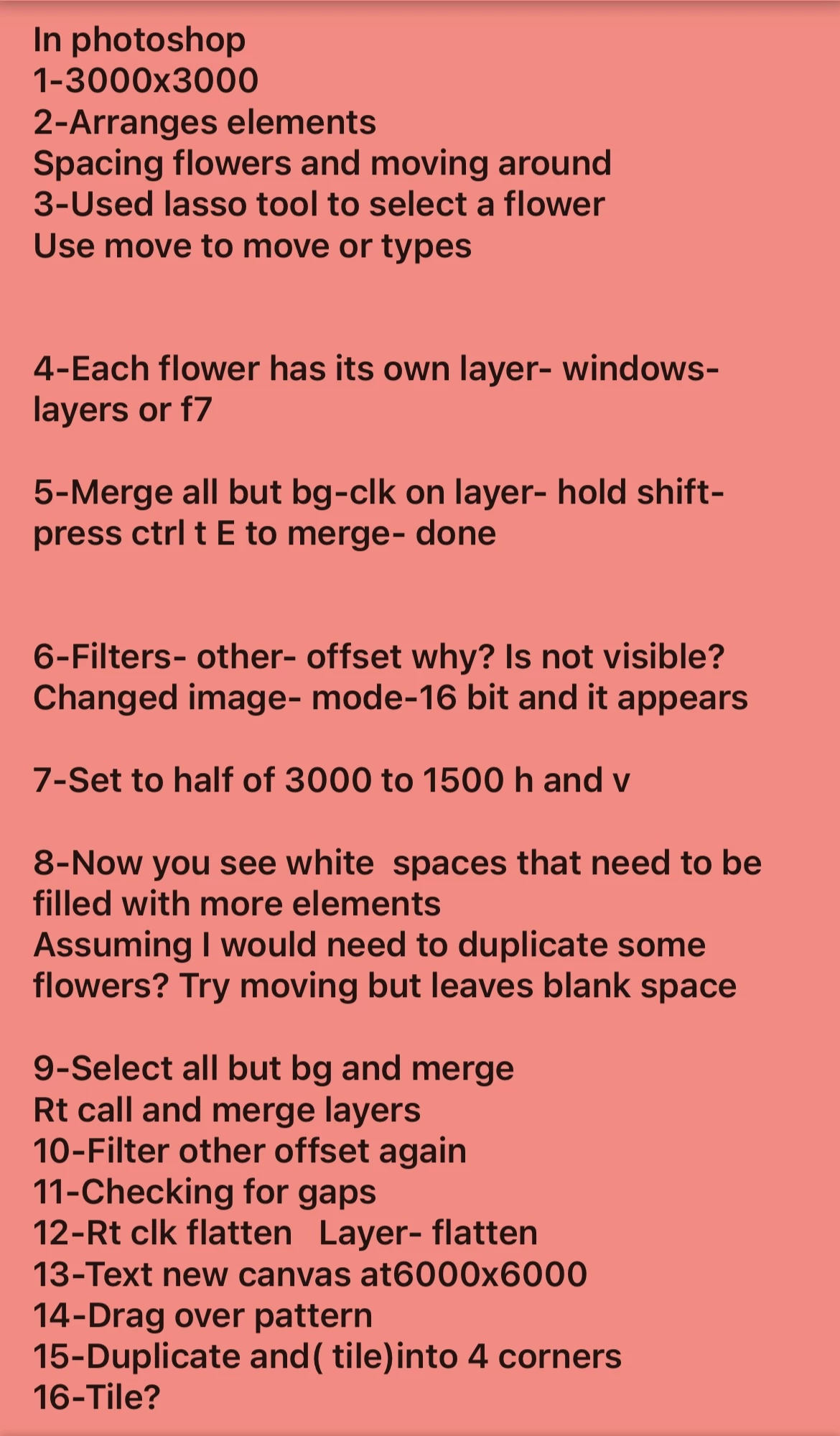
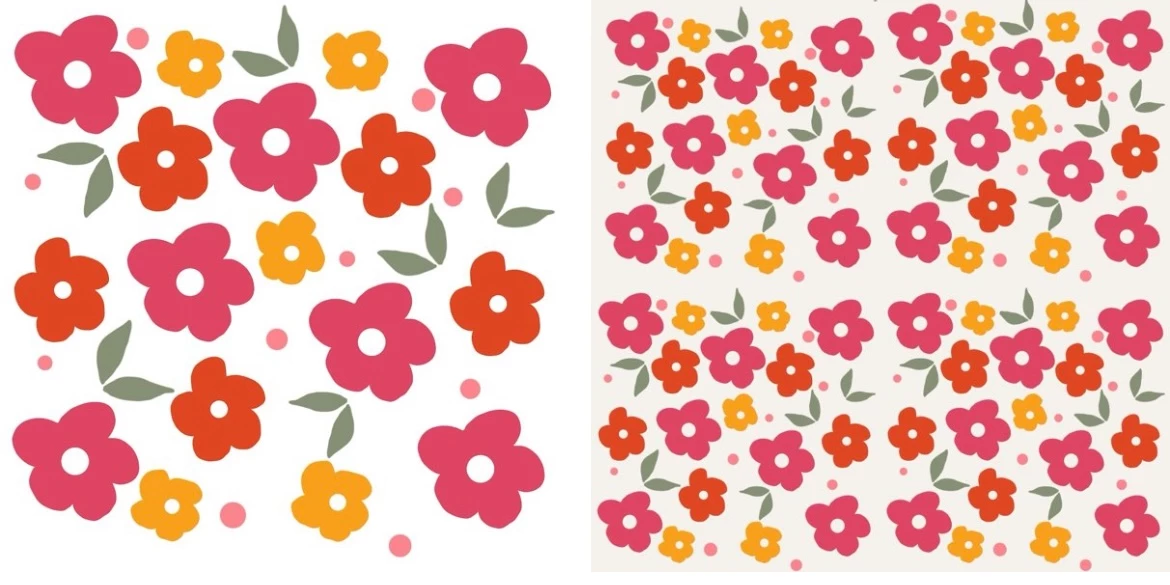
Here is my pattern that am trying to make seamless. I've add a photo of the steps I have tried.

Trying to figure how how to fill blank spaces in my pattern. I'm on step 8
This topic has been closed for replies.

2 replies

Myra Ferguson
Community Expert
Community Expert
February 17, 2024

Try viewing and editing your pattern using Pattern Preview (View > Pattern Preview).

Inspiring
February 17, 2024

Here is screenshoot of me trying to duplicate a flower and move to a blank space.

Not sure what im doing wrong here?

Myra Ferguson
Community Expert
Community Expert
February 17, 2024

I am a total beginner using photoshop.Beyond frustrated after watching tons of  useless videos.

They actually made it more complicated to try to create seamless pattern.Can you suggest a link that is a simple way to create a seamless pattern and create a pattern based on what is use to create it? Photoshop for dummies.


This link should help:


kglad
Community Expert
Community Expert
February 17, 2024

in the future, to find the best place to post your message, use the list here, https://community.adobe.com/

p.s. i don't think the adobe website, and forums in particular, are easy to navigate, so don't spend a lot of time searching that forum list. do your best and we'll move the post (like this one has already been moved) if it helps you get responses.


<"moved from using the community">
Inspiring
February 17, 2024

Thank you for moving it.