Participant
January 4, 2020
Answered

Creating GIF's - Missing create frames from layers button

  • January 4, 2020
  • 2 replies
  • 1957 views

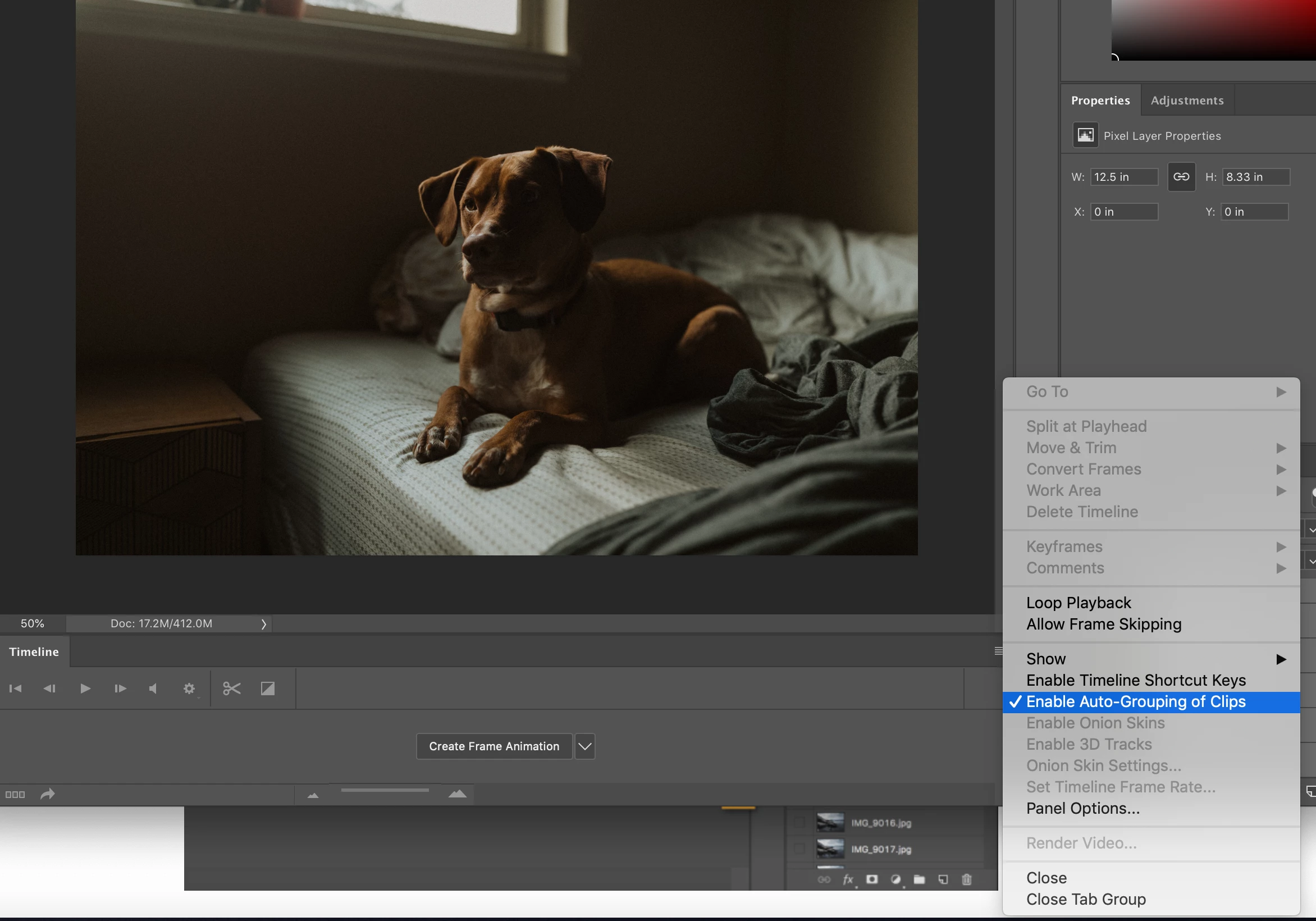
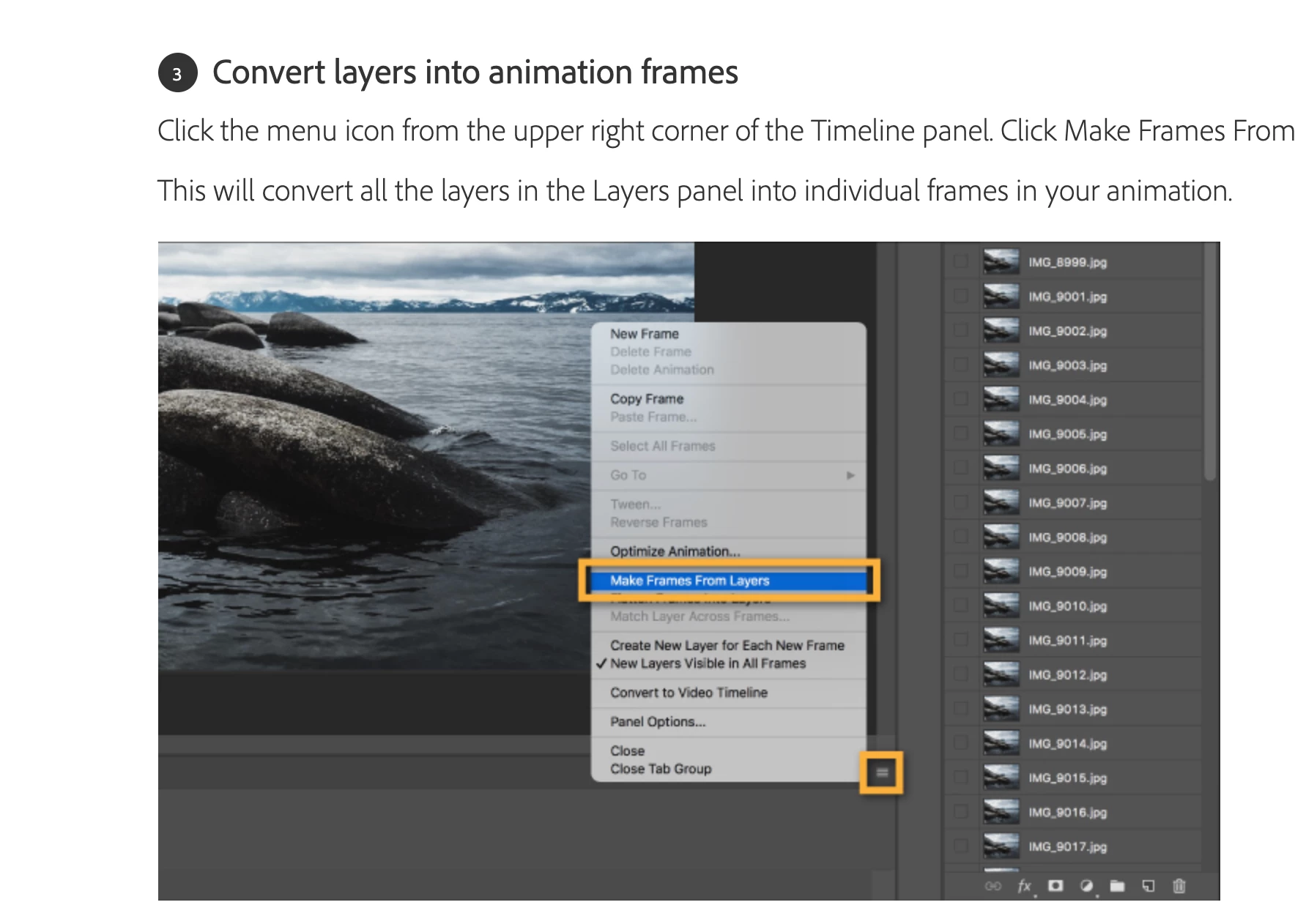
I am having issues getting all my layers over to the timeline when creating a GIF it seems as if I am missing the option to make it happen. See photo of adobe instcutions below and then what I see in my photoshop 
 

This topic has been closed for replies.
Correct answer davescm

You first need to click on that button in the middle of the timeline to "create frame animation". Then make frames from layers should work.


Dave

2 replies

funny.stigmata@gmail.com
Participating Frequently
October 21, 2022

I am missing this option. See screenshot below.

Stephen Marsh
Community Expert
Community Expert
October 21, 2022

I made an action to reduce the manual steps that I was performing when creating layer-based animations, perhaps it would help?


funny.stigmata@gmail.com
Participating Frequently
October 24, 2022

@funny.stigmata@gmail.com The button in the timeline can be set two ways. One is 'Create Frame Animation', the other is 'Create Video Timeline'.

The options in your screenshot show that you have used Create Video Timeline. To create a Frame animation click on the small down arrow next to the main button and set it to 'Create Frame Animation'. Then click on the main button. Now you should see the same menus as shown earlier in this thread.


Dave


Hi. Thanks for the input. However, after my stop-motion failure, I specifically made a new file with two layers (one filled with orange, the other black), just specifically to hit that button correctly, and that's where I pulled the screenshot. I could drag the layers in, of course, like it were 1997. Anyway, long story short, I reinstalled Photoshop, and things are working correctly. I guess that's the lesson in all this. 🙂

davescm
Community Expert
davescmCommunity ExpertCorrect answer
Community Expert
January 4, 2020

You first need to click on that button in the middle of the timeline to "create frame animation". Then make frames from layers should work.


Dave