Participant
January 4, 2020
Answered

Creating GIF's - Missing create frames from layers button

  • January 4, 2020
  • 2 replies
  • 1957 views

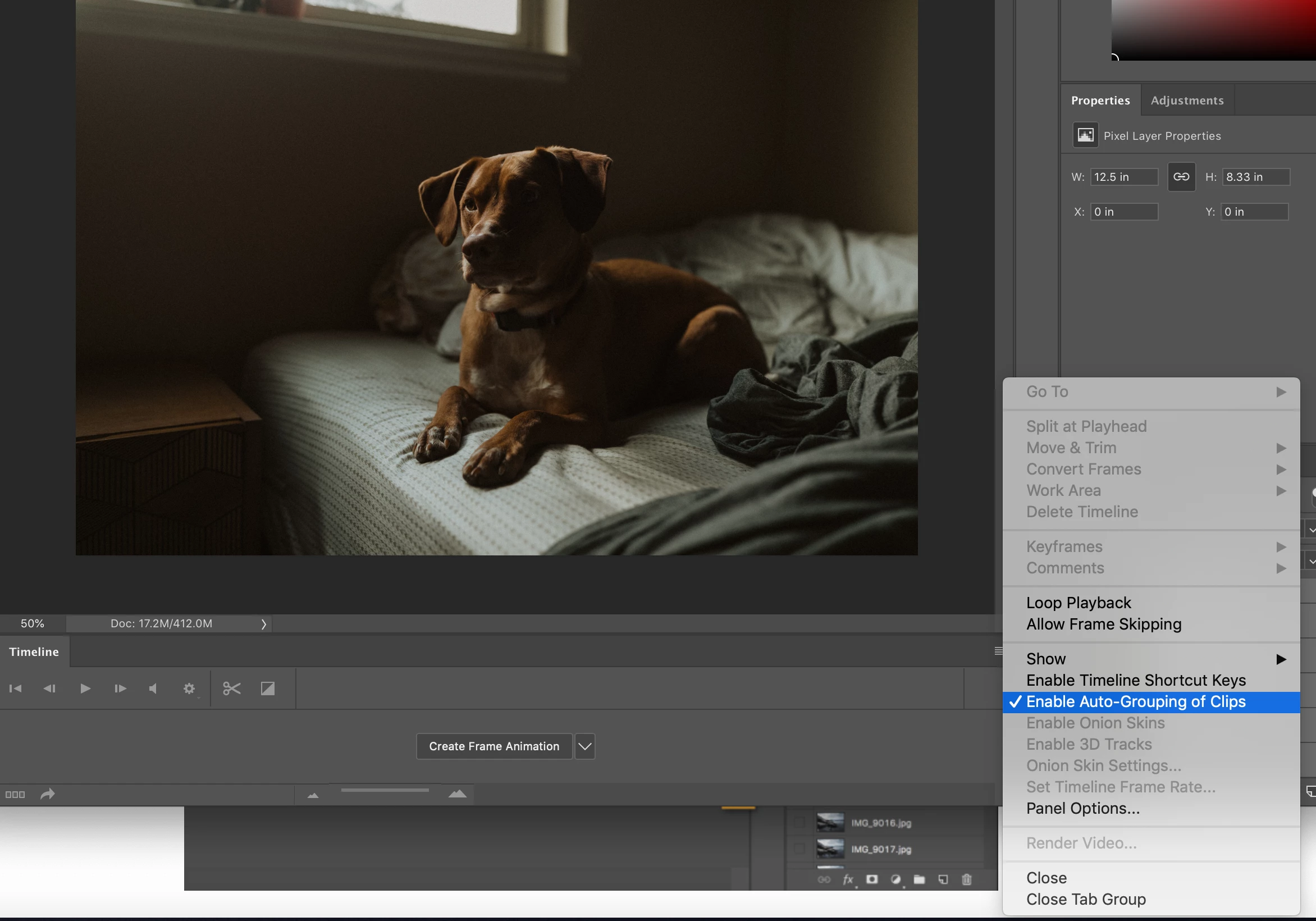
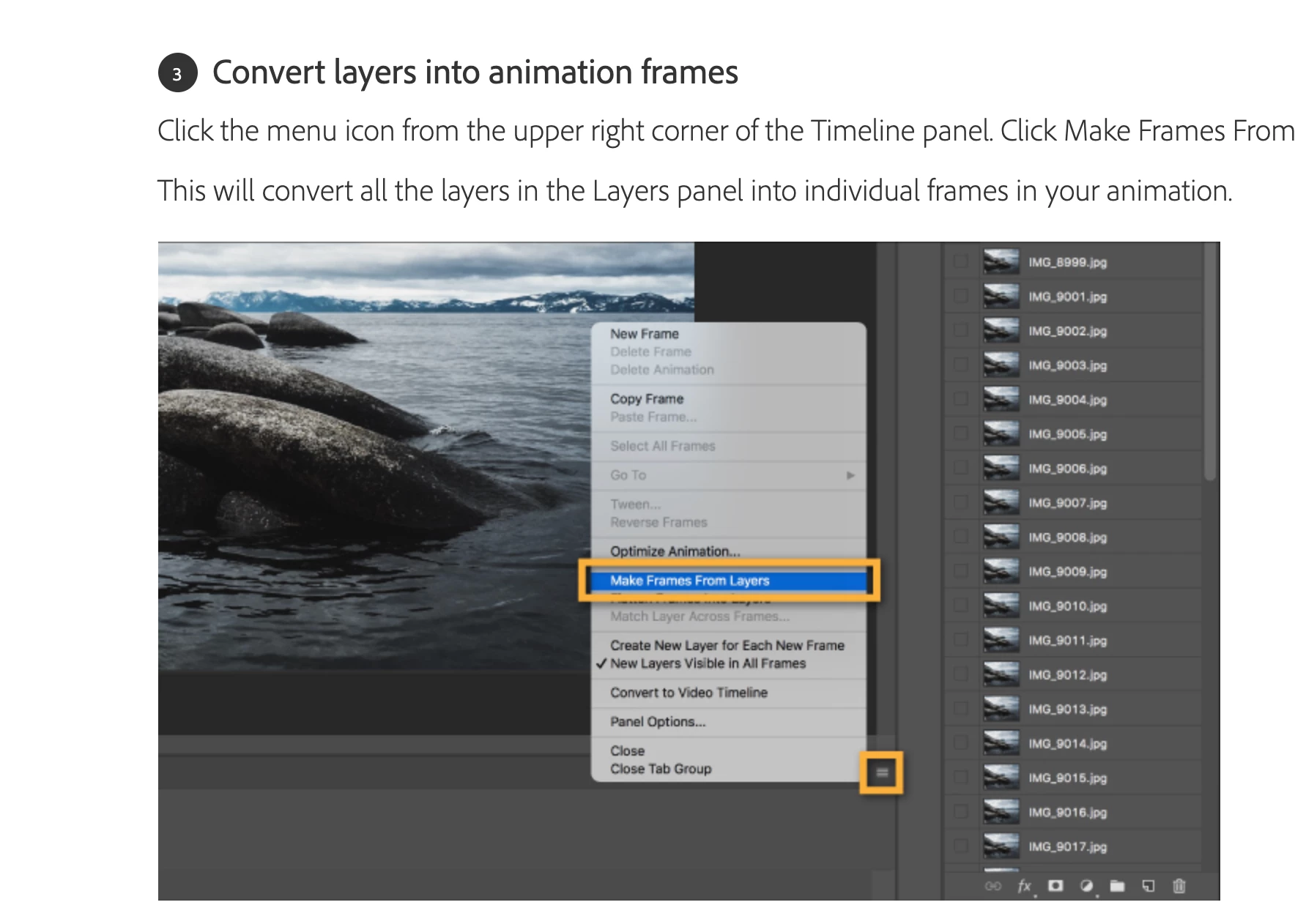
I am having issues getting all my layers over to the timeline when creating a GIF it seems as if I am missing the option to make it happen. See photo of adobe instcutions below and then what I see in my photoshop 
 

This topic has been closed for replies.
Correct answer davescm

You first need to click on that button in the middle of the timeline to "create frame animation". Then make frames from layers should work.


Dave

2 replies

funny.stigmata@gmail.com
Participating Frequently
October 21, 2022

I am missing this option. See screenshot below.

Stephen Marsh
Community Expert
Community Expert
October 21, 2022

I made an action to reduce the manual steps that I was performing when creating layer-based animations, perhaps it would help?


funny.stigmata@gmail.com
Participating Frequently
October 22, 2022

Interesting. I'll give it a shot. I still can't figure adobe's logic in removing this option, though. I mean, at this point, it'd be easier to take all my stop motion frames and bring 'em into After Effects or Premiere. 

davescm
Community Expert
davescmCommunity ExpertCorrect answer
Community Expert
January 4, 2020

You first need to click on that button in the middle of the timeline to "create frame animation". Then make frames from layers should work.


Dave