
krystall72219454
Participant
May 3, 2019
Answered

Crop Overlay vanished

  • May 3, 2019
  • 3 replies
  • 3044 views

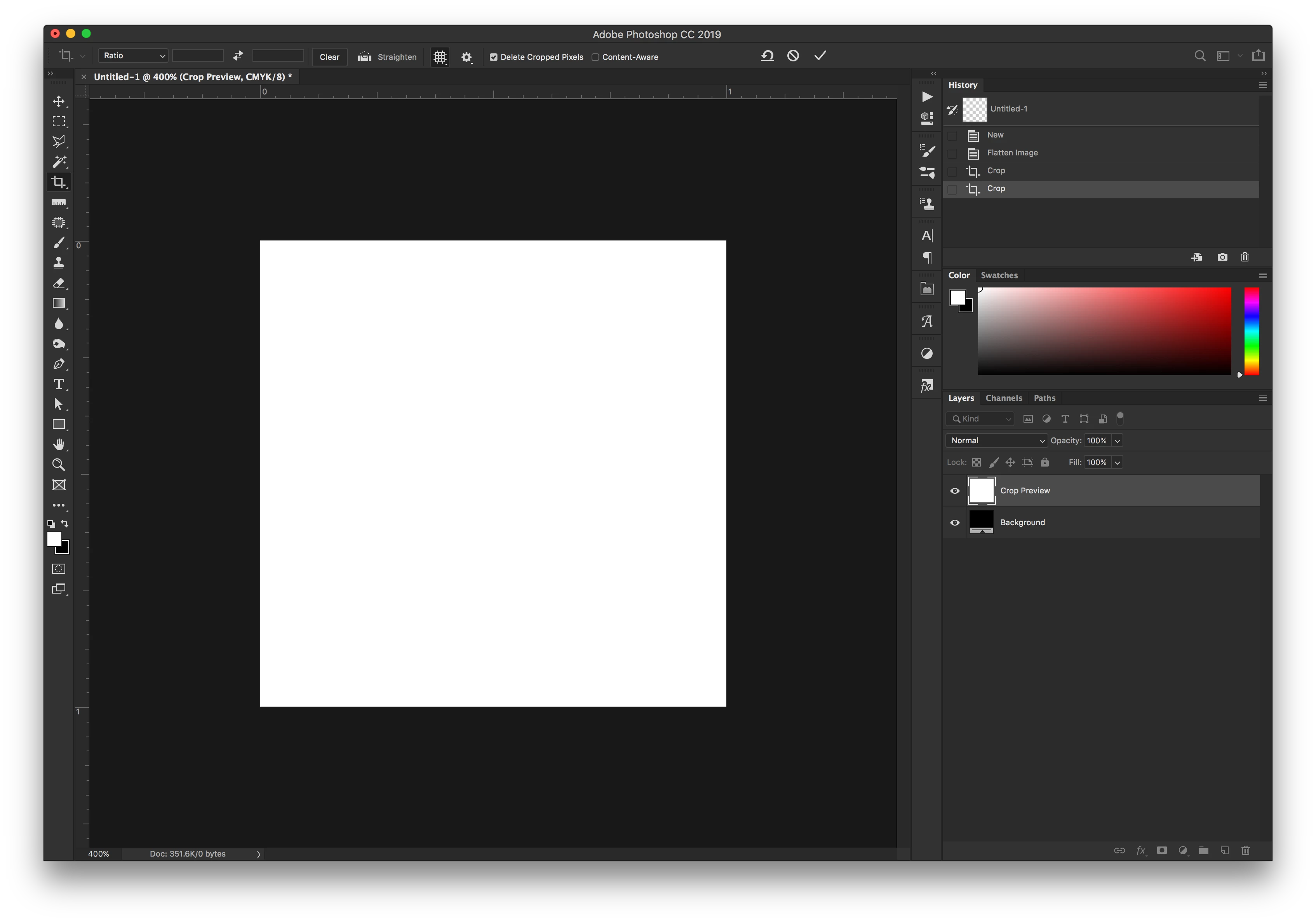
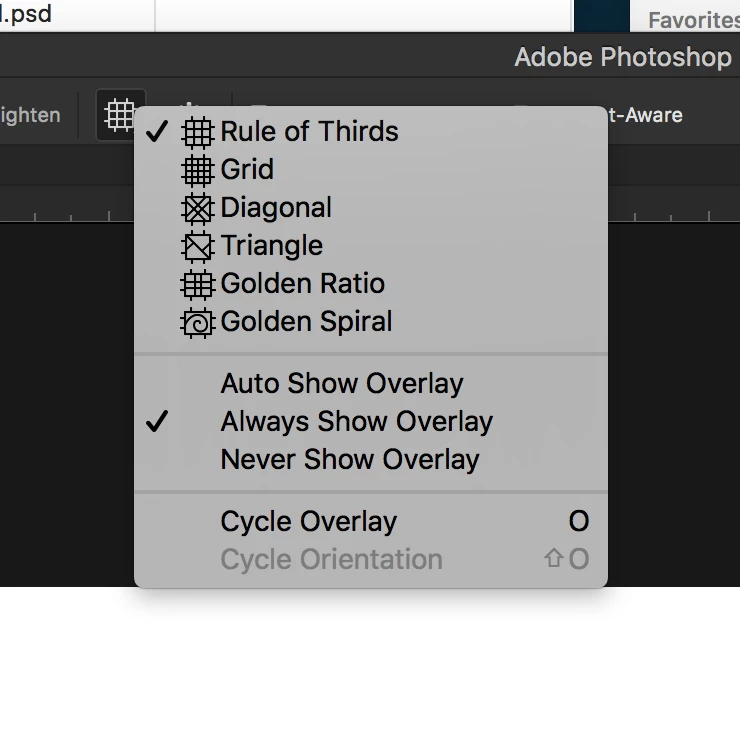
I was working on a large batch of images and suddenly in the middle of everything, my crop overlays vanished. I restart the program several times and it did nothing. Odds are good that I accidentally hit some keyboard shortcut combo without even realizing and it turned something off. I seem to do this often with each new update, when keyboard shortcuts are created that do things I didn't even know were options. It's insanely frustrating. ANYWAY ... I've attached screenshots of what my document looks like when the crop tool is activated - it should have the outside/corner boundary markers and the rule of thirds overlay showing, but as you can see, nada. But I know the tool is active because when I try and click or drag anywhere, it either moves or rotates the "cropped" image. I've also attached what my crop settings are. Please help, this tiny thing is making me lose my mind.
    This topic has been closed for replies.
    Correct answer Sahil.Chawla

    That does not sound right, could you please try resetting the preferences of Photoshop and let us know if it helps?

    To restore preferences quickly using a keyboard shortcut: Press and hold Alt+Control+Shift (Windows) or Option+Command+Shift (Mac OS) as you start Photoshop. You are prompted to delete the current settings. The new preferences files are created the next time you start Photoshop.

    You may also try the steps mentioned in this article: Preferences in Photoshop

    Note: Please back up all your custom brushes, actions, presets etc before restoring the preferences back to default.

    3 replies

    Mr.Potato Man
    Participant
    September 15, 2024

    Greetings!  It may be a few years later, but I'd have the same problem but this couldn't solve the problem, any other idea maybe ? Thanks in advance 

    Potato~
    krystall72219454
    Participant
    May 3, 2019

    I tried Cmd-H - no fix.

    I tried Resetting the tool - no fix.

    I'm not sure if this link will work or not, but I did a quick recording of what it's doing.

    Dropbox - CropIssue.mov - Simplify your life

    Sahil.Chawla
    Adobe Employee
    Sahil.ChawlaCorrect answer
    Adobe Employee
    May 3, 2019

    That does not sound right, could you please try resetting the preferences of Photoshop and let us know if it helps?

    To restore preferences quickly using a keyboard shortcut: Press and hold Alt+Control+Shift (Windows) or Option+Command+Shift (Mac OS) as you start Photoshop. You are prompted to delete the current settings. The new preferences files are created the next time you start Photoshop.

    You may also try the steps mentioned in this article: Preferences in Photoshop

    Note: Please back up all your custom brushes, actions, presets etc before restoring the preferences back to default.

    krystall72219454
    Participant
    May 3, 2019

    Yup - that did it. Must have hit a weird bug while working on my image batch. Well, thanks for that help ... now to go through and get my workspace back to looking how I like it lol.

    Sahil.Chawla
    Adobe Employee
    Adobe Employee
    May 3, 2019

    Hi Krystal,

    The Crop Overlay will appear when you will start cropping the image, and it will stay visible till you hit the check-mark.


    Please let us know if it helps.
    Regards,
    Sahil

    krystall72219454
    Participant
    May 3, 2019

    No, it doesn't appear. As I said, I was using the crop tool previously on many images with it working exactly as expected before it suddenly disappeared.

    Per Berntsen
    Community Expert
    Community Expert
    May 3, 2019

    Try pressing Cmd + H, which is the same thing as View menu > Extras.