

JohnVo
Inspiring
January 12, 2017
Answered

crop tool , arrows keys move only the crop ,need to be precise

  • January 12, 2017
  • 2 replies
  • 4421 views

hi

i'm running the last version of photoshop 2017 and 2015 windows 10 64bit updated yesterday

well about the crop tool , i was used to click C to activate the crop use the mouse adjust the crop

and use the arrow keys up & down to move down & up only for example the up line of the crop to be precise , the same with the bottom line of the crop

in the past i used the same for the left & right corner of the crop guide

now i have scanned some film photo and i want to crop

but when i move the up and down key of my keyboard i move all the crop guide down and up

is there a way to do it? i was used to do in the past

thanks
This topic has been closed for replies.
Correct answer JJMack

Hi

thanks for information

i guess photoshop cs3 or cs2

thanks


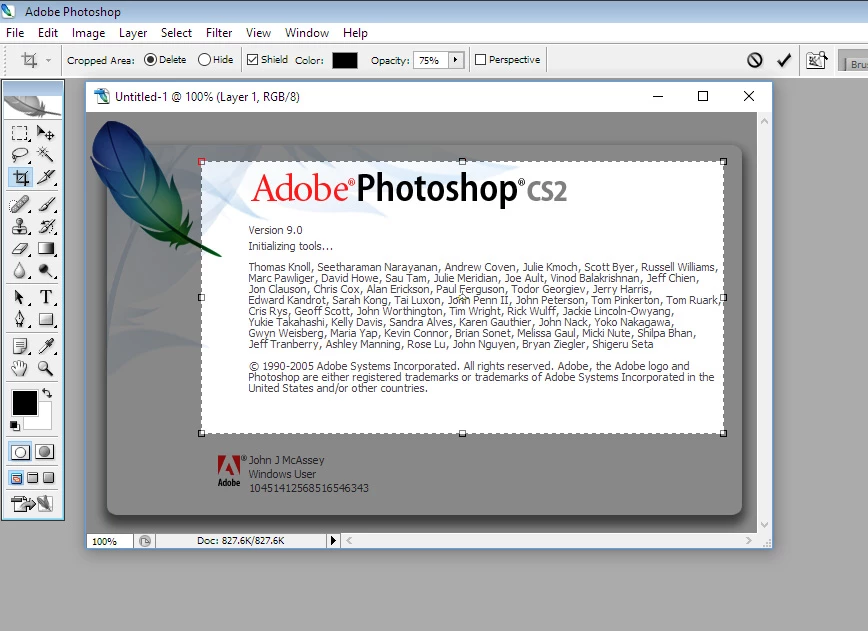
I tested with CS2 as well as all the creative cloud version of Photoshop nudge smver the whole area like the others....

2 replies

JJMack
Community Expert
Community Expert
January 12, 2017

I do not use the crop tool I have always used the marquee tool and image crop.  Adobe has changed the UI of the Crop tool many times and in the crop tool's option bat the is a setting gear you can change some crop setting and even use it in an old classic way.

Are you sure you could nudge a single side at a time.  Photoshop seems quite consistent between tools nudge to me seems to work the same way in user interfaces  between tools and features like marquee, transform, select selections, move, etc.  Nudge seems to move the whole kit and caboodle not a single side.  You seem to need to drag on a side side to just effect one and modifier keys can change how drag works to constrain it in some way ways.

JJMack
JohnVo
JohnVoAuthor
Inspiring
January 12, 2017

hi

thanks

but i just remember i was able the short key only to move only the botton line of the crop dialog where is the arrow

i have always the crop tool , but only now i need to be very precise , because i don't want to leave white borders

thanks

JJMack
Community Expert
Community Expert
January 15, 2017

Hi JJMACK

thanks a lot

i remember a lynda tutorial , i guess it's not the crop tool, but i was sure there is a tool that let me to use the keyboard to be very precise

seeing your screenshow , i'm sure it's not the crop tool

ps have you tried cs2 under w10 ??  the taskbar doesn't hide even with cs2 and windows 10 ,does it ?

thanks


I use Windows 10..

JJMack
JohnVo
JohnVoAuthor
Inspiring
January 12, 2017

hi

maybe you did not understand because english is not my native language

move only up and down with precise hotkey where i have added the red arrow

i can drag & drop with the mouse , but is there a way to drag and drop with the keyboard

YDOZxyz.png