
Participant
December 17, 2019
Question

Crop tool overlay hides photo when rotating in Photoshop 2020

  • December 17, 2019
  • 2 replies
  • 737 views

HI

I'm hoping someone can help. Since the last Photoshop update I am having an issue with the crop tool overlay while straightening my photos. When I click on the corner of the image to drag to straighten the photo a fine grid overlay appears and make sit very hard to see the image while I am trying to straighten. I have attached a screen shot to show how bad the grid is.
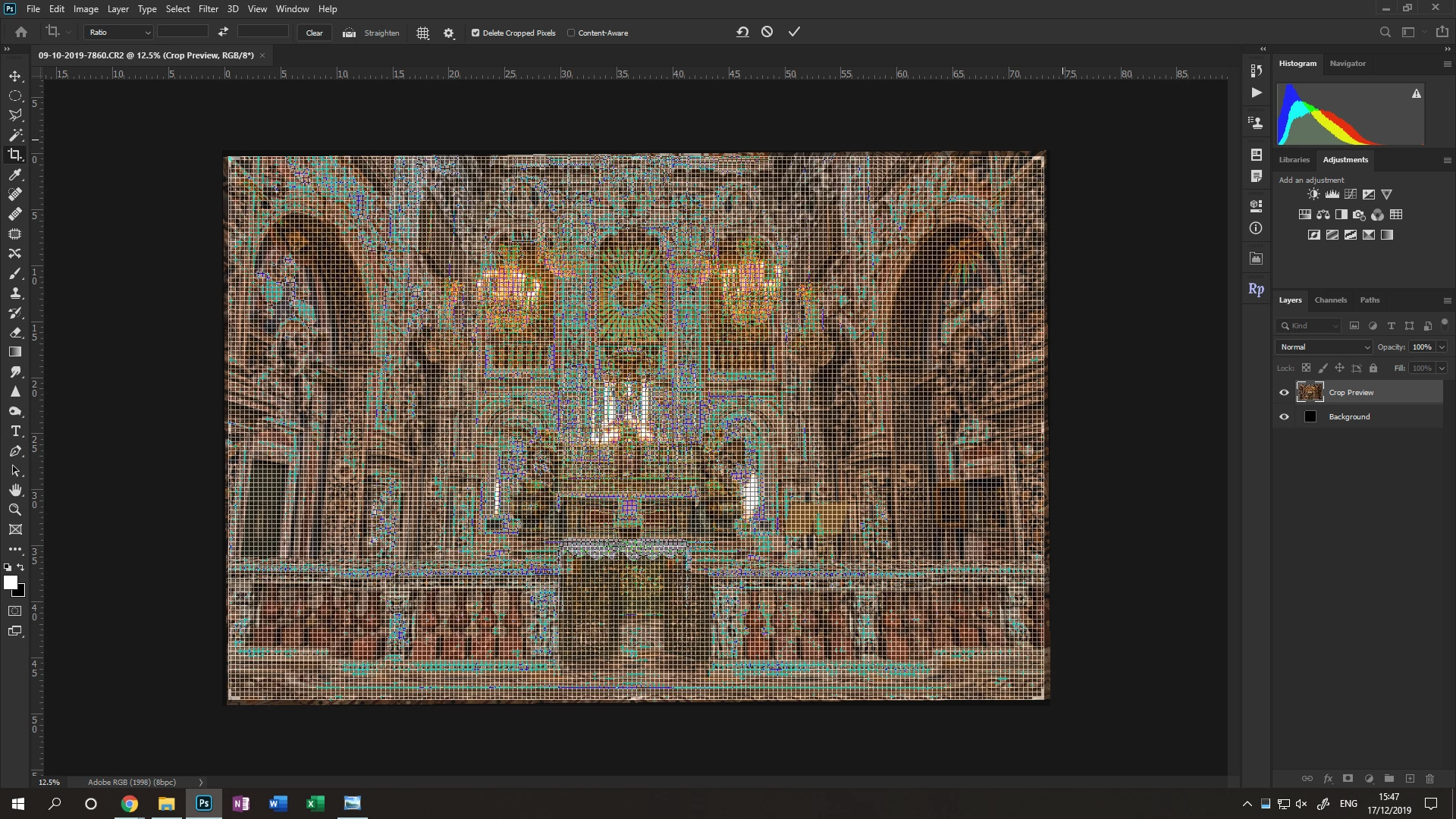
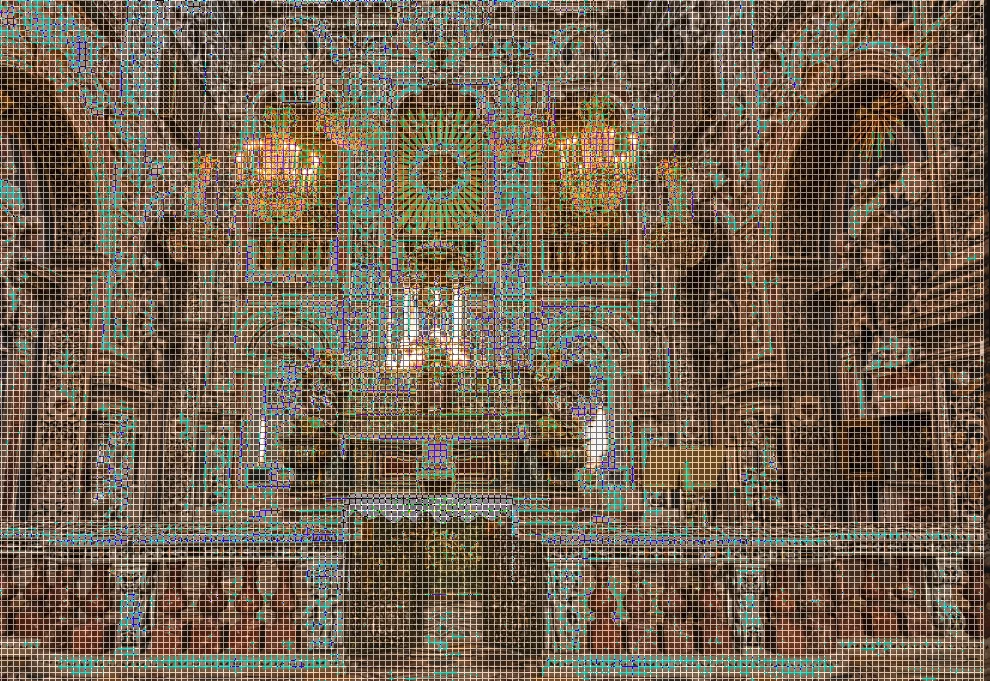
I have been through all the crop and overlay settings and the onbly way I can stop it is to turn off overlay completely which is no help. I don't know if I am missing something or whether it is a glitch during the last update.

Is anyone else having this issue since the update? If so, do you have any idea how can I fix it? 

This topic has been closed for replies.

2 replies

nikunj.m
Legend
December 17, 2019

Hi there,


We are sorry about the experience with Photoshop.


Would you mind resetting the tool to check if that helps? You can check the steps mentioned in the link below.

https://helpx.adobe.com/in/photoshop/kb/basic-troubleshooting.html#tool


Regards,

Nikunj


Sy77Author
Participant
December 17, 2019

Hi, I have just tried resetting the tool but unfortunately it hasn't helped.

Participant
September 20, 2020

Did you ever get an answer to this? I have the same problem. Very annoying. Can't believe more people haven't responded.


Thank you,

Serge

Kevin Stohlmeyer
Community Expert
Community Expert
December 17, 2019

Use the settings at the top of the screen to either turn off the grid, or cycle the settings using "O" (not zero) to choose a different overlay. I'm guessing this is a huge image since the grid overlay is 1" spacing normally.

Sy77Author
Participant
December 17, 2019

I have tried cycling the overlay which makes no difference. I have been able to trun the overlay off but I use the lines to help when straightening the image, so turning them off isn't ideal.

The photo is fairly large at around 8024 x 5541pixels. I have tried the same photo on my laptop and I don't get the issue on there. On my laptop the grid is much larger and easier to see the photo.

I have only had this issue since the last big update to Photoshop, it had been fine up intil then.