

Ged_Traynor
Community Expert
Community Expert
March 27, 2023
Answered

Ctrl + J not working correctly with Photoshop 24.3

  • March 27, 2023
  • 5 replies
  • 3812 views

Just noticed that with Photoshop version 24.3 on Windows 10, when copying a selection to a new layer with Ctrl + J it's actually copies the whole layer and not the selection as it should, here I made a selection of the Rhino and hit Ctrl + J and as you can see in the layers panel something is not quite right, when I Ctrl click on the layer you can see that the selection has been made.
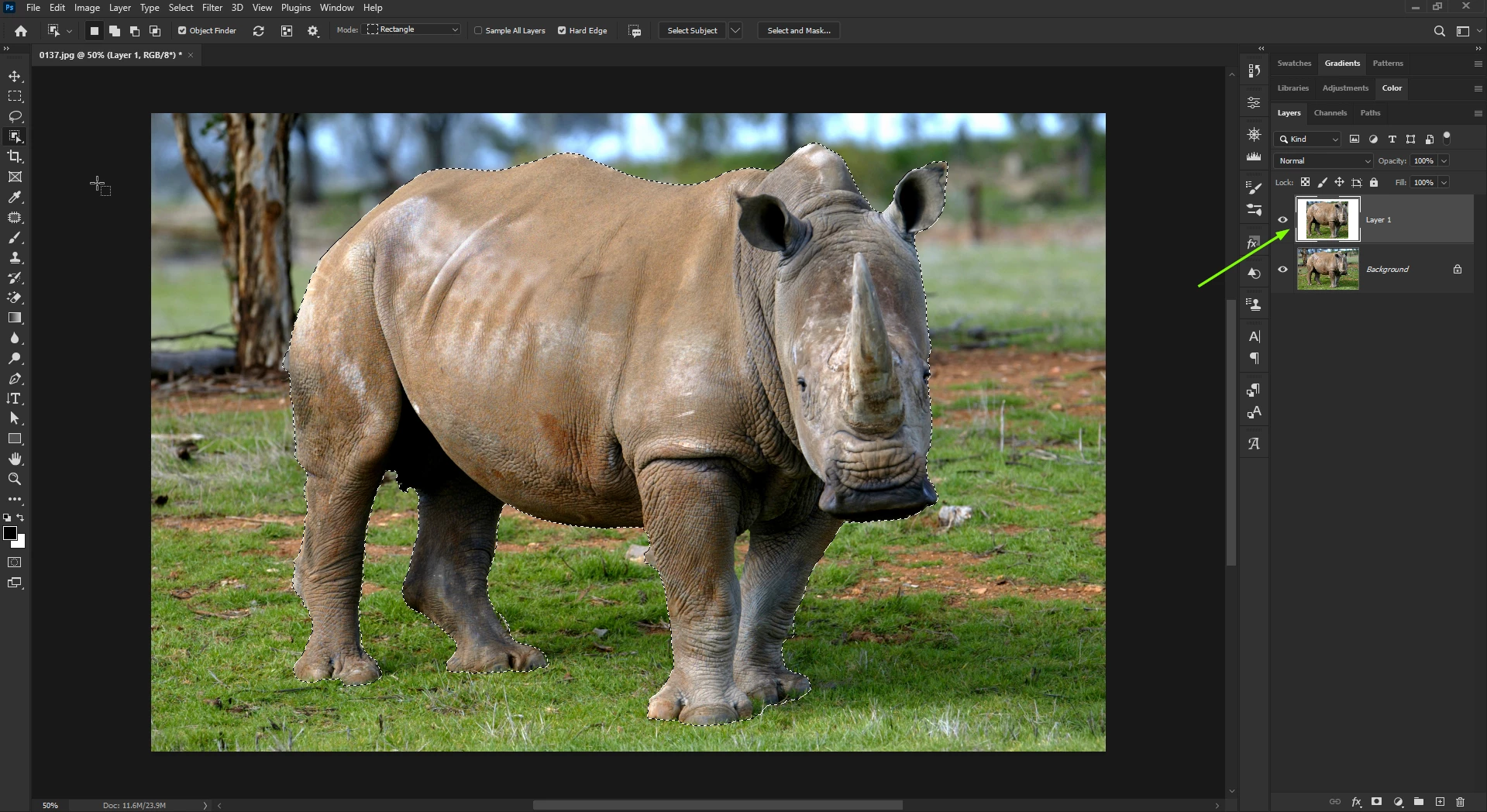
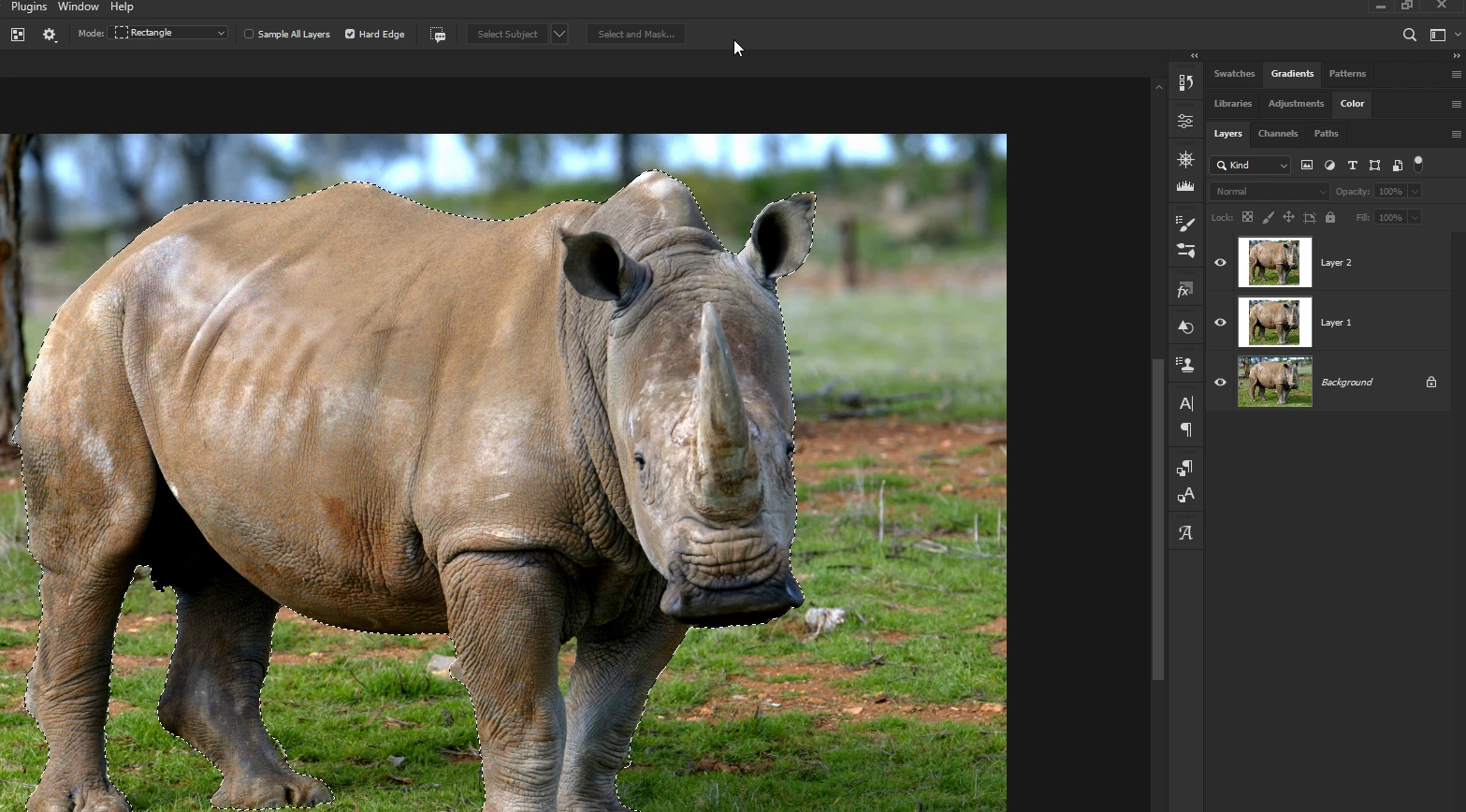
If I hit Ctrl + J on that selection I get the same result
This topic has been closed for replies.
Correct answer CShubert

Hi @Ged_Traynor testing here on Win11 and 24.3, opened a file and layer shows as background, used object select tool, dragged box around object and then ctrl+j and see just the selected object on new layer.


Hate to suggest the prefs fix, but...? Maybe something became corrupt in the upate?


5 replies

Ged_Traynor
Community Expert
Community Expert
March 27, 2023

Thanks @CShubert yes turns out to be a corrupt preference file, deleted it and relaunched PS and it's working fine again, I'll move this thread to the discussion section as it's clearly not a bug.

Participating Frequently
May 19, 2023

I'm having the exact problem ged_traynor 24.4.1 this problem came out of nowhere as I've been using this version for a few weeks. If and when I figure it out I'll post what I did.

Participating Frequently
May 20, 2023

I did figure out the problem. The upgrade to the latest version somehow really screwed up all my preferences (this probably is an adobe bug how else would an upgrade screw up some not all my preferences). Anyway the quick mask settings were changed to "masked area" from "selected area". NOTE: it would be nice for once to be able to upgrade an adobe product and not have to spend hours figure out why it no longer works the way it did before the upgrade. 

CShubert
Community Manager
CShubertCommunity ManagerCorrect answer
Community Manager
March 27, 2023

Hi @Ged_Traynor testing here on Win11 and 24.3, opened a file and layer shows as background, used object select tool, dragged box around object and then ctrl+j and see just the selected object on new layer.


Hate to suggest the prefs fix, but...? Maybe something became corrupt in the upate?


Ged_Traynor
Community Expert
Community Expert
March 27, 2023

@Kevin Stohlmeyer it shows what you see in the screenshot, white background with the square selection that I made with the object selection tool, strange thing is I can Ctrl click on the layers thumbnail to highlight the selection

Jqqerry
Inspiring
March 27, 2023

I remember exactly, but this bug also started at some point in 2023.
There are times when you copy using Ctrl+Shift+C as well as Ctrl+J.
The only solution I found was to restart Photoshop. Sometimes that kind of problem happens.

Kevin Stohlmeyer
Community Expert
Community Expert
March 27, 2023

Hey @Ged_Traynor - what does the layer actually show when isolated? Is it an issue with the layer preview or is it actually copying the entire area shown?