Answered
Curved Text Assistance
How do I recreate the curved text and outline banner below (Dre Day)? I like the overall layout and outline, but am unsure how to create it myself.
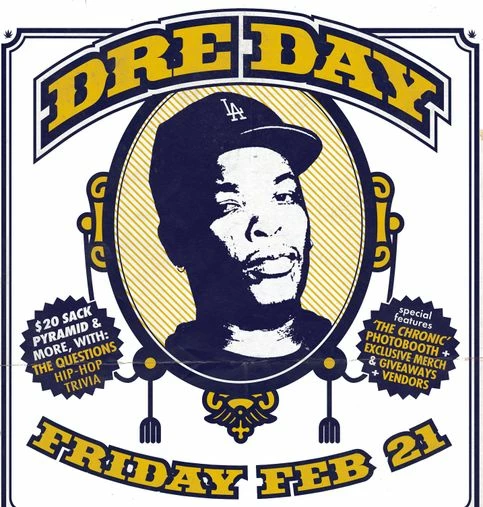

How do I recreate the curved text and outline banner below (Dre Day)? I like the overall layout and outline, but am unsure how to create it myself.
Sorry, new to posting here. No, I did not get a solution that worked for my project.
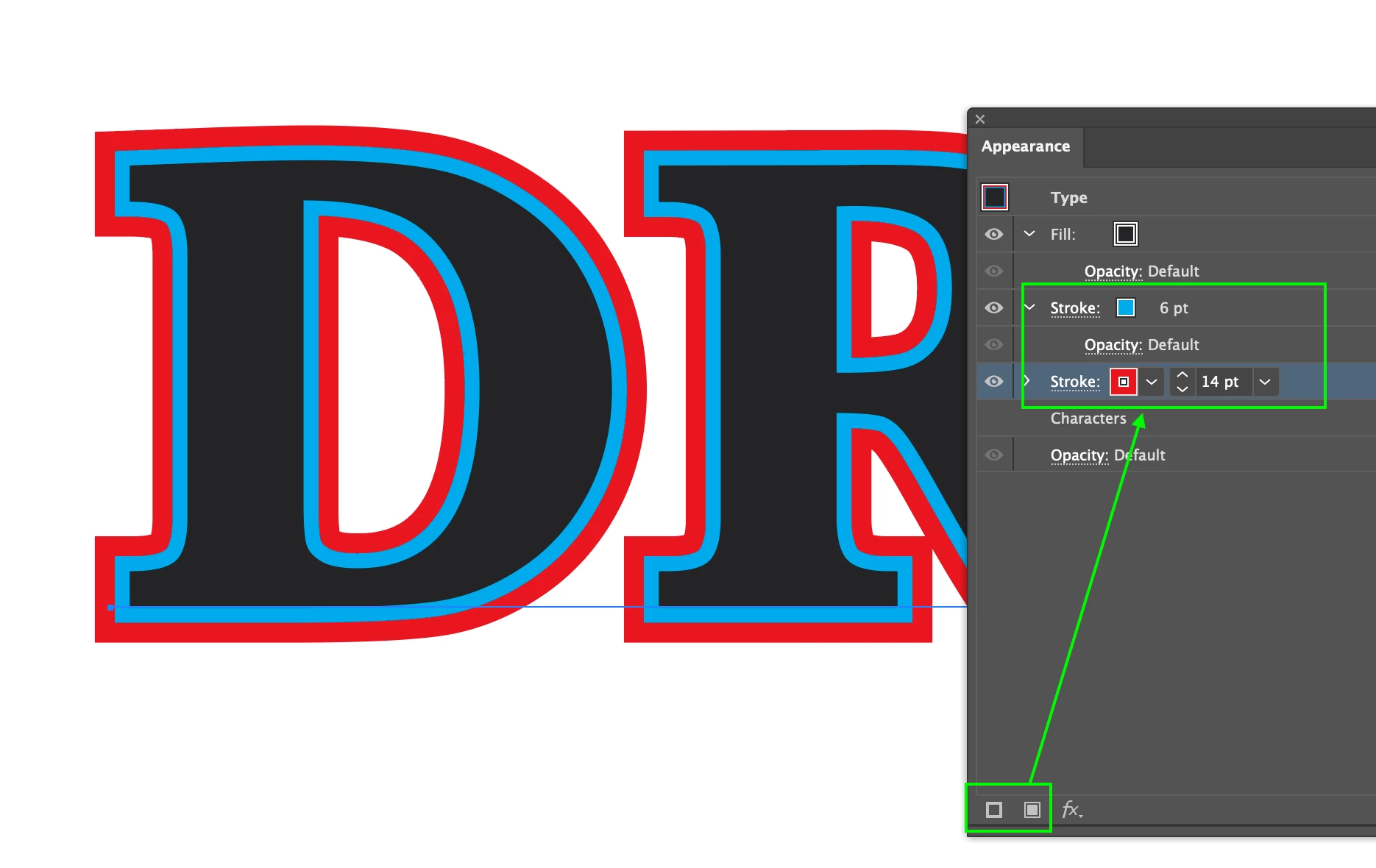
To create the text effect with the outlines you need to make additional appearances such as adding multiple instances of strokes to create the outline.
This will add additional strokes and fills above your text that you can rearrange (fill on top) to create as many varying stroke widths behind it.
Already have an account? Login
Enter your E-mail address. We'll send you an e-mail with instructions to reset your password.
 AdChoices