
Answered
Custom brush painting with opacity
I made a custom brush, and defined it as a new brush, but when I try to paint with it, it has opacity even though the brush opacity is set to 100%.
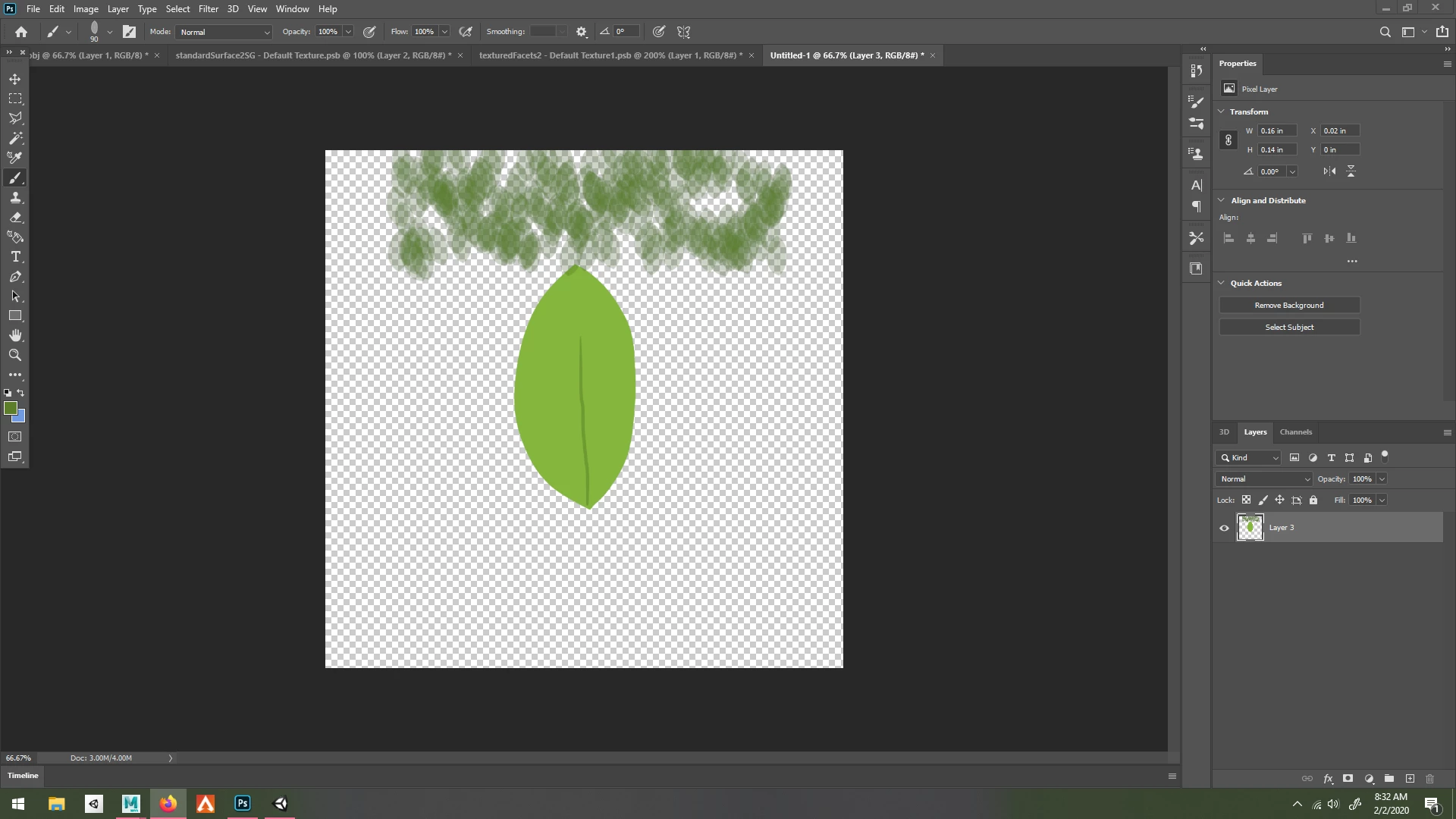

I made a custom brush, and defined it as a new brush, but when I try to paint with it, it has opacity even though the brush opacity is set to 100%.
I want to be able to paint with no opacity, like this image right here: 
I don't want to have to hold down on my mouse to keep on adding more leafs.
Then you need to use a different brush tip that is not a leaf shape with leaf detail shading. The brush tip you are using does not lay down 100% opaque paint color pixels. Perhaps use a pattern fill rather that using a brush. Select the leaf area and fill. Edges area would need to be address so add the patten fill on a separate layer.
You could add a Pattern fill leaf layer hide it with a hide all layer mask then paint with White and Black on the hide all layer mask to paint in your leaves.
Already have an account? Login
Enter your E-mail address. We'll send you an e-mail with instructions to reset your password.
 AdChoices