Participant
May 3, 2019
Question

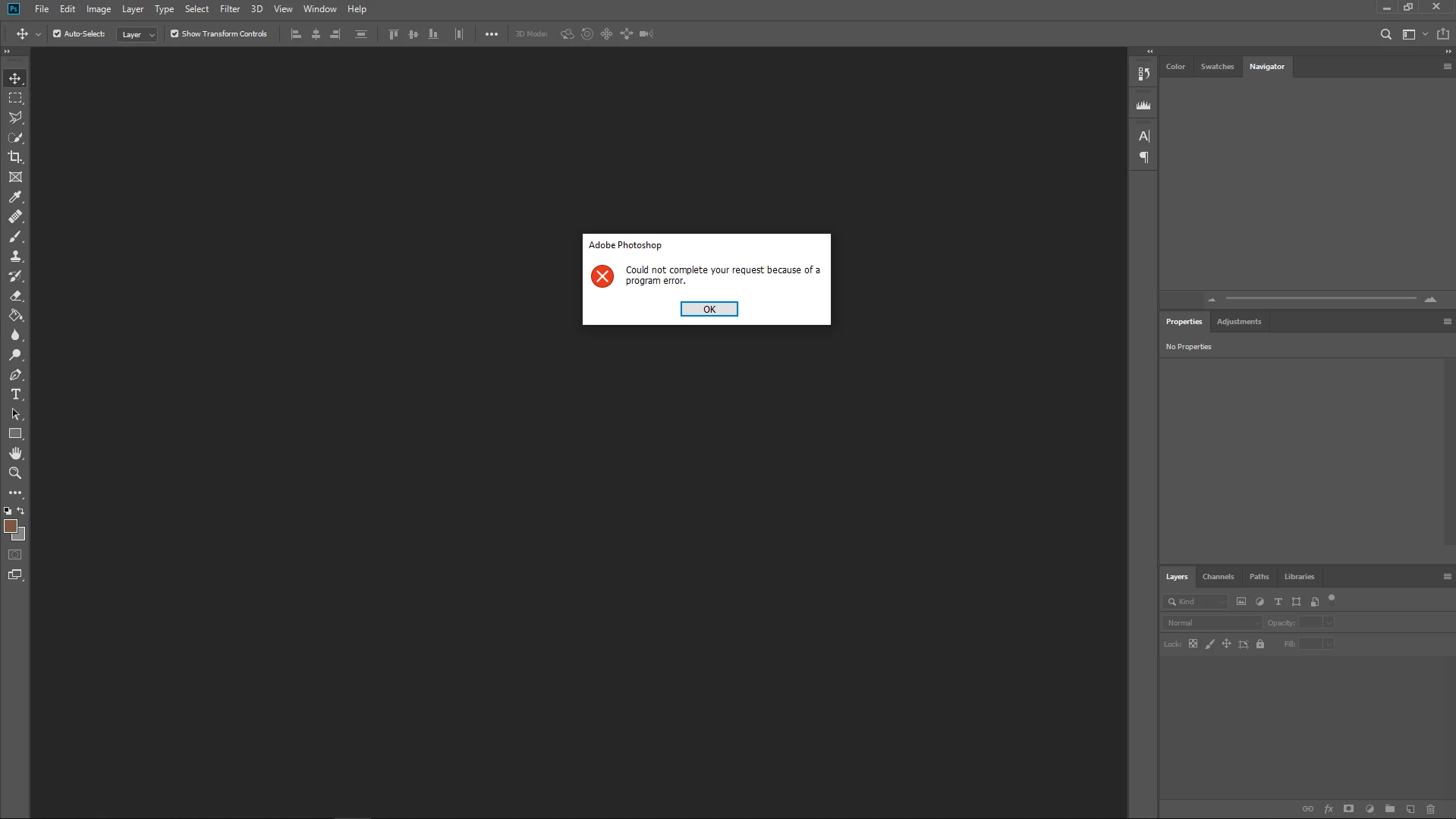
.DDS file won't open in CC 2019

  • May 3, 2019
  • 2 replies
  • 7840 views

Excuse me; I'm new on this forum. Maybe someone could help me? Because I can't open any DDS file even using other Image Editor.
I have installed Plugin both from Intel and Nvidia but seems don't work either

    This topic has been closed for replies.

    2 replies

    Akash Sharma
    Legend
    May 3, 2019

    I tried opening the file shared by you at my end and I am getting the same error message.

    Please checkout the above suggestion by Norman.Sanders

    ~Akash

    Akash Sharma
    Legend
    May 3, 2019

    Hi MuhammadHidayatR.A,

    Sorry that you cannot open a .DDS file in Photoshop CC as you are getting an error message "could not complete your request because of a program error".

    It seems like the DDS file might be corrupt. Could you please DM me the file(if it's not personal or confidential) and I'll try opening it at my end?

    Also, please review this discussion and let us know if that helps: photoshop won't open .dds files correctly

    Thanks,

    Akash

    Norman Sanders
    Legend
    May 3, 2019

    If you Google "convert .dds to .psd" it turns up this followed by a list of sites.

    How to convert dds to psd

    1. Upload dds-file(s) Select files from Computer, Google Drive, Dropbox, URL or by dragging it on the page.
    2. Choose "to psd" Choose psd or any other format you need as a result (more than 200 formats supported)
    3. Download your psd.
    Participant
    May 3, 2019

    I have tried that but i got this