
Decreasing layer opacity for specific area of layer
Hi,
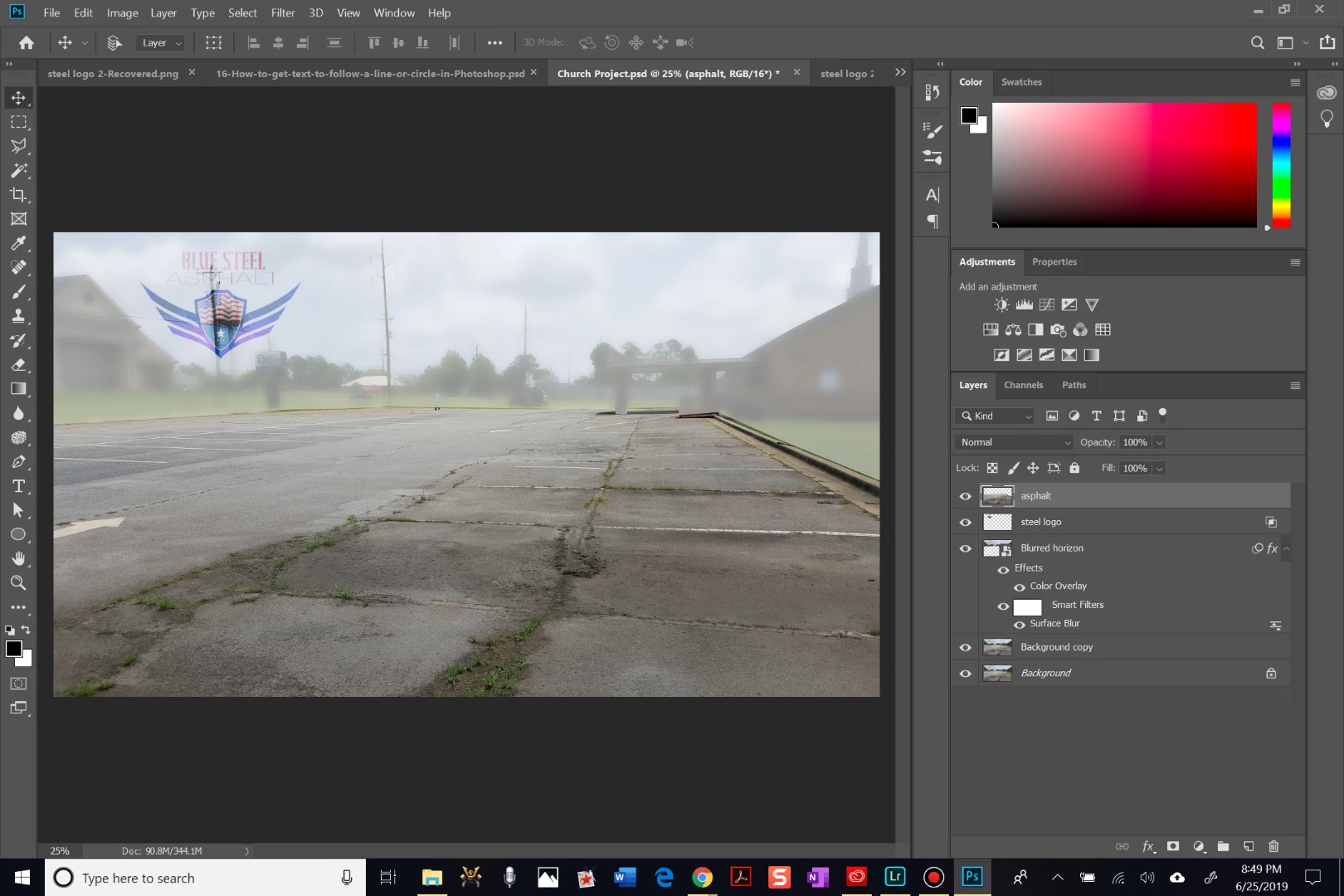
I am working on an image to the social media platforms we use for my family's asphalt business. The goal is to highlight how poor the initial state of the asphalt is on our latest job. I am working with 2 main parts of the original image: the asphalt layer (and some of the concrete is okay, too) and the background (everything that is not asphalt), which I labeled as "Blurred horizon". I chose to leave the asphalt layer in color to focus attention on the grass and cracks embedded all throughout the parking lot. Additionally, I chose to blur the horizon layer slightly and give it a white overlay. Lastly, I am placing our company's logo over the horizon layer. I used the layer styles to blend the logo to the underlying layer. However, the underlying layer is showing up through the logo rather noticeably in some areas. The best outcome would be to remove/ hide any of the underlying layer where the logo is currently occupying. How can I best achieve this from where I am now? Is there a more efficient path I could have used to reach my end result?
Thanks in advance for reading this and formulating a solution to help me...Thanks!!
 AdChoices