
Participant
August 24, 2023
Question

Deerhunter Effect

  • August 24, 2023
  • 2 replies
  • 251 views

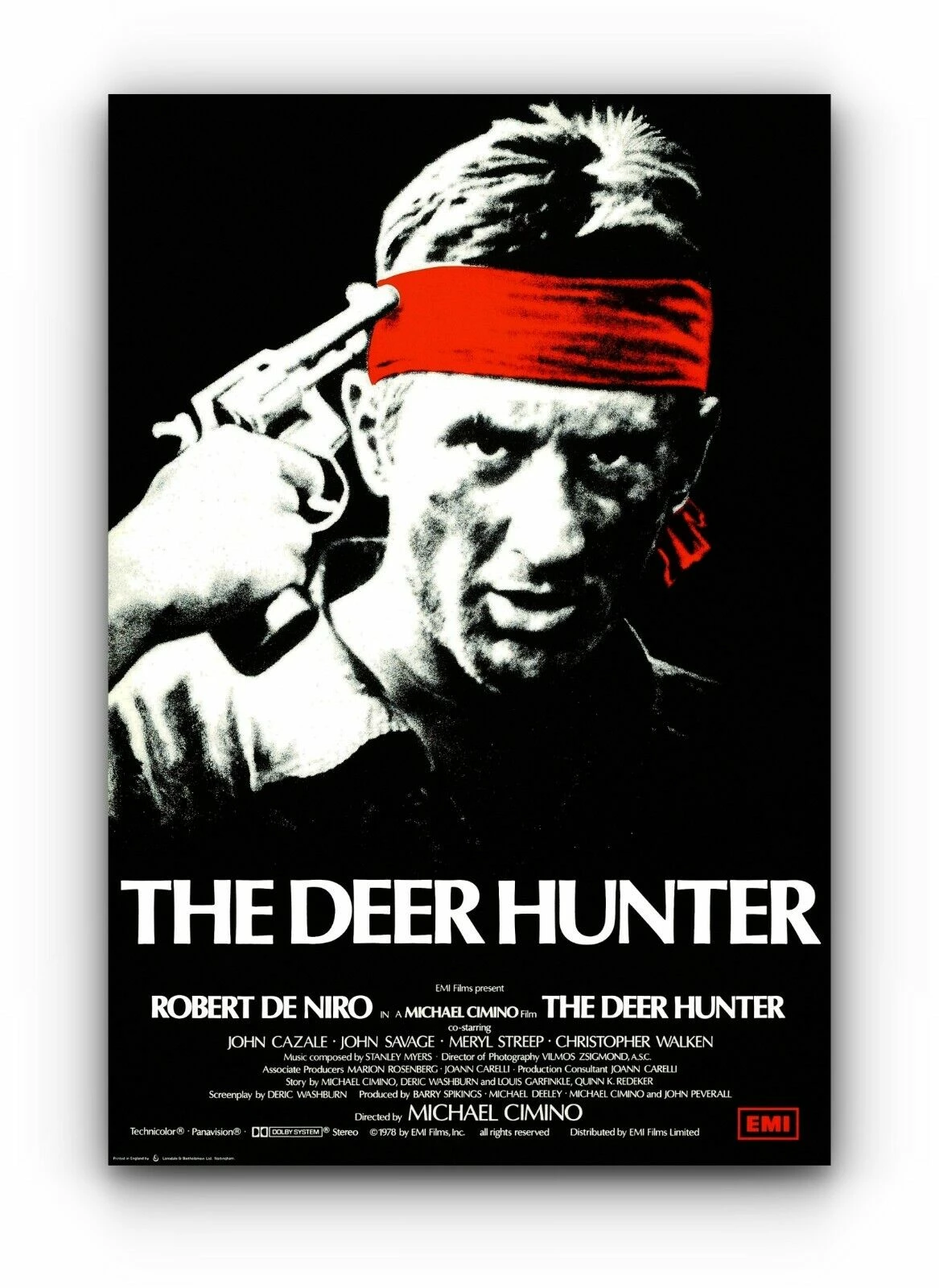
Hi. I am looking for a way to turn an image for a poster to give it the same sort of effect as the attached image for the film Deerhunter. 

I have tried some photocopy filters and add-ons but they all don't look quite right. Any ideas?
2 replies

c.pfaffenbichler
Community Expert
Community Expert
August 25, 2023

Please post the image you want to edit thusly. 

DanRoarAuthor
Participant
August 29, 2023

Hi sorry been away. Tahanks for the help and advice.


Image attached.

DanRoarAuthor
Participant
August 29, 2023

If Adjustment Layers don’t suffice you may have to do some additional Filtering (some over-sharpening maybe) or painting. 


awesome thanks for advice

Myra Ferguson
Community Expert
Community Expert
August 25, 2023

Here's one approach you could use:

  1. Convert your image to a Smart Object (Layer > Smart Objects > Convert to Smart Object or right-click on the layer in the Layers panel, right-click to the right of the layer's thumbnail and name and select Convert to Smart Object)
  2. If the image is color, then add a Black & White adjustment layer (Layer > New Adjustment Layer > Black & White... or click on the middle icon at the bottom of the Layers panel and select Black & White...)
  3. In the Properties panel with the Black & White thumbnail selected (not the white layer mask thumbnail), adjust the sliders if needed to change how the color image is converted to black & white
  4. Add a Levels adjustment layer (Layer > New Adjustment Layer > Levels... or click on the middle icon at the bottom of the Layers panel and select Levels...)
  5. Adjust the triangles below the histogram to increase the contrast as needed
  6. Select the Smart Object layer
  7. Go to Filter > Noise > Add Noise... and set the Amount so that the image looks a little grainy. You might try using Uniform Distribution and Monochromatic.
c.pfaffenbichler
Community Expert
Community Expert
August 26, 2023

I would prefer to address the contrast »under« the Black & White Layer, that way it might be possible to minimize banding somewhat.