
Known Participant
February 21, 2022
Answered

Default folders

  • February 21, 2022
  • 2 replies
  • 361 views

How to change the default folders ?

For instance: when I'm saving a swatch, Photoshop points to C:\Users\User\AppData\Roaming\Adobe\Adobe Photoshop CS5\Presets\Color Swatches


And I always have to browse and find MY directory


How to change this once and for all ?
This topic has been closed for replies.
Correct answer jane-e

@LucasBS wrote on 21 February:

I always have to browse and find MY directory


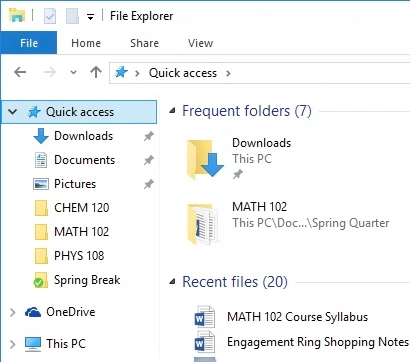
I don't think you can change the default locations. What you might do to avoid browsing, though, is pin your folder to Quick Access in Windows File Explorer. Details here:

https://support.microsoft.com/en-us/windows/pin-remove-and-customize-in-quick-access-7344ff13-bdf4-9f40-7f76-0b1092d2495b


Apologies for the 7-day delay in answering your question.


Jane

Forum volunteer


2 replies

LucasBSAuthor
Known Participant
February 28, 2022

Another workaround (shame on Adobe) is to change the Start-In folder.

Too bad that it affects the File>Open

jane-e
Community Expert
jane-eCommunity ExpertCorrect answer
Community Expert
February 28, 2022

@LucasBS wrote on 21 February:

I always have to browse and find MY directory


I don't think you can change the default locations. What you might do to avoid browsing, though, is pin your folder to Quick Access in Windows File Explorer. Details here:

https://support.microsoft.com/en-us/windows/pin-remove-and-customize-in-quick-access-7344ff13-bdf4-9f40-7f76-0b1092d2495b


Apologies for the 7-day delay in answering your question.


Jane

Forum volunteer


LucasBSAuthor
Known Participant
February 28, 2022
quote

I don't think you can change the default locations.


Apologies for the 7-day delay in answering your question.


I'm thankful that someone DID answer the question


But needless to say, an unacceptable answer (not your fault) for such an "important" software  !