
bartonlew
Legend
January 31, 2022
Answered

default image size upon opening

  • January 31, 2022
  • 2 replies
  • 4030 views

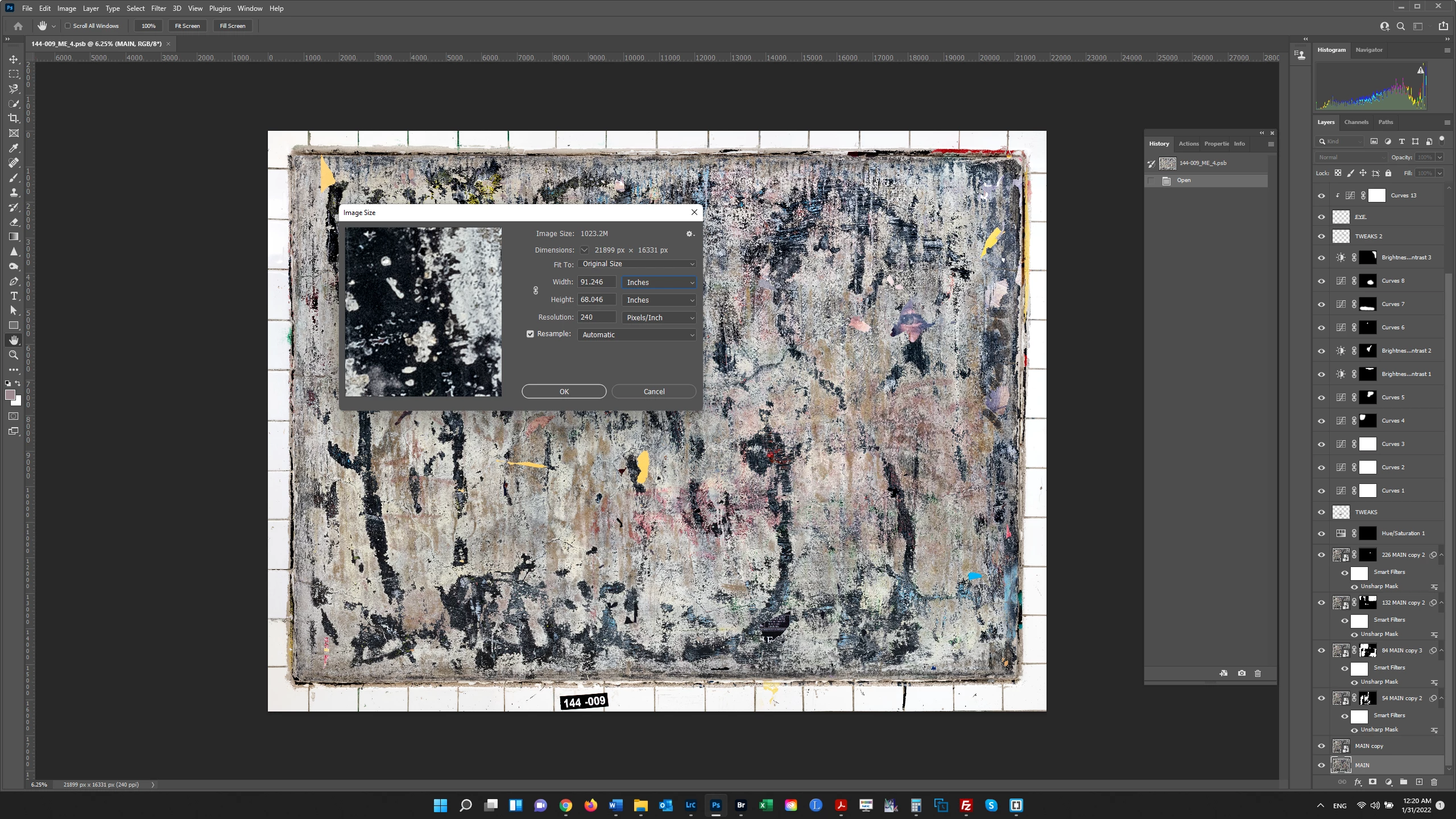
I thoght when you opened a file in Photoshop that it gave you the size at 300 dpi (the default).  But this image upon opening gives it at 240 dpi.  Why is this?  


This topic has been closed for replies.
Correct answer Stephen Marsh

Resolution metadata is per file. It depends on the file's processing history on how resolution metadata is added or removed to each file.


All I can say from the information provided is that if the file is showing 240 ppi, then it must have been introduced at some point in the file's edit history.


The most common place where a value of 240 ppi may come in is if this was originally a raw camera image that had been previously processed through Adobe Camera Raw with workflow settings of 240 ppi, however, this is not the only explanation or way that such a PPI value could be applied to the file.


2 replies

Bojan Živković11378569
Community Expert
Community Expert
January 31, 2022

There isn't default resolution that will be assigned to files. Resolution depend on file resolution, whatever resolution is assigned/saved with. If you want "default" 300 px/in there is function from File > Scripts > Script Events Manger which can be used to change Resolution to 300px/in upon opening file in Photoshop. You will need script or simple action for Open Document Photoshop Event.


Stephen Marsh
Community Expert
Community Expert
January 31, 2022

With raw camera files, there are workflow options in the ACR preferences or at the bottom of the interface, which may be set to open raw files into Photoshop at a default resolution, bit depth and colour mode. This may be different to what is set in Photoshop's prefs/units (Edit: screenshots below).


240ppi is a bit of a giveaway/clue that this may be based on an Epson setting of 2/3 of the base 360ppi resolution. Even if the print is offset and not inkjet, 240ppi should be sufficent for acceptable output at this effective resolution/print size.


bartonlew
bartonlewAuthor
Legend
February 8, 2022

Thank to you and Bojan both for your replies.  I just opened this same file again and it's still showing 240 DPI when I click on Image Size.  When I open another file (screenshoot below) it shows the Image Size at 300 DPI.  I don't understand why it would be different for the 2 files.  Also, I'm not opening these files in ACR, but PS, so why would ACR settings effect things?  None of this is particularly problematic, I just like to understand why things work the way they do.  Thanks.  


Stephen Marsh
Community Expert
Stephen MarshCommunity ExpertCorrect answer
Community Expert
February 8, 2022

Resolution metadata is per file. It depends on the file's processing history on how resolution metadata is added or removed to each file.


All I can say from the information provided is that if the file is showing 240 ppi, then it must have been introduced at some point in the file's edit history.


The most common place where a value of 240 ppi may come in is if this was originally a raw camera image that had been previously processed through Adobe Camera Raw with workflow settings of 240 ppi, however, this is not the only explanation or way that such a PPI value could be applied to the file.
