
Participant
October 20, 2021
質問

Default Timeline Settings

  • October 20, 2021
  • 返信数 1.
  • 171 ビュー

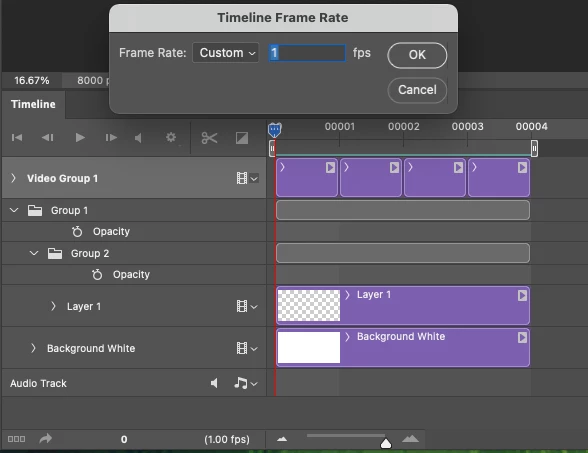
Hi, I'm trying to make Photoshop save my timeline panel defaults for all documents (specifically framerate = 1, and keeping the little zoom at bottom turned all the way up to largest). 


Unfortunately, I can't see how to do this. An older answered post said that you could record an action but that doesn't work for this so I'm making it a new item which I hope is ok.


Does anyone know how to get this to work?
 

このトピックへの返信は締め切られました。

返信数 1

JD*作成者
Participant
October 22, 2021

The other (preferable) solve to this would be if Animate CC had the ability to export .tif sequences of each frame with the layers all intact for that frame. Unfortunately it only exports flattened images, or giant folder of library pieces which isn't what we need to plug it into production.


For now the only method that seems like it could work is essentially the above request which allows photoshop to behave (as close as possible by default) like a frame by frame animation software with a standard timeline panel (frames x layers).


*The animation panel is not an option as it views each frame flattened with the layers needing to be toggled off/on in a separate window. 


**Bonus points if you can also add a hotkey for toggling onion skin off/on in pShop.