Participating Frequently
January 25, 2018
Answered

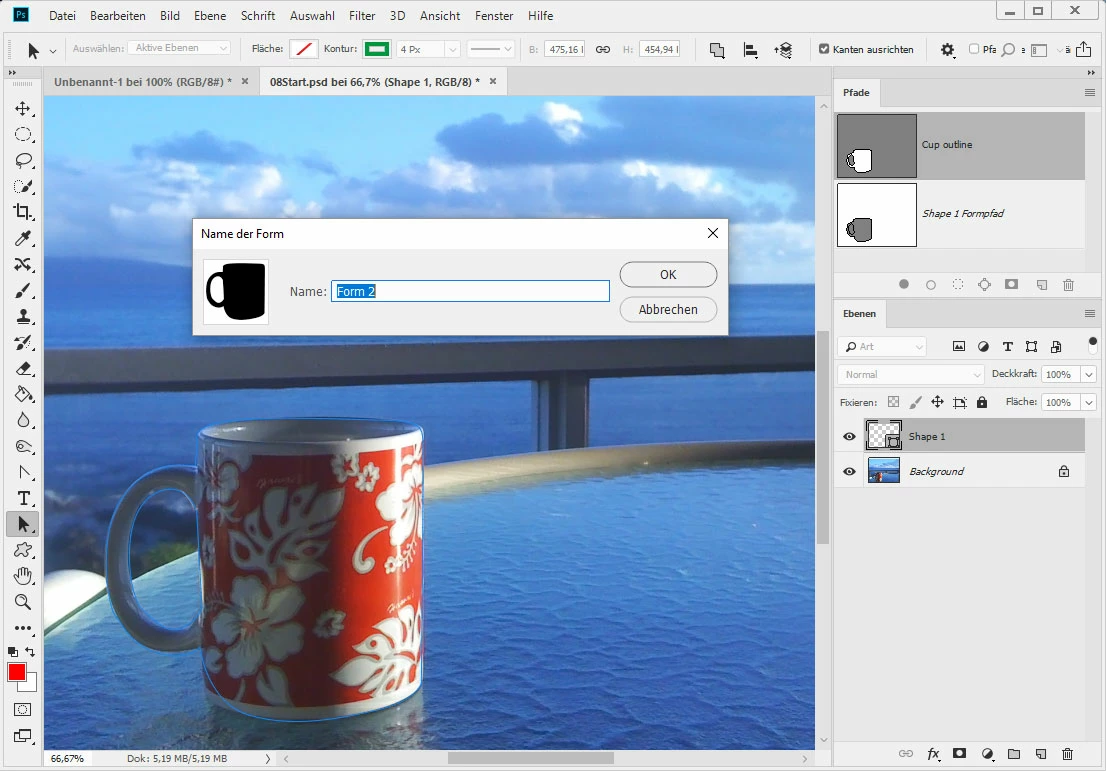
Define custom shape dialog does not open

  • January 25, 2018
  • 2 replies
  • 7354 views

Hi,

while working on the Classroom in a Book 2018 release Training book, Lesson 8 is all about Vector drawing. Unfortunately after drawing & saving a path, clicking on the Edit > define custom shape option does not do anything. Normally a dialog box where you should enter a name should open. After quick research on Google some other people have different problems with the creation of custom shapes, none of their solution worked for me. Of course I selected the path in the Paths panel and even created an extra shape layer.

I really appreciate your help. Thank you!

Tobias

This topic has been closed for replies.
Correct answer pixxxelschubser

Microsoft OneDrive - Access files anywhere. Create docs with free Office Online.

Das ist ein OneDrive-Link zur .psd aus der Lektion mit dem hinzugefügten Pfad.

This is an OneDrive-Link with the .psd from the chapter of the book including my added shape.


Danke für die Beispieldatei.

Und ja, so einfach kann das Leben sein.

Du hast deine Form verkehrt herum angelegt. (Der äußere Pfad sollte auf Formen kombinieren und nicht auf vordere Form subtrahieren stehen)

Sobald diese Einstellung korrigiert wurde, lässt sich auch eine eigene Form erstellen.

Viel Spass noch

Aktualisiert

PS: Der Freisteller ist noch etwas unsauber. Da könntest du noch etwas mit den Pfadwerkzeugen nachbessern.

2 replies

tariqhasananjan
Participant
November 5, 2018

Thank you so much, changing it to combine worked for me...

Participant
October 16, 2019
Thank you! I was doing the exact same lesson with exact same problem and exact same solution!
Norman Sanders
Legend
January 25, 2018

Is Define Custom Shape grayed out when you click on it? If so, click on the saved path in the Layers panel, so that is chosen and then the Define Custom Shape will be in full black, Click on it.

Participating Frequently
January 25, 2018

No, it isn't greyed out and the saved path in the layers panel is selected.

Trevor.Dennis
Community Expert
Community Expert
January 25, 2018

GrizzlyMedia  wrote

No, it isn't greyed out and the saved path in the layers panel is selected.

So you are able to click on Define Custom Shape but no dialog window opens?

How many screens are you using?  If you previously dragged the dialog window/box to a different location, then Photoshop will remember that location next time you open it.  Even if it is off the screen.

Are you able to keep using Photoshop after clicking on define new shape?  You should be locked out until you either action the window, or press escape.

I have been trying to find an easy way to make the dialog return to its default position, but I think the only way is reset Preferences.