Participant
January 11, 2021
Question

Desaturation turns red

  • January 11, 2021
  • 2 replies
  • 2347 views

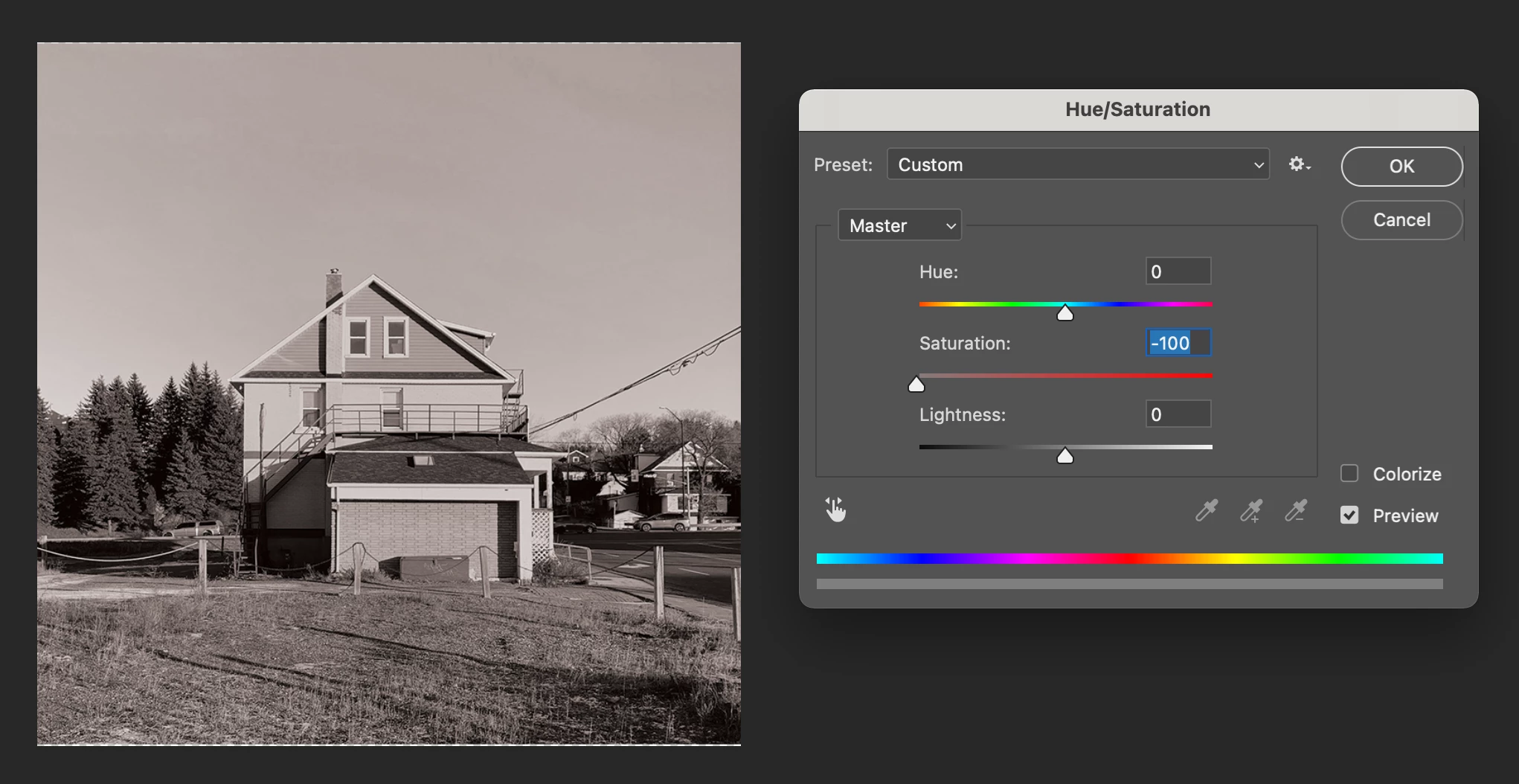
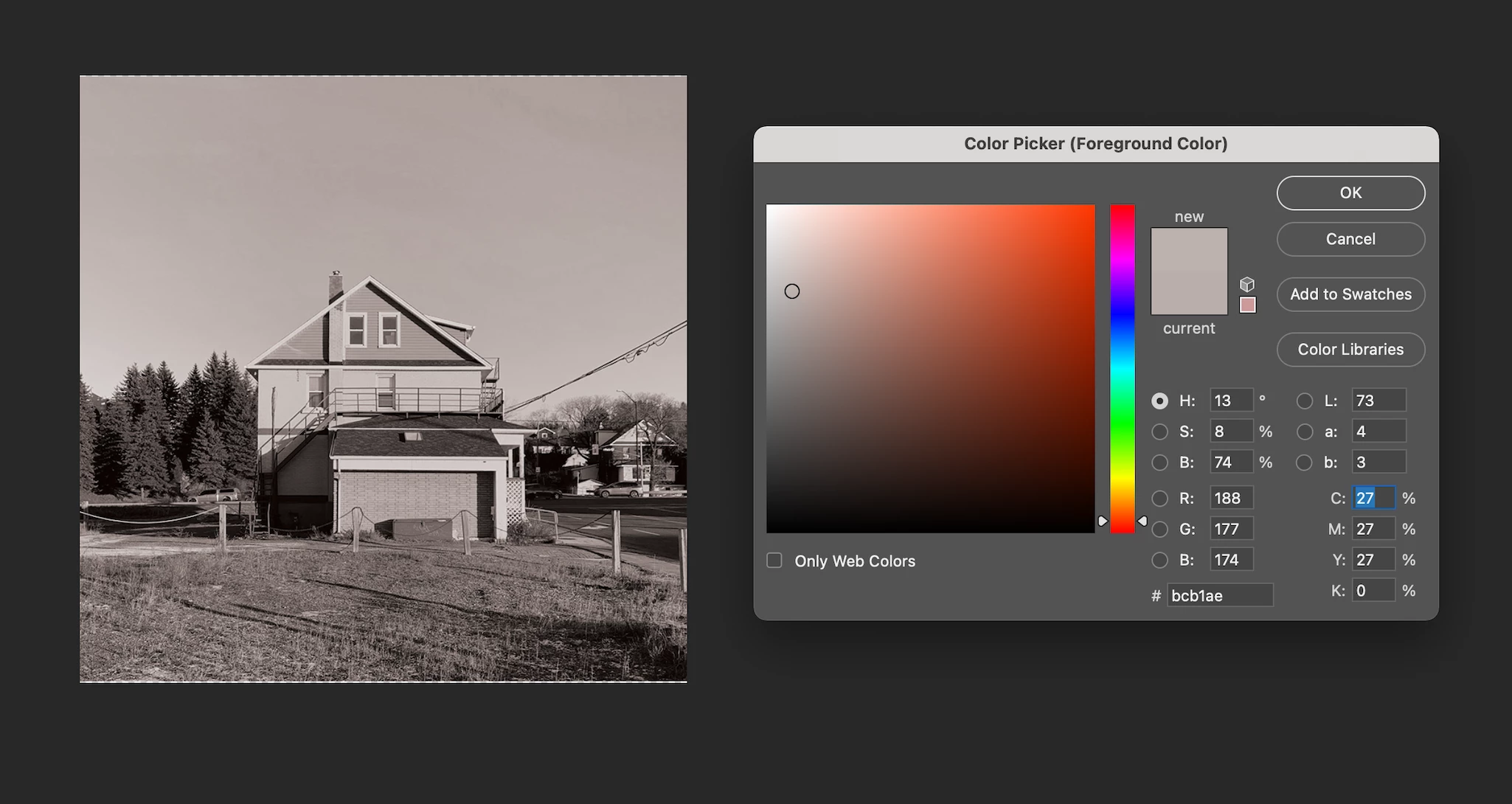
Hello! I've had this issue on and off over the years, but sometimes when I try to desaturate an image in hue/saturation, it gives the image a red hue, even when the saturation is at -100. I've attached two images of the situation, one of the hue/saturation settings, and one showing the red tint as seen in from the eyedropper tool. 


If someone could help me solve this issue, it'd be greatly appreciated. Thanks!
 

This topic has been closed for replies.

2 replies

Participant
April 7, 2024

If anyone else is having this problem, checking colorize and then setting the saturation to -100 seemed to work for me working in CMYK

Stephen Marsh
Community Expert
Community Expert
April 8, 2024
quote

If anyone else is having this problem, checking colorize and then setting the saturation to -100 seemed to work for me working in CMYK


By @Naoise34219336qf1d


Now that's interesting!


EDIT: Now that I have tried this, it removes the CMY and only leaves K data...

SK321
Inspiring
January 11, 2021

That's odd. Are you sure your hue/saturation layer is on top of all the other layers and its blending mode is set to Normal and it's at 100% opacity? If you're trying to turn it pure black and white, you could also add a black & white adjustment layer at the top. 

brenixAuthor
Participant
January 11, 2021

Wow, I was just playing around with different document setups, and the issue seems to only appear when working in CMYK as opposed to RGB. I'm not too sure why, but for now, the problem is solved. 


Thanks for the response, Shaun!

SK321
Inspiring
January 11, 2021

Ah, yes, CMYK mode would do that. In the future, if you need to work in CMYK but you also want your image pure black and white, you could switch to RGB 8-bit, make it black & white, and then switch back. I know there's a reason it doesn't go pure black & white in CMYK and I think it has to do with printing and the colors involved, but someone else on here who has more experience/knowledge of CMYK would have to explain it.