

Diagonal pixel shifting after auto-aligning layers
After a photoshoot I used a series of six photos made from the same spot, which I wanted to auto-align, to make sure thay match, before I start masking out details I didn't like.
The auto-aligning worked absolutely perfect, until I started zooming in on one of the photos. I then noticed in five out of six photos a large amount of diagonal pixel shifting throughout the frame. Only the lowest layer wasn't affected by this pixel shifting.
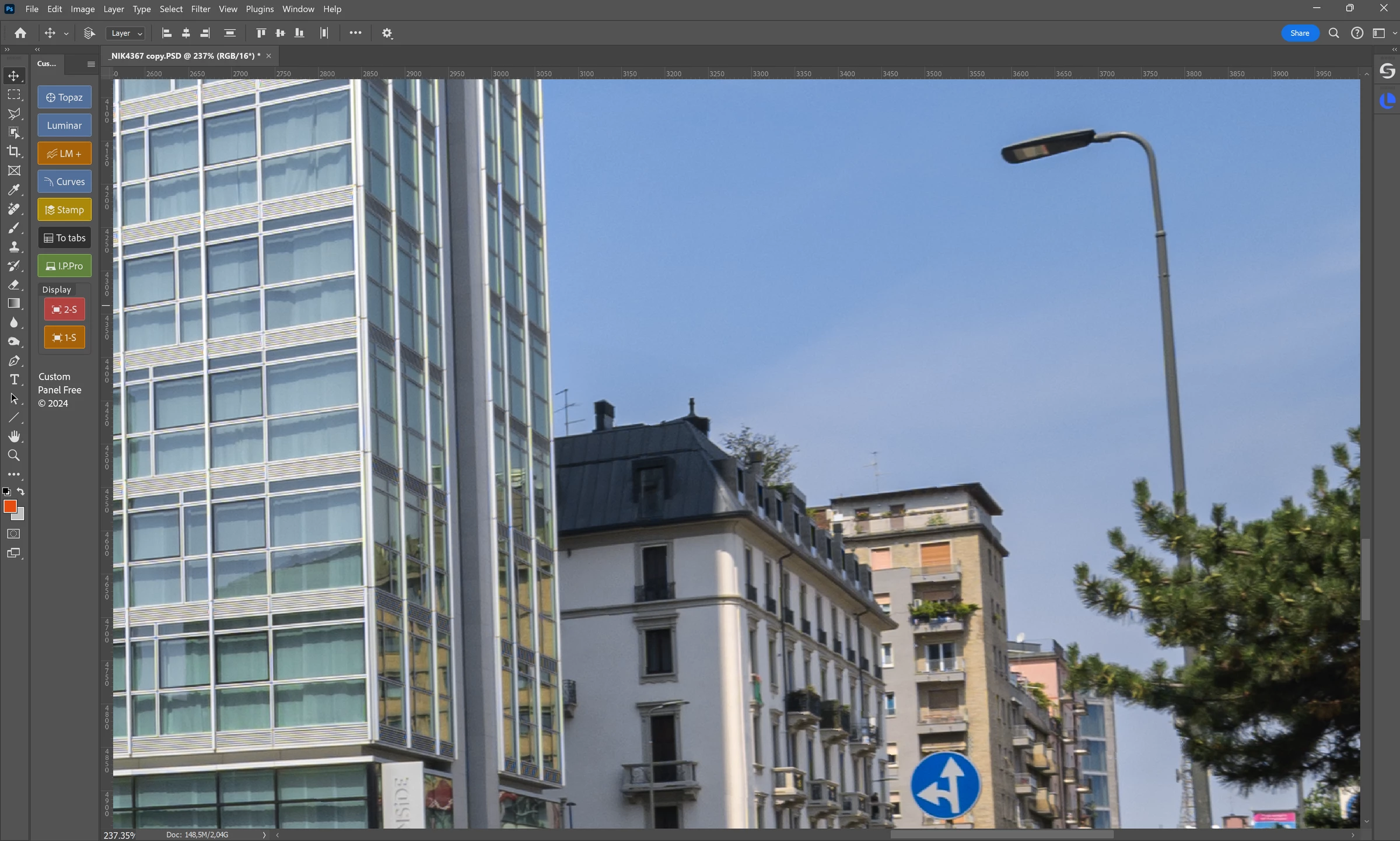
Below a fragment of the base layer (not affected):
And this is the same fragment of one of the top layers, after the auto-align:
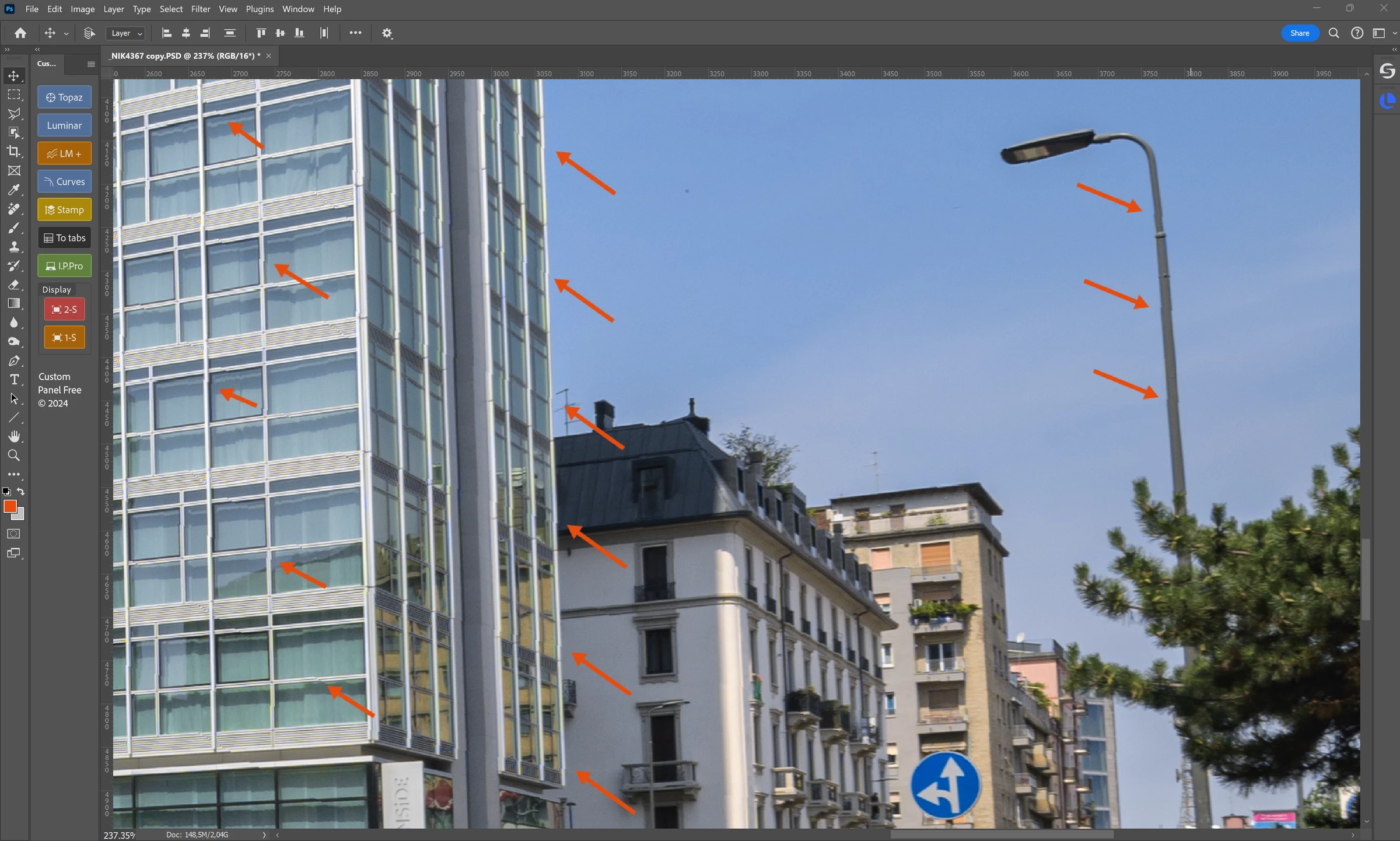
The shifting is clearly visible in the hard edges next to the orange arrows, and you can see the shifting goes through the entire frame..
I also attached the high-resolution screenshots.
After repeating the auto-align on the original layers I noticed the same results, so it's not a one-time error.
Anyone else ever experienced this?
Specs:
- Windows 11
- Photoshop 25.9.0
 AdChoices