
dialog box autofocus and beep error
Hello,
I got a very annoying bug in photoshop cc2017 on mac os x :
1) select a default workspace, for example, "photography" workspace - Window > Workspace > Photography
2) display the "Properties" window - Window > Properties
2) create new document
3) create new layer Level
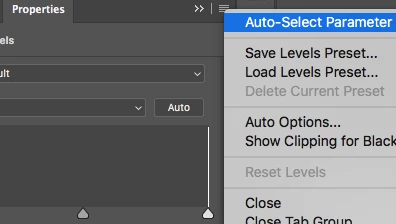
Here is the bug : in the level properties window, the "0" for the "black level" is auto selected with auto focus...
So, when i use "Alt + SpaceBar" to zoom in/out, photoshop makes a "BEEP", because he doesn't accept "space" character in this dialog box.
If, i select the background layer, and click on the level layer (and on the level icone, not the layer mask), the level properties window is always putting the focus in this dialog box... and i must do "Esc" to "leave" this dialog box and to not have this "error BEEP".
All the over "properties" window (for Exposure / Color Balance / Selective Colors etc) get the auto focus too, but when I press "Alt+SpaceBar" it leave the auto focus and let me zoom in/out...
So, in level propertie window, the autofocus is permanent...
How to avoid that ?
thank you.
 AdChoices