


Different Distort Tool Problem PS
Using PS 2019, I've discovered a different problem with Transform/Distort than people have been complaining about (meaning the changed default setting for proportional/non-proportional transforms). This has to do with the tool's failure to simply distort in one direction when pulling a corner in the manner that it has for years in PS. The actual problem is hard to describe so I've included images.
I'm trying to distort a raster image similar to a ruler. I've included lines over the ends of the ruler as well as the center point for illustration, they are not part of the ruler.
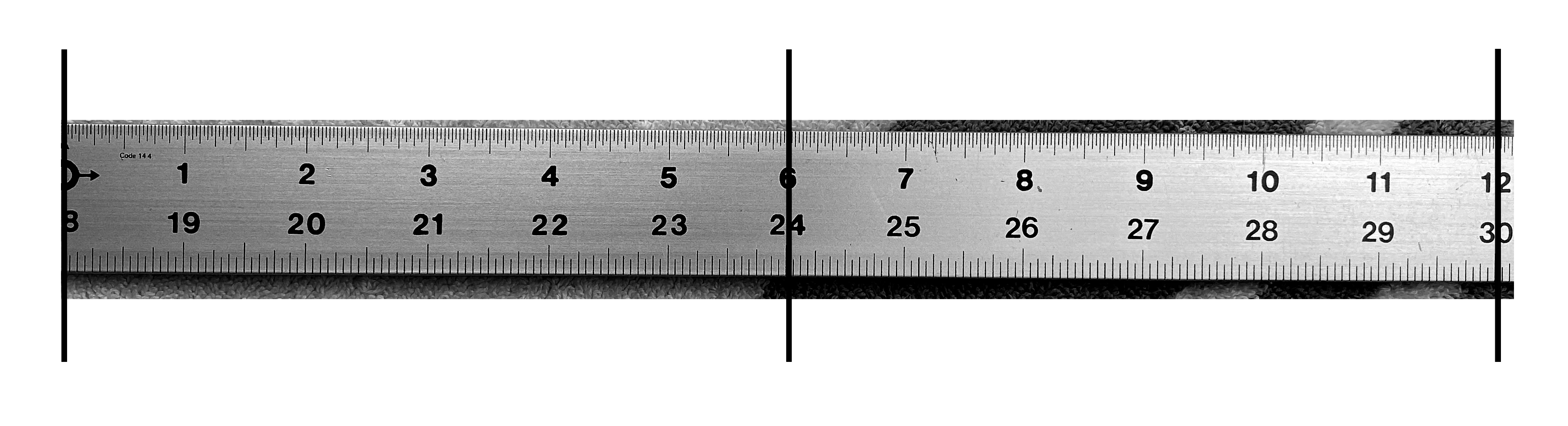
I want to distort the image to make the right end taller, like this:

Here is the result I want, which is how PS used to distort images when the right 2 corners were dragged further apart. I faked this using Transform/Warp to show here, but I need the long edges to be PERFECTLY straight and this isn't easy with Warp. Distort used to do it fine.
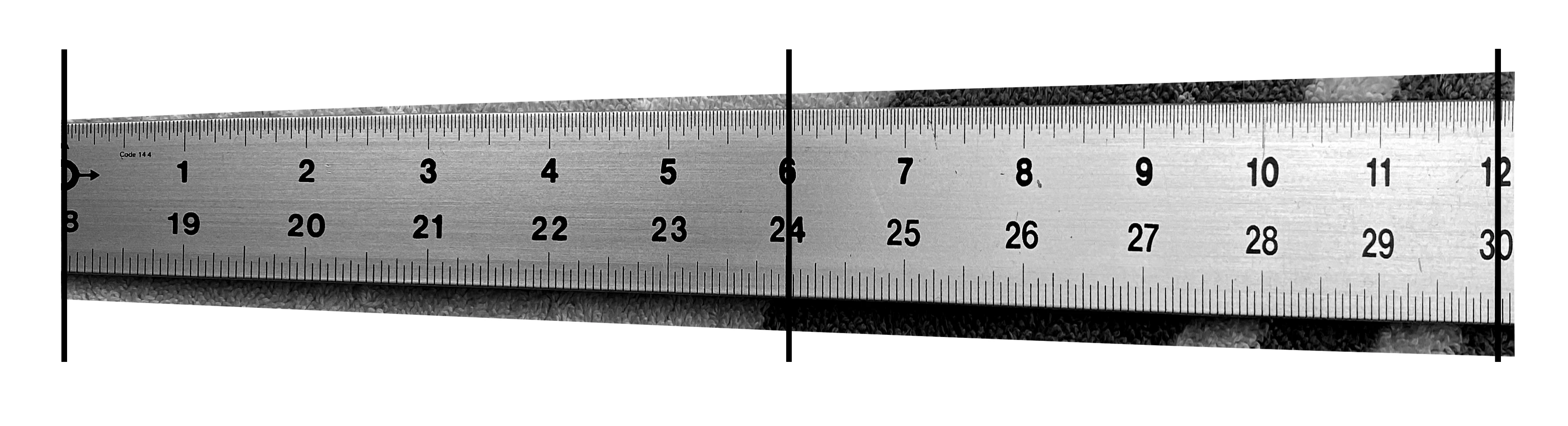
Note that the 6 stays in place in the center.
Here is the result I get from using Transform/Distort in the 2019 version of PS:
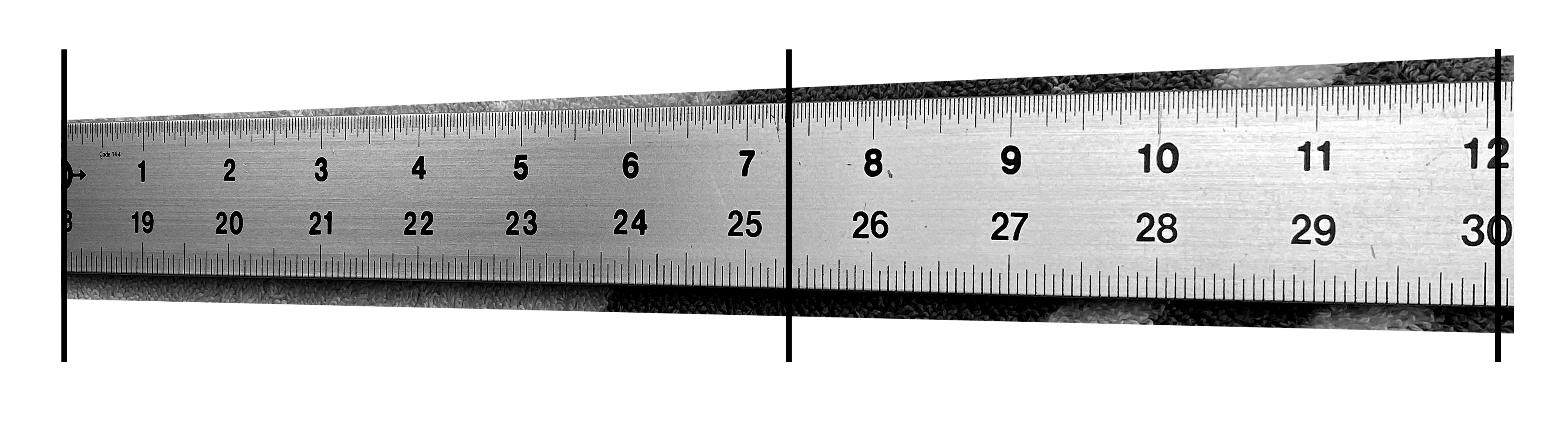
Notice that the image has distorted correctly in terms of the overall shape, the edges are straight, but now the tool is causing a kind of perspective effect, shifting the center details towards the left according to how much change I made to the height on the right. The 6 is no longer in the center. This is NOT how it used to work, in the past this type of edit would only alter the vertical size of the image. I've tried all of the suggestions for trying to return to the legacy Transform behavior, Toggling it back on in Preferences, creating the PSUserConfig.txt file with the text "TransformProportionalScale 0" and adding it to the correct location in Library (MacOSX), suggestions that have been posted before, NONE of these work. It appears to me to be a bug nobody has spoken of or even noticed. Its a major problem for me as I make templates for guitar building with PS to modify complex shapes and sometimes just want to alter overall dimensions.
Any feedback greatly appreciated.
Phil
 AdChoices