
Answered
Different in Foreground Color
Please see this work, foreground color is set to blue but it is red in workspace. Is it possible? time 27.57
Photoshop for Complete Beginners | Lesson 1
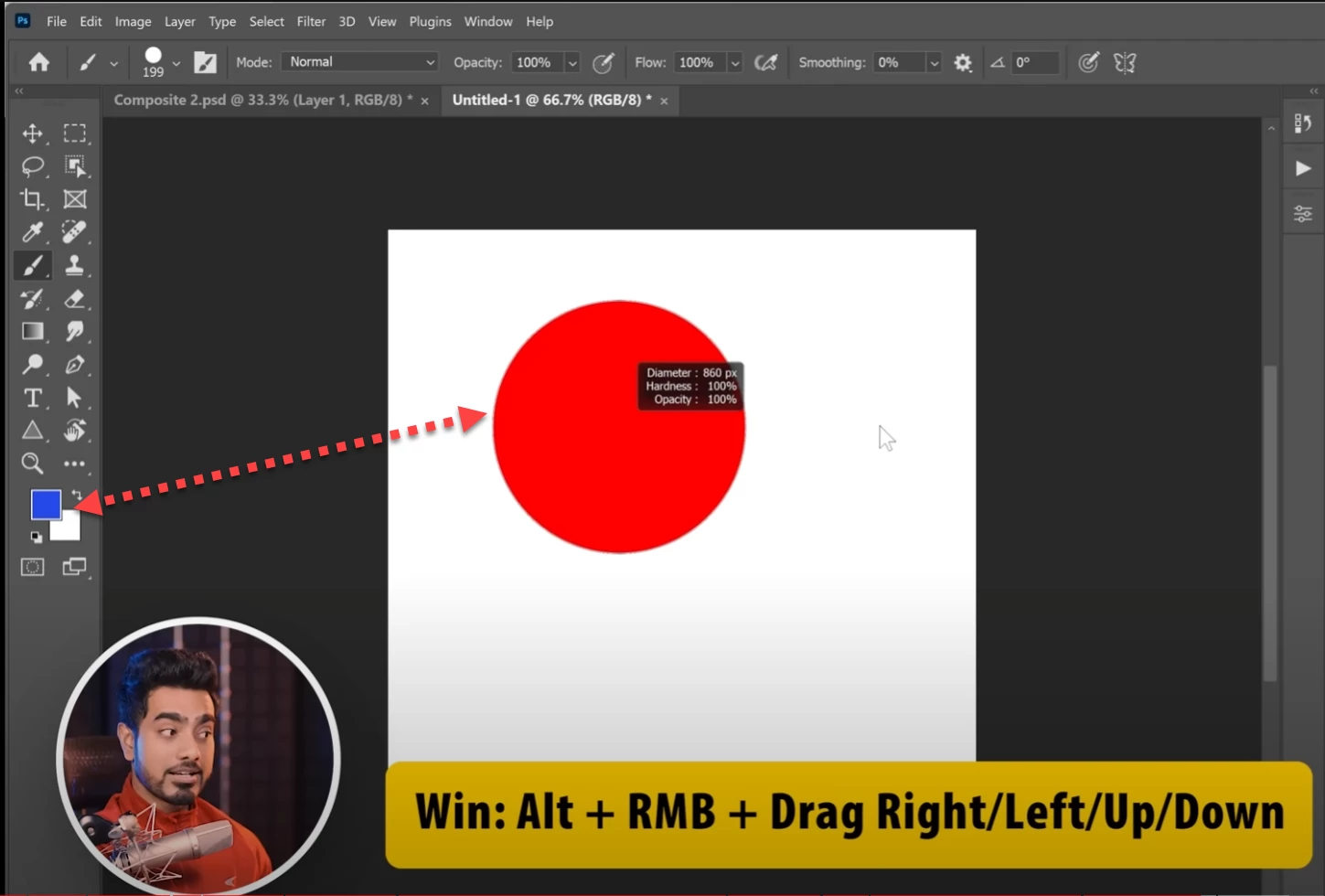

Please see this work, foreground color is set to blue but it is red in workspace. Is it possible? time 27.57
Photoshop for Complete Beginners | Lesson 1
This is what is happening to me.
@MahaB82A that's because you're Alt + left clicking, that will sample a colour from the canvas using the eyedropper tool and that's why your foreground colour is changing to white, you need to Alt + Right click and not Alt + Left click on the mouse.
Already have an account? Login
Enter your E-mail address. We'll send you an e-mail with instructions to reset your password.
 AdChoices