MahaB82A
August 13, 2023
Answered

Direct Selection Tool

  • August 13, 2023
  • 3 replies
  • 912 views

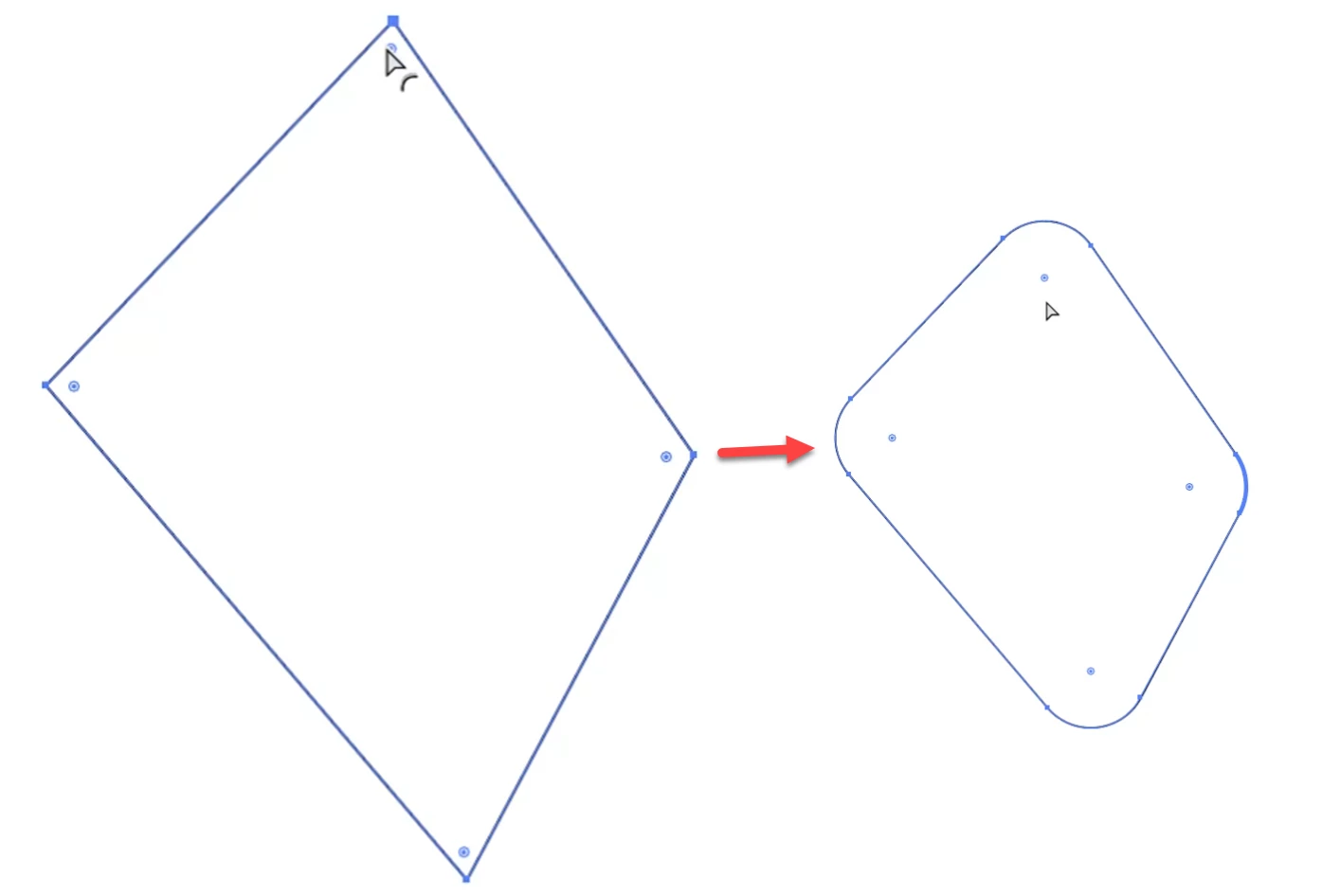
This video shows sharp corners converted into curved corners by using Direct Selection Tool in Ai. I wish to know whether it is possible in Ps as well. 
 

This topic has been closed for replies.
Correct answer jane-e

@MahaB82A 


In addition, if you have Illustrator, you can format the path there, then copy it and paste it into Photoshop.


Also, in Illustrator you can select one (or more) of the anchor points with the Direct Selection tool first, then drag the widget(s) only for the selected points.


Jane

3 replies

jane-e
Community Expert
jane-eCommunity ExpertCorrect answer
Community Expert
August 13, 2023

@MahaB82A 


In addition, if you have Illustrator, you can format the path there, then copy it and paste it into Photoshop.


Also, in Illustrator you can select one (or more) of the anchor points with the Direct Selection tool first, then drag the widget(s) only for the selected points.


Jane

pixxxelschubser
Community Expert
Community Expert
August 13, 2023

Hi @jane-e 

😉


I gave the same advice in the parallel topic.

quote

I suspect @MahaB82A wants to use the multi-coloured shape. That is not possible this way.


As already mentioned several times: Create your shape in Illustrator.
Then select and copy everything


Switch to Photoshop and --> Paste (in the dialogue select --> Layers)


You get: a grouped layer set with the coloured vector shapes


By @pixxxelschubser


pixxxelschubser
Community Expert
Community Expert
August 14, 2023

Did you find any video in youtube which explaing similar subject with example? Because better understanding is possible with a video & audio format and example.  


Unfortunately, the layer effect Contour does not produce nice curves. --> Create in Illustrator and copy as shape layer to Photoshop.

pixxxelschubser
Community Expert
Community Expert
August 13, 2023

This is exactly the border between the different programmes.

  • Photoshop Pixel
  • Illustrator Vector
  • InDesign Layout


Of course, each programme can do some of the other's functions. But if each could do everything - then you would only need one overweight and hard-to-learn pixel-vector-layout-program: that would be an "egg-laying wool-milk-pig" (German saying).

davescm
Community Expert
Community Expert
August 13, 2023

In Photoshop, the corner widgets show on liveshapes but not on shapes drawn by hand with the pen tool.


Dave
