Copy link to clipboard
Copied
Copy link to clipboard
Copied
in the future, to find the best place to post your message, use the list here, https://community.adobe.com/
p.s. i don't think the adobe website, and forums in particular, are easy to navigate, so don't spend a lot of time searching that forum list. do your best and we'll move the post (like this one has already been moved) if it helps you get responses.
<"moved from cc desktop bugs">
Copy link to clipboard
Copied
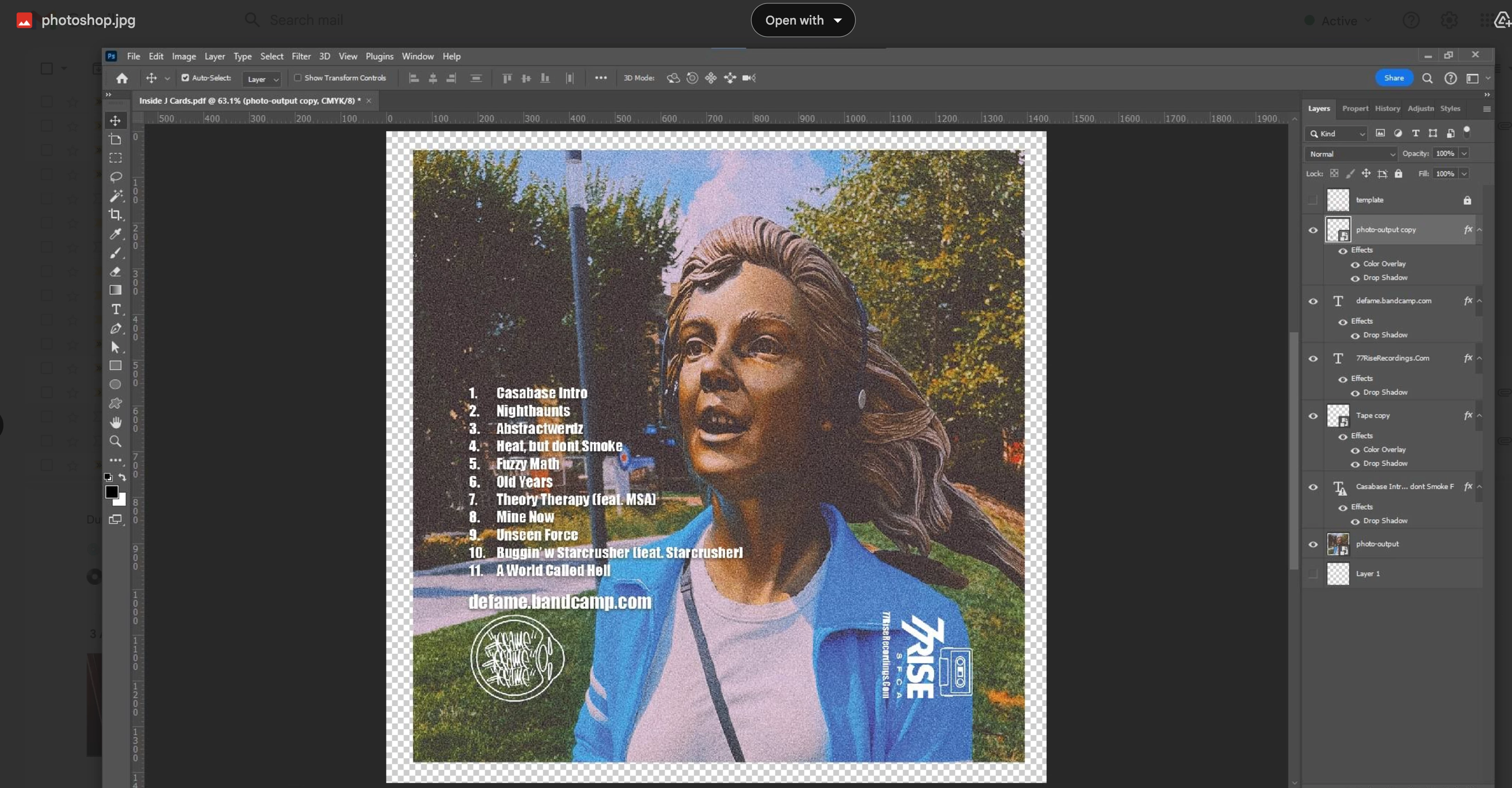
The text layer that contains the numbered list is out of date, which is why it has that warning triangle. Update it first, then try. The font is Impact, so there should be no issues with it, but do use an OpenType version if in doubt.
Finally, if you're still seeing an issue, separate the drop shadows from the text: Right-click on the Layer Style and choose "Create Layers.' Accept the warning. That will leave the text as it is, but the drop shadow will be on its own layer below it, with the appropriate opacity and blend mode.
Copy link to clipboard
Copied
I've similar issues on occasions. I wrote to Nigel French who was super nice and replied with some advice. It seems that the text ran out of room when being exported. The fix was to add a couple of spaces at each end of thge line. This was years ago, and I am not remembering the details, and I am wondering if glyphs were involved?
I'm thinking that adding spaces might give you some alignment issues with your list though, but try it and see if it maintains that vertical alignment. If not, I try making the type layers into Smart Objects to see if they are handled differently.
BTW I am assuming that you are using the High Quality Print option?
Copy link to clipboard
Copied
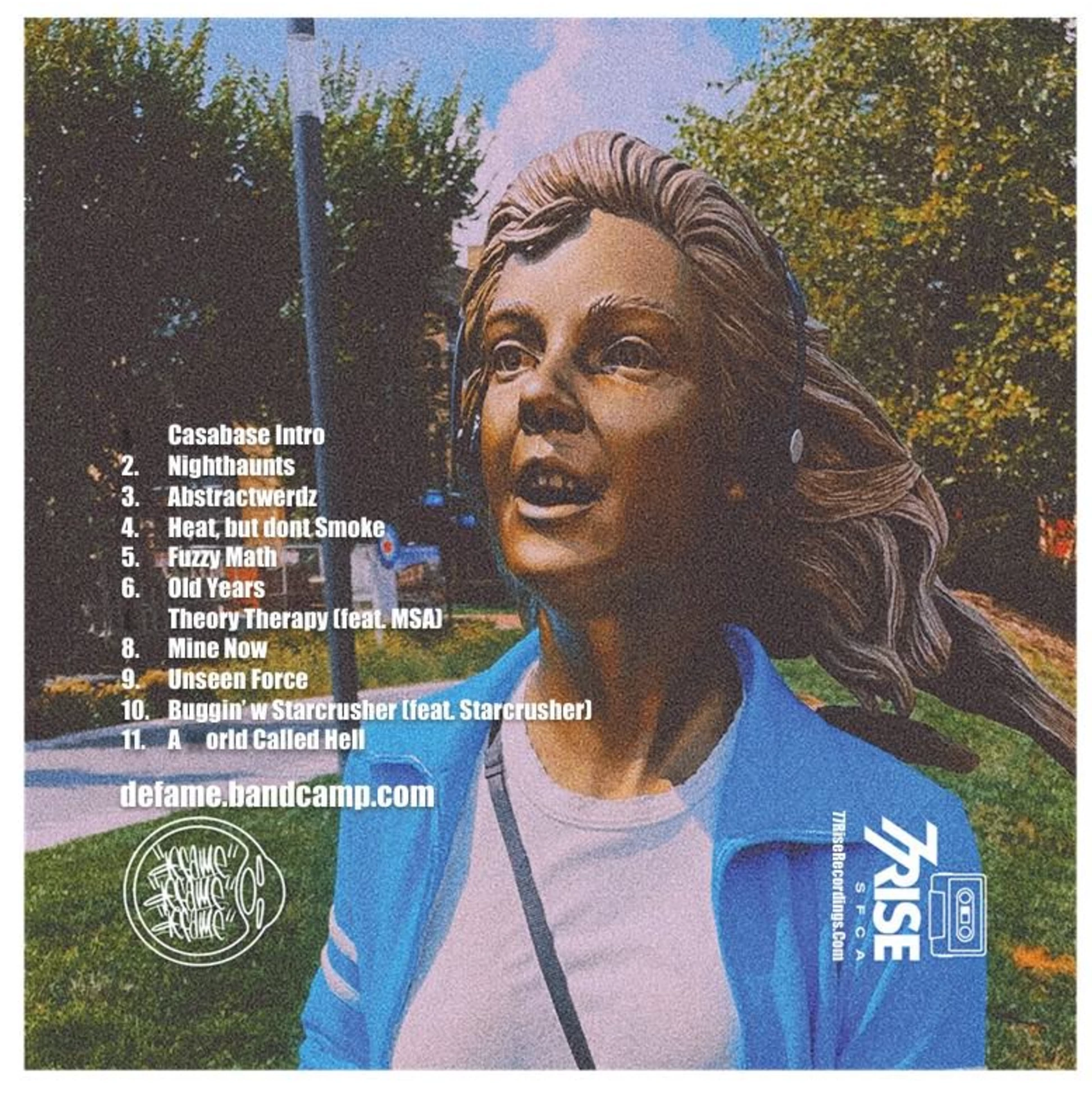
Thankyou guys for the replies, i work in prepress, so this file went to print without any warnings, i went to install the font, and the spacing did change between the track number and the track name, it became just 1 space, instead of many spaces, very strange indeed and funny thing is the preview does not show the missing text, prbably just saved a photoshop thumbnail, so its very misleading.
Get ready! An upgraded Adobe Community experience is coming in January.
Learn more