

Display problem
I am on Windows 10 and I stumbled upon a difference in display between Photoshop and other "Image Processing" applications. To better study the problem, I created this 9 step RGB image:
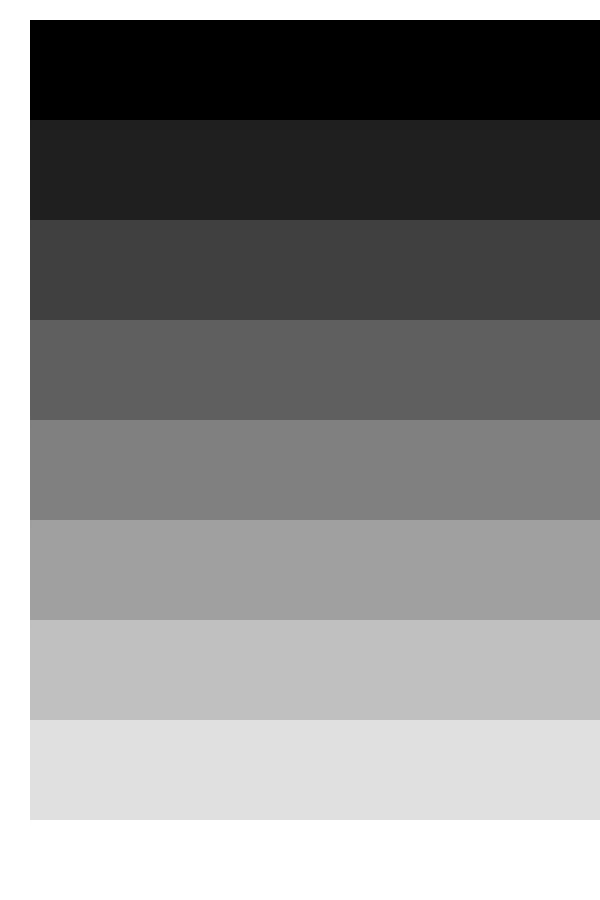
The last step (at the bottom) is white -- sorry if it's not showing. The first step is RGB 0,0,0, next is RGB 32,32,32, then 64,64,64, and 92,92,92, and 128, 128, 128, and 160, 160, 160 and 192, 192, 192 and 224, 224, 224 and 255, 255, 255. So far so good. Now don't get me wrong, I'm a long time user of Adobe's products but I am seeing a measurable difference, on my monitor, between the image viewed in Photoshop and accross a number of other applications, such as MS-Paint, MS-Photos, GIMP and Corel Painter 2020. In each of these cases, I observe NO difference between the "original" image and its display. I made some Luminance (Candela/m2) measurements to document the difference I observe, using a decent colorimeter (Minolta CS-200):
step Other Photoshop
---- ------- -------------
0 0.32 0.27
32 1.05 1.00
64 2.91 3.34
92 6.36 7.55
128 11.98 14.02
160 20.22 22.68
192 31.46 34.00
224 46.61 48.24
255 64.48 64.51
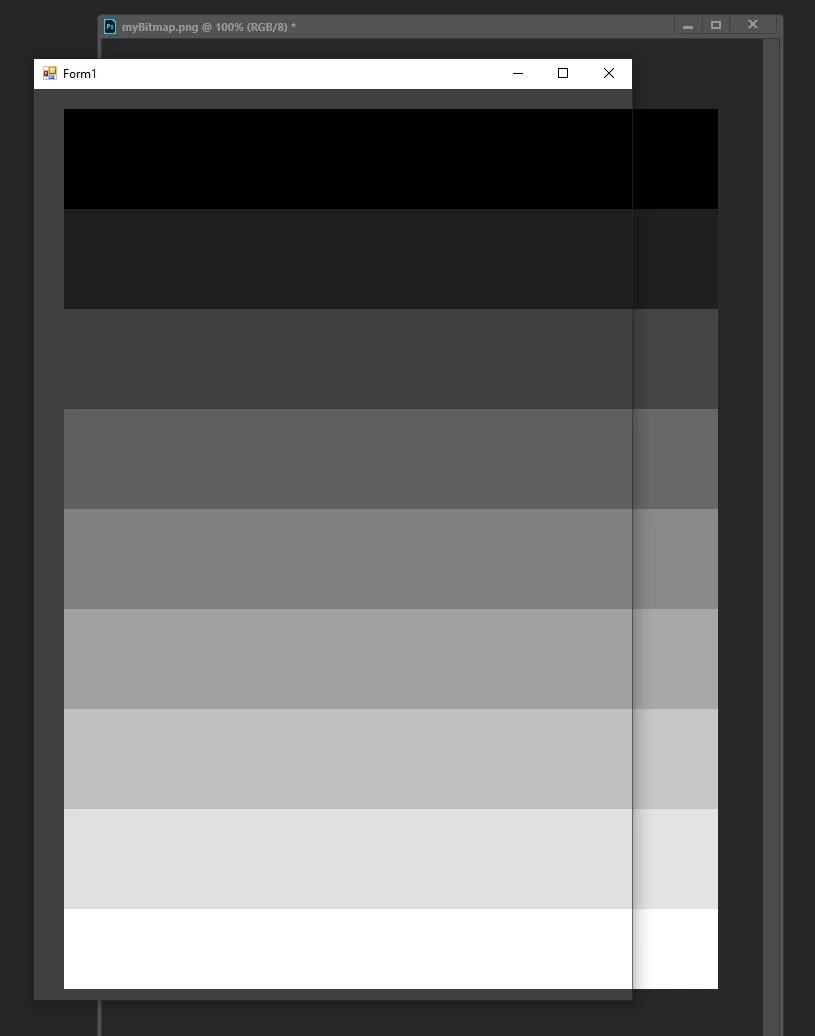
As you can see, by these numbers, the difference is real. I made sure I took the measurements at the same exact place on my monitor. The PNG I created as a Gamma of 2.2. The difference is even more obvious when taking a screen capture. You can take a look at this file :
 AdChoices