
Participant
January 15, 2023
Answered

Distort a shape to fit canvas

  • January 15, 2023
  • 2 replies
  • 961 views

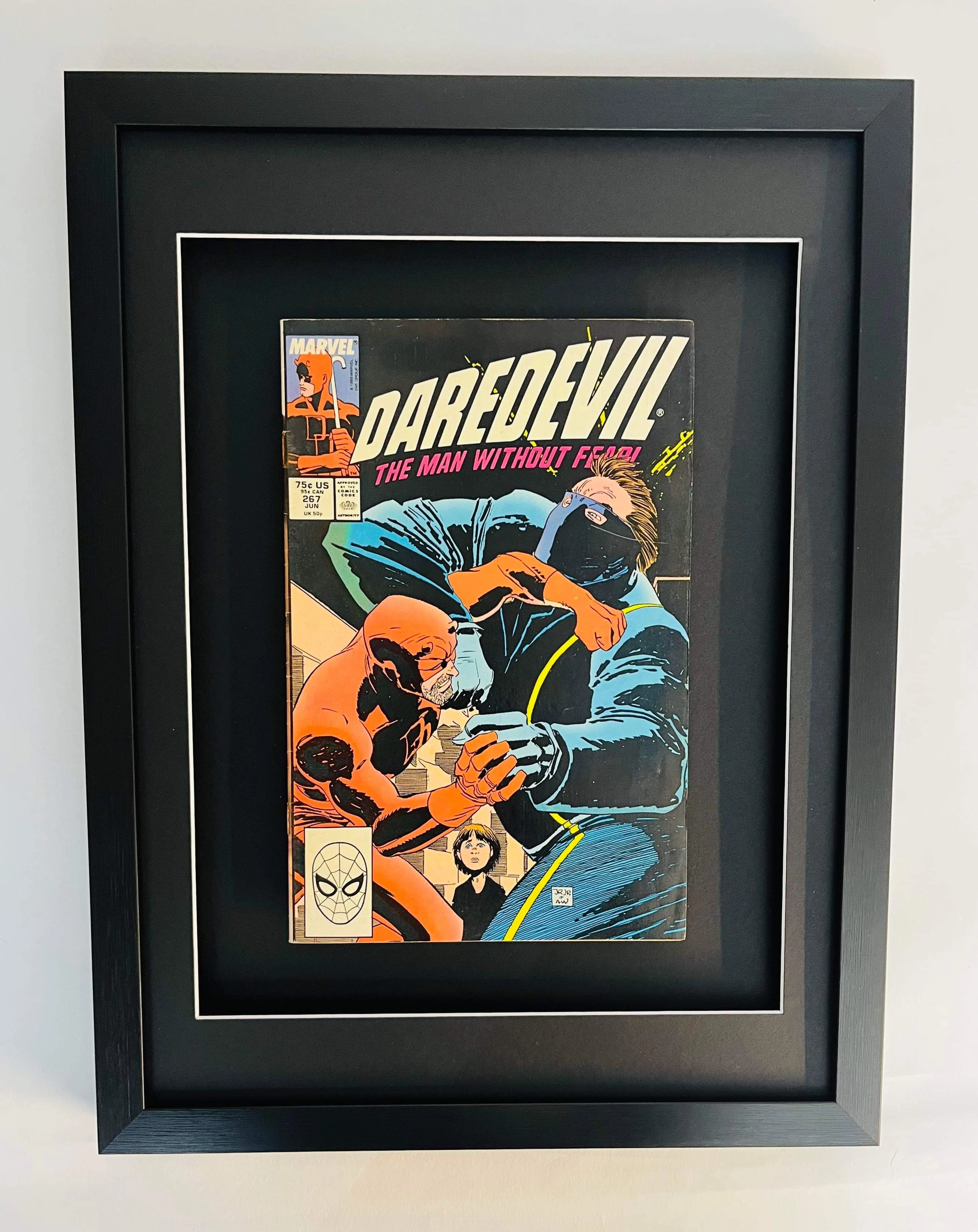
Hi! I'm trying create an action that processes an image like the below. I want to end up with just the picture frame with no border and also scaled to a fixed canvas size (which has the correct aspect ratio of the picture frame itself). I have successfully created an action that removes the background and uses trim but still has some background since the frame is effectively a trapezoid shape due to the camera angle.

I have googled (unsuccessfully!) to see how to warp/distort to a shape (i.e. a rectangle) but couldn't seem to get any of the methods to work so any advice would be most welcome!!

I'm using Photoshop v23.3.0 on Windows 10

Thanks, Richard


This topic has been closed for replies.

2 replies

jazz-yCorrect answer
Legend
January 15, 2023
Participant
January 15, 2023

Just tried it and it works great including automating as an action. Really is appreciated!

c.pfaffenbichler
Community Expert
Community Expert
January 15, 2023

Full automation seems difficult at current (mybe not impossible, though), but you might be able to semi-automate with some manual input (creating a four point path to define the distorted frame). 

Participant
January 15, 2023

Many thanks for your reply!


Forgot to say (though probably obvious!) I'm a newbie! If possible could you let me have a few pointers on best way to do it manually?