
Question
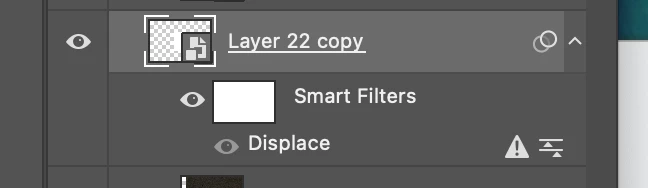
Distort / Displace filter greyed out and an error next to existing displace smart filters
hihi! I am working in a PSB with multiple artboards and lots of smart object layers that require a displace filter. after a certain amount of time, my displace filters show these "!" symbols and the "Distort" filter option is greyed out so i cant add any more displacement filters. My file didnt change (RGB 8-bit) and ive tried restarting the program. The only thing that worked last time this happened was remaking the document and copy and pasting the artboards over but that is quite time consuming to conform all the layers and I would rather not resort to that. What's going on! Thanks!
 AdChoices