
danielz48629929
Participant
November 9, 2023
Answered

Dither and 16-bit image mode won't fix gradient stepping

  • November 9, 2023
  • 2 replies
  • 1855 views

Hi, I'm having gradient stepping issues on my Photoshop project (25.1, up-to-date version) and would like to understand why and learn how to properly fix it.

I'm on a Windows 10 PC, and I create a project with the following document settings:
Width/Height: 1920x1080;
Resolution: 72 pixels per inch;
Color mode: 16-bit;
Color profile: sRGB IEC61966-2.1

When I create a gradient adjustment layer, here's an example of what's happening:
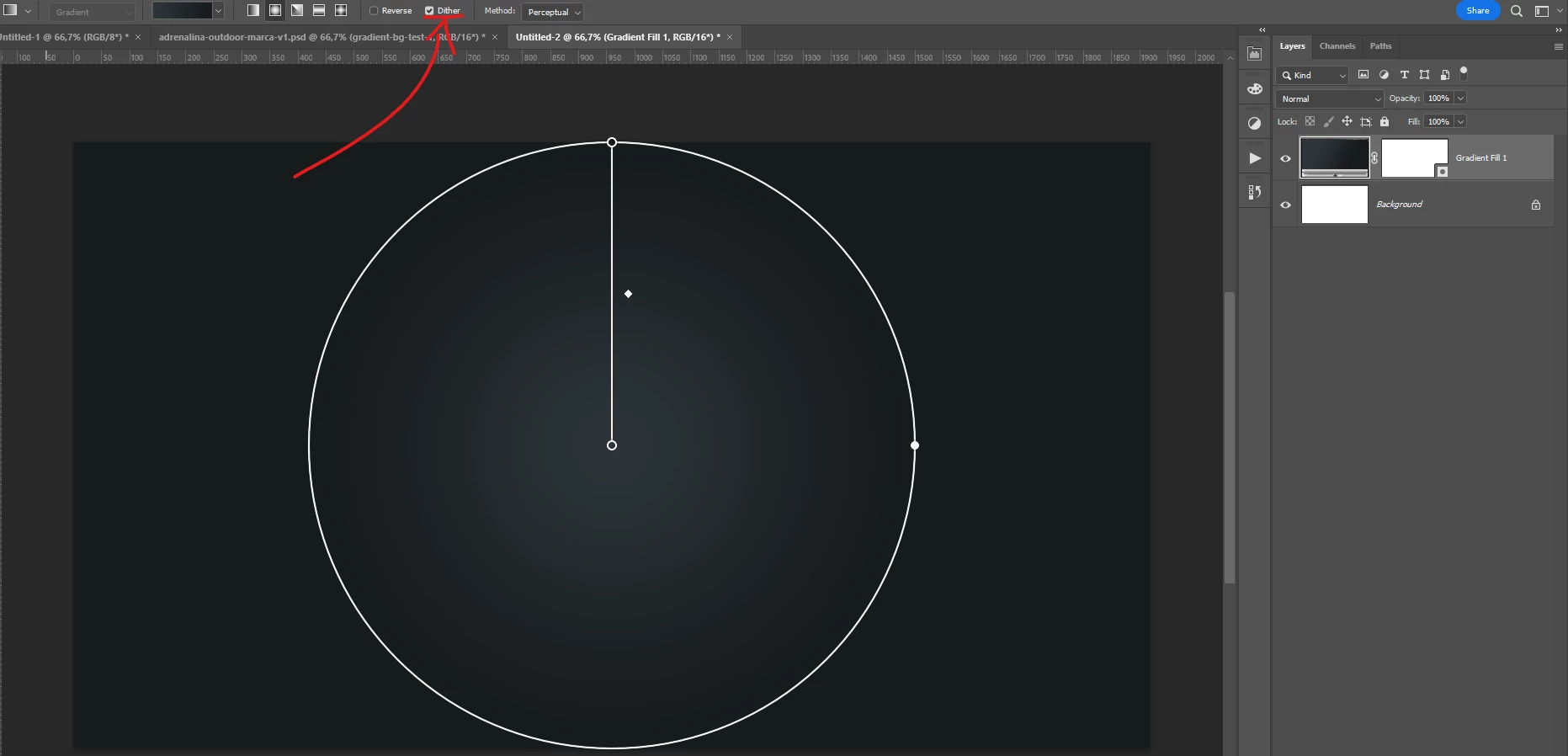


A closer look, please note that stepping is happening even with the Dither option checked:
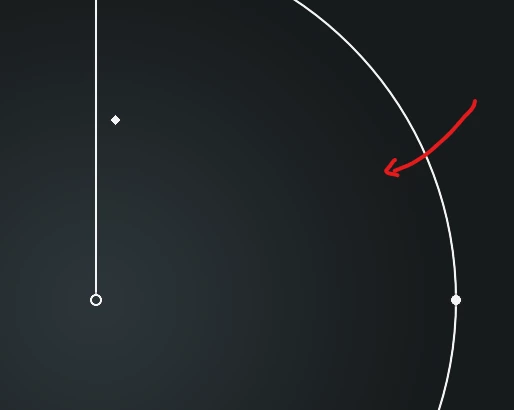


Any insight on how to fix this would be very appreciated. Thank you a lot!

Correct answer D Fosse

If you're working with 16 bit data, any banding you see is in your display system.


Most monitors are 8 bit, and most office/gaming and laptop screens are actually 6 bit + temporal dithering (flickering) to give 2 extra bits.


That means 256 discrete steps per channel. With a shallow gradient, you will see banding. There is no way to avoid that, other than purchasing an (expensive) 10-bit capable monitor.


Banding is cumulative. It will be exaggerated by a bad monitor profile, calibration tables in the GPU, a faulty panel etc.


The standard advice is to add a tiny bit of noise to break up the banding.

2 replies

D Fosse
Community Expert
D FosseCommunity ExpertCorrect answer
Community Expert
November 9, 2023

If you're working with 16 bit data, any banding you see is in your display system.


Most monitors are 8 bit, and most office/gaming and laptop screens are actually 6 bit + temporal dithering (flickering) to give 2 extra bits.


That means 256 discrete steps per channel. With a shallow gradient, you will see banding. There is no way to avoid that, other than purchasing an (expensive) 10-bit capable monitor.


Banding is cumulative. It will be exaggerated by a bad monitor profile, calibration tables in the GPU, a faulty panel etc.


The standard advice is to add a tiny bit of noise to break up the banding.

Trevor.Dennis
Community Expert
Community Expert
November 9, 2023

When I see threads like this, I check to see if you have responded, and if not, give you a tag.  🙂  Mind you, I have read enough of your posts on the subject to at least have a handle on it, but safest to go direct to the source.

Kevin Stohlmeyer
Community Expert
Community Expert
November 9, 2023

@danielz48629929 your example appears fine on my end. This could be a monitor resolution issue displaying the gradient. Check your monitor settings.

danielz48629929
Participant
November 9, 2023

Thank you, Kevin, what should I look for in my monitor settings? In this case, I don't think it's the display settings because I can see the difference between a stepped gradient and a smooth one on my screen. Maybe the images I shared made it difficult to notice the issue.

Here's a closer look of the stepping issue:


And here's the same document, but after I change it back to a 8-bit image mode:

Hope this helps clarify the situation, and again thanks a lot.


Kevin Stohlmeyer
Community Expert
Community Expert
November 9, 2023

@danielz48629929 check to see if your monitor supports HiDPI like 16 bit.

Both examples you've shown all look fine without stepping. My monitor resolution is 1920 x 1080 at 30 htz.