
Do I need to flatten my psd, or delete all other layers when placing it in InDesign to go to repro?
Keeping images as PSD's for repro is all a bit new to me as I've always saved my images for repro as 300ppi CMYK jpgs but I want to learn more about keeping my images as PSD's in my InDesign documents.
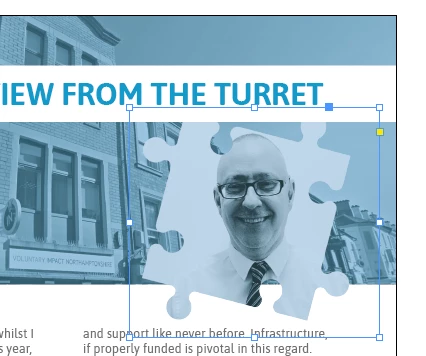
I have an image with a transparent background (the jigsaw piece shown in my image below) and have a few questions:
1) As I write this I realise I cannot flatten the psd as I have asked in my heading because I will lose the transparent background, but should I delete all the other layers in my psd that aren't in use before I pdf my document from InDesign (e.g. tidy up my psd layers in Photoshop so no unused layers get printed from my PSD by mistake)?
2) By dropping an unflattened PSD (the jigsaw piece) into InDesign with a transparent background, will this stay transparent when printed, it won't flatten with a white box around when it is made into a PDF will it?
3) I think I have read that I can keep the PSD's as RGB and they will get converted to CMYK in the PDF-ing process, is this true, can this be done? I have never done this before as I always change my images from RGB to CMYK manually in Photoshop. If it is something that happens in the PDF-ing process do I need to select something specific when choosing my PDF specs / options?
4) One last thing, I am keeping my images as PSD's as I am concerned that JPG's are lossy and therefore PSD's will print better quality images, is this the case or would flattened TIFF's with a transparent background be a better bet?
 AdChoices