
April 18, 2023
Question

Do you know how can I do to remove overlapping lines and images for a brush?

  • April 18, 2023
  • 1 reply
  • 418 views

Hi,


I post this thread because I currently involved in the conception of a fantasy map and I have downloaded CC0 fantasy brushes from Janssonius.


This is how I have been able to draw moutain ranges in my map, but the issue is there are overlapping lines I would want to remove so I could make my map more beautiful, but I struggle to find a feature that would allow me to do it.
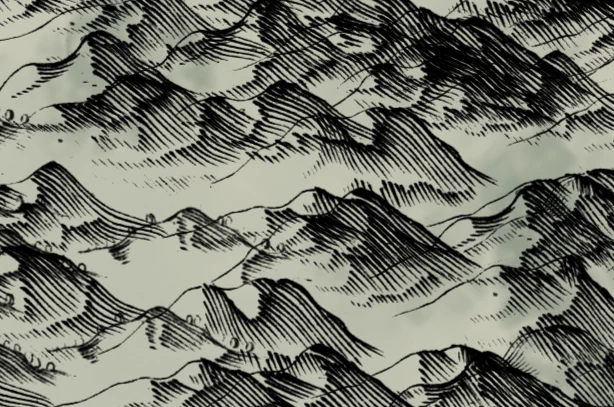


Are there some people here that work in fantasy maps that could help me in this issue?


So, thanks you, and have a good day!

This topic has been closed for replies.

1 reply

Imaginerie
Community Expert
Community Expert
April 18, 2023

I am not familiar with these particular brushes but I must assume they must be parrallel lines brushes like the ones in my screenshot


In that case, there is no other option than to mask or erase the bits that overlap. You can easily erase with the same brush by changing the brush blending mode from "normal" to "clear" (or use the ~ key if you have a US keyboard layout), meaning you don't have to change tools to do so.
It's precision work, I can see that!