
Known Participant
August 30, 2018
Answered

Document window keeps hiding behind palettes; how do I stop this?

  • August 30, 2018
  • 1 reply
  • 1173 views

My Photoshop workspace is a floating window, and one of the commands I most frequently use is the "Fit on Screen" command. Previous to a recent reorganization of my palettes, whenever I used the "Fit on Screen" command, my document window would resize to fit the available space on my screen, stopping where the palettes are on the right. That was great.

Now, after I reorganized my palettes and saved a new workspace, every time I use the "Fit on Screen" command, any landscape-oriented document window I'm using will resize all the way to the right edge of my screen, going behind the palettes. This is a major pain because now parts of the image I'm working on are hidden by the palettes, and it's annoying to resize that window since the bottom right corner of it is also hidden by palettes. How do I fix this w/out reverting to my old workspace, with a different arrangement of palettes?

Thanks.
This topic has been closed for replies.
Correct answer Barb Binder

Hi Rhubarb Pie:

When you undock your panels, this will occur—I would guess that this happened when you reorganized them.

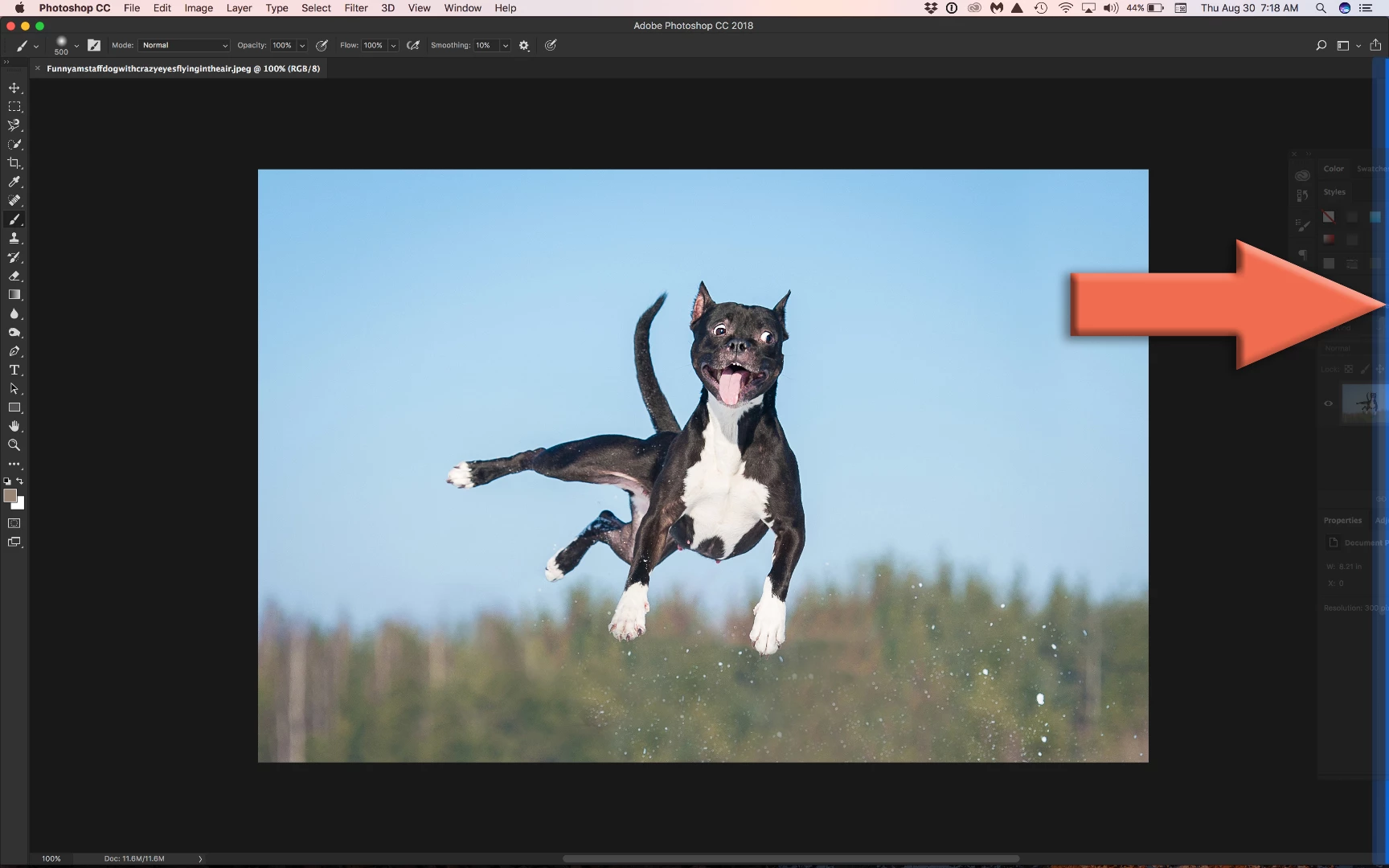
You can re-dock them by dragging them back to the right side of your screen. When your cursor touches the right side of your screen, you will see a blue vertical line indicating that when you release the mouse, your panels will be docked again. Once the panels are re-docked, Fit on Screen will work the way it used to.

~Barb

1 reply

Barb Binder
Community Expert
Barb BinderCommunity ExpertCorrect answer
Community Expert
August 30, 2018

Hi Rhubarb Pie:

When you undock your panels, this will occur—I would guess that this happened when you reorganized them.

You can re-dock them by dragging them back to the right side of your screen. When your cursor touches the right side of your screen, you will see a blue vertical line indicating that when you release the mouse, your panels will be docked again. Once the panels are re-docked, Fit on Screen will work the way it used to.

~Barb

~Barb at Rocky Mountain Training
Known Participant
August 30, 2018

Oh thank you very much, BarbBinder! That did the trick and I'm much happier now.

Barb Binder
Community Expert
Community Expert
August 30, 2018

Great! Glad we could help.

~Barb

~Barb at Rocky Mountain Training