
Rich_S_UK
Participating Frequently
June 23, 2018
Question

Drawing a simple box with indented corners

  • June 23, 2018
  • 3 replies
  • 1548 views

Hi

I know this will be really basic to most of you, but I'm relatively new to this!

How do you draw a really simple box that is cross shaped, but with only slightly indented corners, like this:
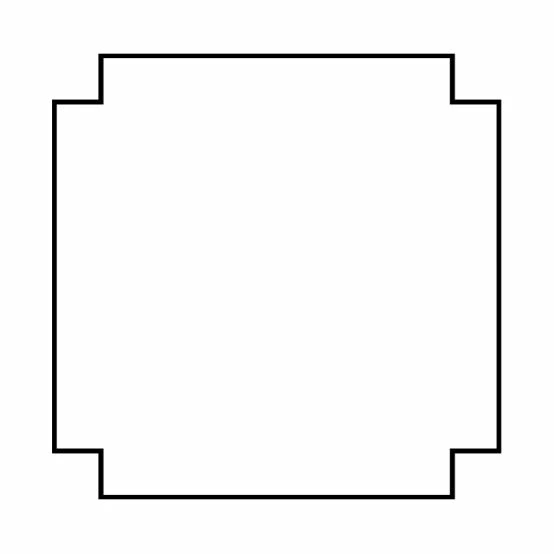
I bet there are a dozen ways to do it.  What would you say is the easiest?

Thanks in advance!

This topic has been closed for replies.

3 replies

Rich_S_UK
Rich_S_UKAuthor
Participating Frequently
June 23, 2018

I'm in Photoshop  

davescm
Community Expert
Community Expert
June 23, 2018

Hi

There are a few ways but one of the quickest is :

1. Use the rectangular shape tool to draw a box

2. Press Ctrl+J to duplicate it then rotate the duplicate 90 degrees (Move tool or Edit >transform Path >Rotate)

3. Highlight both shape layers and right click, then Merge shapes

Dave

Rich_S_UK
Rich_S_UKAuthor
Participating Frequently
June 23, 2018

Awesome!

Just the ticket!

Thank you very much.

davescm
Community Expert
Community Expert
June 23, 2018

You're welcome

Dave

Derek Cross
Community Expert
Community Expert
June 23, 2018

Very easy in InDesign.