Participant
April 30, 2022
Answered

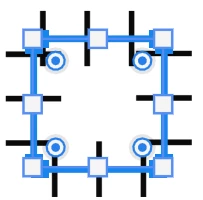
drawing square but comes out of cage with bars
  • April 30, 2022
  • 1 reply
  • 510 views

I intend to draw a square using recutangluar tool in photoshop (latest version). It comes out like the shape shown the above. No matter how I sett the square setting, it comes out the same thing.

The photoshop was perfectly OK. But starting today, it is like this. I don't know what I do to make it normal.

Please help.

Katie
This topic has been closed for replies.
Correct answer jane-e

@kaitlyn90025 

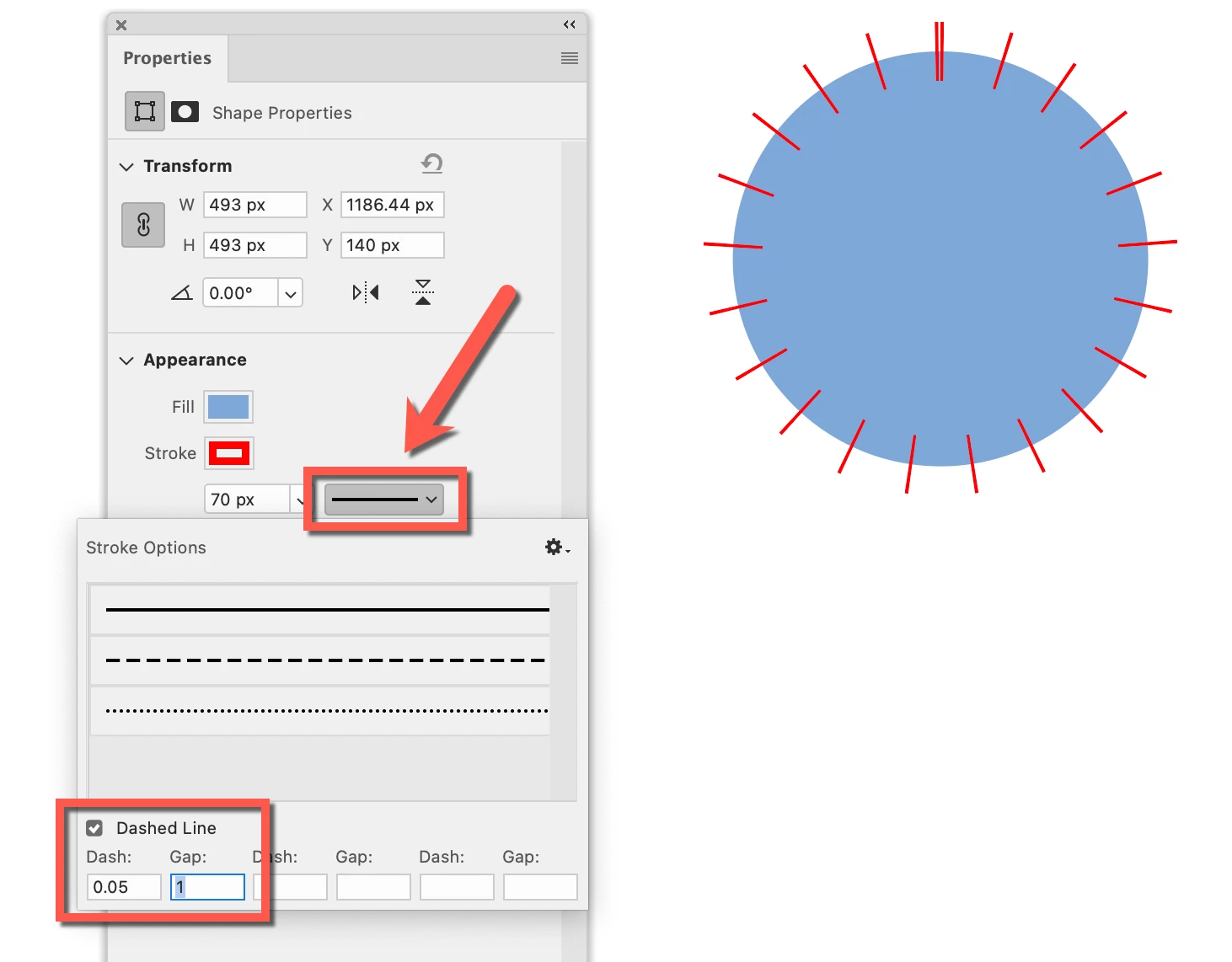
What you are seeing is a shape with a large stroke set to a skinny dashed line. What I am showing here is:

  • 70 pt red stroke set to a dashed line with .05 for the dash and 1 for the gap.


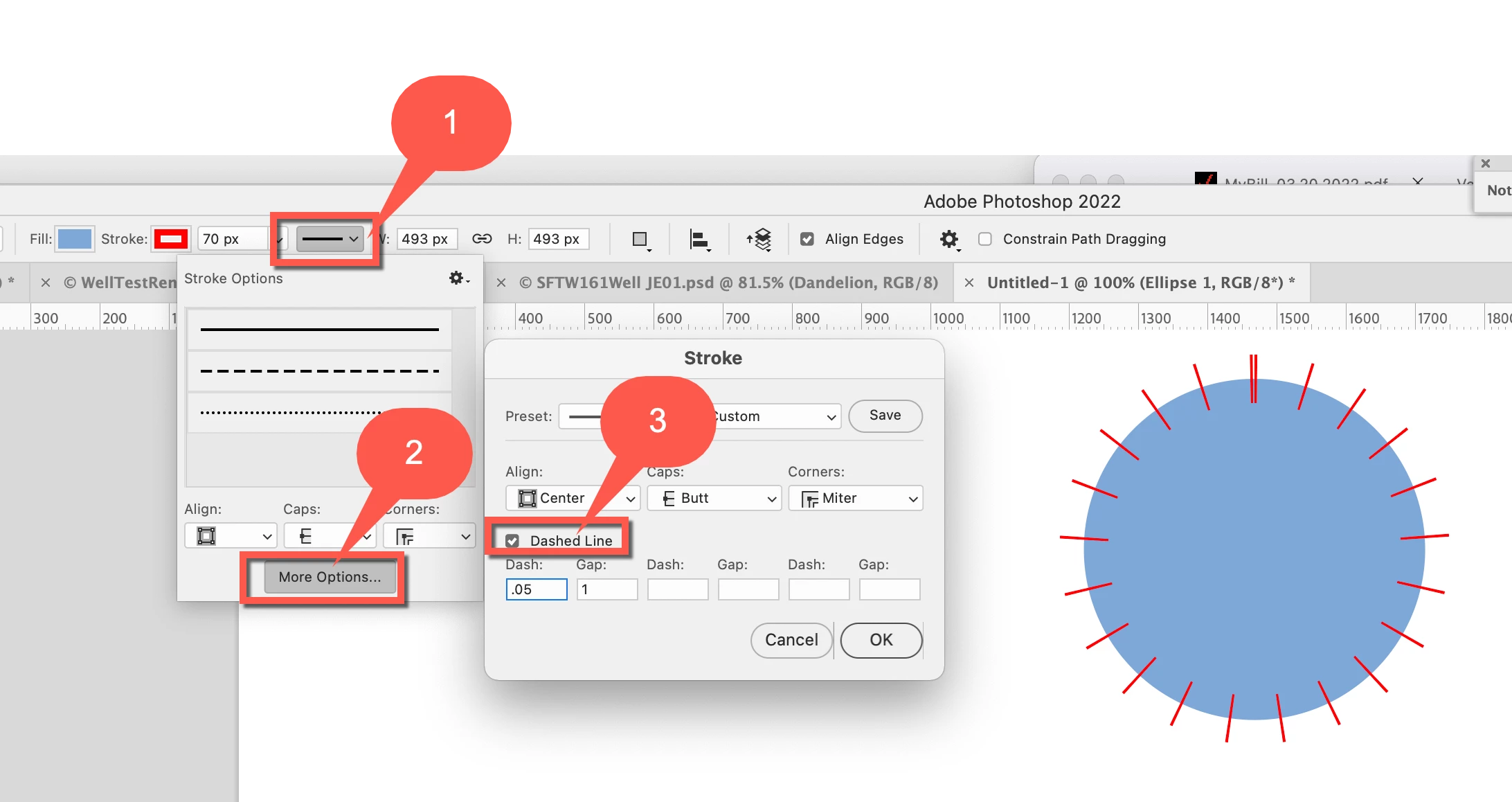
To fix it, select your shape with the Path Selection tool "A" (black arrow), then:

  1. Line dropdown
  2. More options
  3. Uncheck "Dashed line"
    (you might want to change the settings to something normal before unchecking it


You can also use the Propeties panel. I've marked the menu with an arrow.


Jane


1 reply

c.pfaffenbichler
Community Expert
Community Expert
April 30, 2022

Could you please post screenshots with the pertinent Panels (Toolbar, Layers, Properties, Options Bar, …) visible? 


What are the Tool’s settings? 

What is the Stroke set to (see Options Bar and Properties Panel)? 

Participant
April 30, 2022

Here the parameter on the property panel.


jane-e
Community Expert
jane-eCommunity ExpertCorrect answer
Community Expert
May 1, 2022

@kaitlyn90025 

What you are seeing is a shape with a large stroke set to a skinny dashed line. What I am showing here is:

  • 70 pt red stroke set to a dashed line with .05 for the dash and 1 for the gap.


To fix it, select your shape with the Path Selection tool "A" (black arrow), then:

  1. Line dropdown
  2. More options
  3. Uncheck "Dashed line"
    (you might want to change the settings to something normal before unchecking it


You can also use the Propeties panel. I've marked the menu with an arrow.


Jane